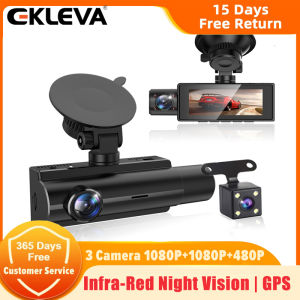
EKLEVA Car DVR Dashcam 3 Channel Camera FHD1080P Three Lens 3.16 Inch IPS Screen Parking Monitor Auto Video Recorder Dash Camera Night Vision Reversing Image
EKLEVA Car DVR Dashcam 3 Channel Camera FHD1080P Three Lens 3.16 Inch IPS Screen Parking Monitor Auto Video Recorder Dash Camera Night Vision Reversing Image
Product Specification
Installation Type: Portable Recorder
Screen(Display) Size:2.86 Inch Screen
Chipset(Processor/CPU):JL5701A
Camera Sensor: Front 2MP + Rear 2MP+Inside 1MP
Camera Lens:Front + inside +Rear; 6 Glass + 6Glass+4 Glass; 170 Degree Angle+170 Degree Angle+140 Degree Angle;F1.8 Aperture + F1.8 Aperture +F2.0 Aperture
Video Resolution:Front: 1920*1080P@25FPS; Inside:1920*1080P@25FPS;Rear:640*480P@25FPS;
Photo Resolution: 12M
Video Code: MOV
Battery: Built-In (Built-in battery is very small, can not support working, only for saving time&setting, please use original power charger when working)
OSD Languages: Russian, Spanish, French, Portuguese, Dutch, English, German, Japanese, Russian, etc..... (If you want other languages, tell us, we will help you add it)
Basic Features: G-Sensor, Cycle Recording, Motion Detection, Parking Monitor, Time&Data Display, Wide Dynamic Range, Picture in picture display, ON/OFF Automatically
Memory Card: Micro TF Card, Class 10 and 8GB to 64GB (Not included)
Rear Camera Upgrade: Support max 6 meters cable Rear Camera
Packing List
1 x Packaging box
1 x DVR
1 x Power charger
1 x Bracket
1 x User manual
1 x Rear Camera With 6 Meters Cable
1 x GPS Module(Optional)
1 x Buck Line For 24H Parking Monitoring(Optional)
1 x Class 10 High Speed TF Card(Optional)
●About 24h Monitoring: The DVR is only compatible with cars that have a 12V power supply. A 24V power supply will burn the motherboard. If you want to use 24V, please add a 24V to 12V Converter(BL). ●About Video: Our Car DVR is FHD 1080P Video Recorder, must use a high-quality Class 10 TF Card, any low quality/low-speed TF card all can't support our DVRs work normally if you can't make sure you have a good TF Card, please buy our Original TF Card together.
Smart Chip
Based On Powerful JL5701A CPU, The Three Lens Simultaneously Capture. Three Channel Dash Cams - Three Cameras Record Simultaneously To Witness Your Whole Journey. Three Lens Record Mode: 1080p+1080p+480p - 170° Front Camera, 140° Rear Camera And 170° Inside Camera.
Super Night Vision
Gathers More Light And Eliminates The Need For An Auxiliary Light Source Even In Low-Light Environments, Making It Easy To Obtain Sharp, Color-Accurate Images, Brings You A Brighter Night Without As Much Light. Can Ensure Clarity Of Image, Even In The Evenings.
Infrared HD Night Vision(INSIDE CAMERA)
In the car during the day The shooting is in color, Inside the car at night Shooting is almost completely dark, The infrared camera starts and the recorded video becomes black and white.
G-Sensor
The built-in G-Sensor with variable sensitivity will lock the current video once it detects a sudden collision, avoiding the video being overwritten in loop recording mode. A reliable witness for accidents.
Motion Detection
With the motion detection function is enabled, when the Car DVR detects a moving object, it will automatically start recording video. When there is no moving object, it will stop recording and detect the moving object again.
Screen saver
The dashcam can be set to 30 second/1 minute/ 2 minutes to automatically turn off the screen during recording.
10 King of Languages
10 King of Languages: including English, Simplified Chinese, Traditional Chinese, Japanese, Russian, French, German, Italian, Portuguese, Spanish.
GPS Fuction(Opcional)
GPS function is to record the driving route location. we can see the speed and driving route on the computer by provided player.(Contact us to get the installation package of the GPS player)
Parking Monitor(Opcional)
If you are worried about your car being damaged by someone else after parking, you can use our buck line to connect the DVR to ensure that the recorder works 24 hours. If someone else hurts your car and the shock triggers the G-sensor, the DVR will immediately turn on and record the situation.
How to install OBD Buck Line
Step1: Yellow Wire connect with BAT (+)

	Open the fuse box (different location of fuse box with the different car). Test the continuous power, which means there will still be electricity even if the vehicle starts off, and then connect the Yellow wire.


Step2: Red Wire connect with ACC (+)

	The red wire with ACC positive electrode when your vehicle starts on.


Step3: Black Wire connect with GND (-)

	The black wire connects the metal (negative electrode).

ekleva Official Store
Review

You May Also Like
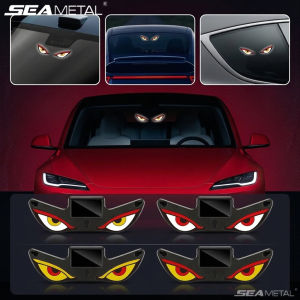
SEAMETAL | SEAMETAL Car Dynamic Expression Light Neon LED Solar Type-C Rechargeable Wireless Devils Eyes Light Smart Sensor Universal Fit

FULANKA | Cooling Breathable All-Season Car Seat Pad

Rayhong Car Retreading Cleaning Cream Tire Cleaner Paste Car Tire Rust Cleaning And Decontamination Brightening shine Coating Tyre Gloss Plastic Rubber Wheel Restorer Agent Tire Shine Brightener Wax Tire Wheel Cleaner Tyre Gloss Tire Wax 100g
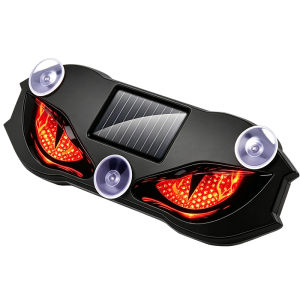
YH | Wireless Solar Devil Eye Dynamic Ambiance Warning Light
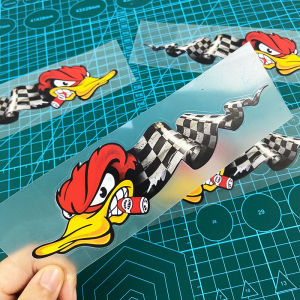
1Pair Angry Duck with Cigar Cartoon Funny Motorcycle Stickers for Motorbike Fuel Tank Scooter Car Window Rear Bumper Vinyl Decal
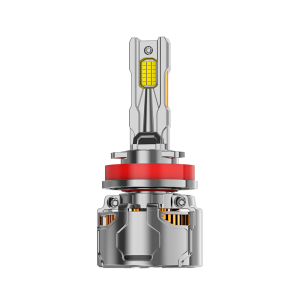
UNJOYLIOD | Upgrade LED Headlight For Close And Long Range Super Bright White Light

itutn | High Suction Handheld Car Vacuum with Blowing and Suction Function
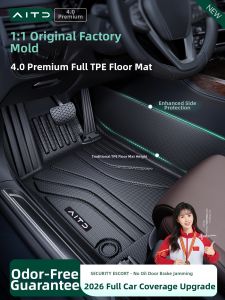
AITD | Custom-fit TPE Floor Mats for Audi A6L Starry
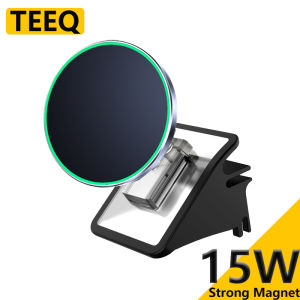
TEEQ Car Phone Holder for Tesla Model Y Juniper Model3 Highland Magnetic Charger Stand Adjustable Extend Mount
RUIKELAIXIANG | Reflective Aluminum Customized Height Limit Sign
Right One | Xenon Headlight Bulbs Near Light