Smart Watch Men NFC HD 1.39” Bluetooth Call Voice Assistant Wireless Charging SmartWatch Women
Wearpai HW28 smartwatch has a 1.39 Inch 360x 360 pixel resolution. It is a HD display screen smartwatch with full touch screen operation Support dropshipping 【Basic Information】 Modle: Wearpai HW28 Screen: 1.39 Inch Screen resolution: 360360 resolution. Touch screen: Full screen touch + physical buttons Battery: 250 mAh Bluetooth version: Bluetooth 5.2 Compatilbe:IOS 10.0 or above/ Android 5.0 or higher. 【Sports mode】 15 sport modes including mountain climbing, outdoor running, basketball, tennis, elliptical machine, mountain climbing, etc. help you. More than ten running courses from beginner to advanced level, run to discover the different scenery along the way. 【Health function】 It can monitor your heart rate changes 24 hours, helping you understand the long-term changes in health problems. HW28 integrates more than 10 health management functions such as breathing training,stress testing,scientific sleep management,blood oxygen detection, monitoring reminder, etc, monitoring physical and mental health in 360 degrees without dead ends 【Social Payment function】 You can read messages on the fitness tracker from WeChat, QQ, SMS, Email, Skype, WhatsApp, etc. Support Paypal, Wechat, Alipay. Support Alipay offline payment,easy payment, convenient and worry-free 【LANGUAGE SWITCH】 Smart watch languages: Simplified Chinese, Traditional Chinese, English, French, German, Japanese, Spanish, Italian, Russian, Portuguese, Turkish, Greek, Vietnamese, Thai, Arabic, Polish, Dutch, Hebrew, Persian language Message push: Simplified Chinese, Traditional Chinese, English, French, German, Japanese, Spanish, Italian, Russian, Portuguese, Turkish, Greek, Vietnamese, Thai, Arabic, Polish, Dutch, Hebrew, Persian language APP language: Simplified Chinese, Traditional Chinese, English, French, German, Japanese, Spanish, Italian, Korean, Russian, Thai, Czech, Portuguese, Indonesian, Arabic, Turkish, Greek, Estonian , Bulgarian, Latvian, Lithuanian, Romanian, Serbian, Slovak (24 courses) Parameter Chipset:Hs6621 Touch screen: 2.5D fully touch curved capacitive screen Main Display : TFT 360360 ,1.39inch Bluetooth:Bluetooth 5.2 Type of battery: li-ion battery Battery:250 mAH Compatilbe:IOS 10.0 or above/ Android 5.0 or higher Languages:Chinese, English, Arabic, French, German, Spanish, Portuguese, Russian, Thai, Polish, Italian, Japanese, Traditional, Czech, Turkish, Greek, Latin, Romanian, Vietnamese, Danish Function Dial market:Support Smart split screen display:Support Scan code connection:Support language switch:Support bluetooth calls:Support Password lock screen:Support WeatherMett:Support Pedometer:Support Play music:Support Calories:Support Breath training:Support Distance:Support Hourly point measurement:Support Heart rate:Support Raise your hand to brighten the screen:Support Blood pressure:Support Sleep monitoring:Support Blood oxygen:Support Message notification:Support Fatigue analysis:Support Sedentary reminder:Support Calculator:Support Alarm reminder:Support WeChat campaign:Support Stopwatch:Support Custom watch face:Support Find my bracelet:Support Dial switch:Support Background brightness adjustment:Support Wallet collection function: Support Watch supported Languages Chinese, English, Arabic, French, German, Spanish, Portuguese, Russian, Thai, Polish, Italian, Japanese, Traditional, Czech, Turkish, Greek, Latin, Romanian, Vietnamese, Danish Package Contents: 1 x Smart Bracelet,1x charger , 1x User Manual Problems you may encounter Q1、How to connect the new HW28 smartwatch? A1、Please perform the following steps: Before the first use, please charge the new device for at least 10 minutes to ensure the normal start and optimal operation of the device; Power on (long press the power on for 3-5 seconds); After starting the watch, scan the code and download the QR code of the APP "Wearfit pro". Scan the code with the phone or search the APP "Wearfit pro" directly in the APP store for downloading. After the registration, scan the qr code on the watch in the APP to connect, or conduct bluetooth search directly in the APP. Tip: 1) The Phone system requirements Android5.0 + / ios10.0+ D: Make sure that the Bluetooth of the phone is on, and then open the APP to connect with the watch; 2) Do not directly use the bluetooth connection of the mobile phone system. Q2、The App cannot search for the Bluetooth of the watch. A2、Make sure your phone's Bluetooth is on. Disconnect the bluetooth of the phone and ignore the bluetooth connection between the watch and the phone, because the APP will automatically block the device connected to the Bluetooth. Q3、Android phones will be disconnected by Bluetooth when the APP interface is turned off A3、Android mobile phone system memory management background will force the application to close, need to turn off the power-saving mode or pull the application into the green background, the application will not be forced to close.App must be running in the background and Bluetooth will not automatically disconnect. Q4、OTA update tutorial A4、

King Stone Electronics

Review

You May Also Like

Original Quicksilver Waterproof Digital Sports Watch For Men Women 50M Rubber Strab Digital WaterProof Watch

LIGE | LIGE Rugged Military Smart Watch Mens Outdoor Watch LED Flashlight 2.01 HD Touch Screen Voice Bluetooth Call Smartwatch Gifts

Smart AI Glasses 13MP Camera Video Recording AI Photo Recognition Answer Sunglasses Bluetooth Handsfree Call Music Play

ECG+PPG Bluetooth Call Smart Watch Men Laser Health Blood Pressure Fitnes Sports Watches Man Sports Waterproof Smartwatch+Box

PANGXIEXIANSHENG | Children Elderly Tracking Device

SwitchBot Hub Mini

Smart Watch V69 1.85 Inch HD Bluetooth Call Men Sports Fitness Tracker Heart Monitor 710mAh Watch

Benio Smart Ring Sizing Kit Size #6 to #13 For Benio Gen Series (Gen 2/Gen 4/Gen Pro)

Smartwatch Women Bluetooth Call Heart Rate Blood Oxygen Tracker Sport Smart Watch Women Men for IOS Androird Xiaomi
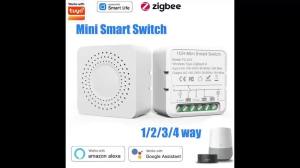
Tuya ZigBee Smart Switch Intelligent Remote Module AC100-240V 1/2/3CH Relay Breaker Smart Life App Works with Alexa Google Home
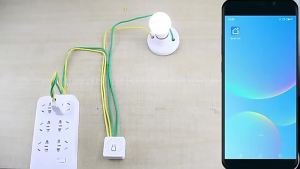
16A 20A WiFi Smart Switch RF 433Mhz Relay Breaker Module 2-Way Control with Tuya Smart Life App Remote Google Home Alexa Support