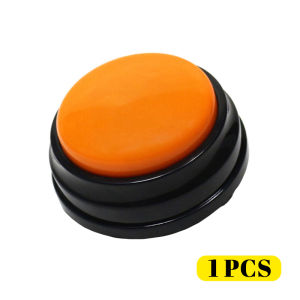
HamshMoc Recordable Dog Buttons Talking Dog Buttons Pet Training Buzzer Teach Dog Talk Funny Gift for Study Training Voice Communication Commands
CONTACT US immediately if you have any problem with our product before you LEFT A FEEDBACK, we will try our best to solve it! >Product Specifications:- Pattern: Dog Recordable Toy- Color: Orange / Green / Blue / Fuchsia- Material: ABS plastic- Suitable for: Dog- Product Size: 8.8 * 4.2cm- Packaging: 1 * Dog Recordable Toy Note: This product does not come with a sticker. >Product Highlights:- 【Record Your Voice】:This toy is used to record your voice and then play it back to your pet, repeating it many times to help your dog form memories and build new ways of communicating with you.- 【Remove the Communication Barrier of You and Your Pet】: When your pet learns to use this toy, you no longer need to guess your dog's intentions by barking, he can press buttons to communicate to you requests for food, water and play.- 【IQ Training】: When you successfully guide your dog to use this toy, your dog's intelligence can also be trained and you can even communicate as friends.- 【Increased Interaction】: At the touch of a button, the toy will make a sound and communicate your pet's needs to you, enhancing the bond between human and pet.- 【Versatile Use】: This toy can be used not only for pet training, but also as a language education toy for children, or even as a phonograph for family, business or friends.- 【Easy to Carry】: Small size and light weight make it easy to carry and use. >How to use the talk button:1.Install 2 AAA Batteries on the battery box.(Package without included Batteries)2.Press and hold the top button. When you hear a single"beep", record a message of 25 seconds or less. When you' re done, release the "REC".A double"beep-beep”, signifies a successful recording.3.For best sound quality, keep the audio source about 3 inch from the MIC.4.4. Short press the top button to playback the recording.To record your message, start over at STEP 1. Please noted that doing this will delete the current message. >Warm Tips:- If you have any problem when you received our products,contact us immediately before you leave a feedback,we always try our best to solve you issue.

HamshMoc Pet Mall
You May Also Like
Dono | Small Dog Diaper Hygienic Pant Disposable Underwear
Floral Cat Bed Dog Bed Four Seasons Universal Teddy Enclosed Cat Nest WarmSupplies
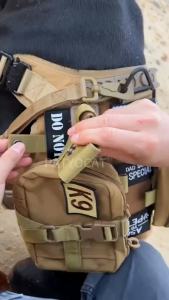
Tactical Dog Harness Leash Collar Molle Pouches for Medium Large Dogs Training MilitaryVest Adjustable Service Dog Harness2026
Wooden Elevated Dog Cat Feeder Stand Adjustable Raised Double Stainless Steel Bowls 15 ° Tilt Anti SlipFood Water Bowl2026
【SG Seller】❤️Stainless Steel Aquarium Filter Guard❤️10mm|12mm|16mm Pre-Filter Sponge Protector Cover For Fish Tank Inlet
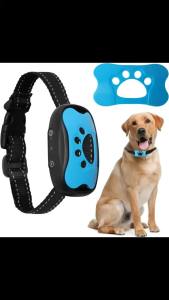
Pet Dog Anti Barking Device USB Rechargeable Dogs Training Collar Ultrasonic Stop Barking Vibration Anti Bark Collar2026
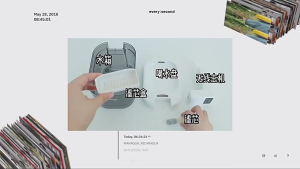
2L Cat Water Fountain Wireless Automatic Pets Water Fountain with Motion Sensor Quiet Pump Rechargeable Water Dispenser
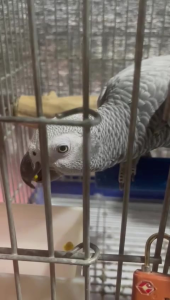
ZuPreem VeggieBlend Flavor Avian Diets for parrot bird feed (Ship in 3 working day)
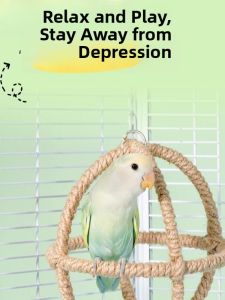
Yee | Climbing And Chewing Parrot Cage Toys

Pet Shell Comb Cat Brush Grooming Comb for Kittens Puppies Portable Long & Short Hair Pin Comb
![[SG] Cartoon Duck Design Anti-slip Pet Automatic Feeder Toys for Dog Training Puzzle Interactive Food Treat Dispenser](https://img.lazcdn.com/g/p/c0ee0acff933618f6faf48941b12e9e8.jpg_300x300q80.jpg)
[SG] Cartoon Duck Design Anti-slip Pet Automatic Feeder Toys for Dog Training Puzzle Interactive Food Treat Dispenser