


Yottamaster 5Bay HDD/SSD Enclosure Support USB3.1 (GEN2) Type-C 10Gbps Compatibility 2.5/3.5" 80TB (Sing 16TB) Capacity
About this item【USB C Daisy Chain - 270TB Monster Capacity】This 5 bay usb c hard drive enclosure supports 5 hard drives with a maximum capacity of 90 TB(18TBX5). Use the dual USB-C Gen2 (10Gbps) ports to daisy chain two additional peripheral devices (except main device), which means the whole capacity could reach up to a monster 270TB enterprise-class storage capacity in total.【10 Gbps Ultra-fast Speed】 This 5 bay type c hdd enclosure adopts USB3.1 GEN2(Type-C) protocol with a transfer rate up to 10Gbps (Max). Note: The speed will vary from the different performance of hard drive and computer host. Applicapable to Windows, Mac OS and Linux devices.【For 2.5"/3.5" HDD & SSD】 Yottamaster 5 bay external hard drive enclosure has FIVE mental removable trays, fiting both 2.5" SSDs where speed matters most and 3.5" HDDs when it's important to maximize the storage capacity. The hard drives are fixed by provided screws, which can effectively be against shock and interface damage.【Full Aluminum Body & 80mm Silent Fan】 Yottamaster usb c hard drive enclosure is made of all aluminum. It not only provides a stable&solid structure while running, and ensures a long term use. Plus an 80mm silent fan, meteor cooling holes on front and rear panel and the ultra cool aluminum casing to keep your drives cool and safe during long hours of running.【Daisy Chain for More Possibility & Flexibility】The 5 bay usb c drive enclosure allows you to daisy chain a second or third external devices for extra workspace/storage capacity. For versatile working needs and allows you to handle your workflow in a fastest speed. With the indicator lights, you can easily know the working status of your hard drive by one glimpse.【Important Note 1】The enclosure will enter into sleep after 10min of data inactivity-the function can be adjusted/cancelled. Use our firmware or the third-party software, like Amphetamine/KeepAliveHD/Prevent Disk Sleep (You can set it to write to your drive a 1kb noted file every 5 minutes. The device will no longer enter sleep mode.) .【Important Note 2】For non-raid version enclosure, please set up RAID with the tools in your system, for example, Mac OS system, set up raid with RAID Assistant in Disk Utility. The RAID software in the official website is for RAID enclosures only.

Yottamaster Official Store


Review

You May Also Like
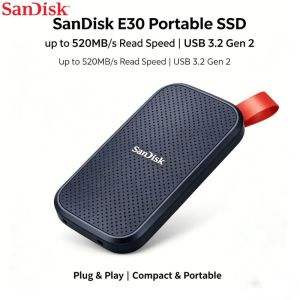
SANDISK PORTABLE SSD E30 USB 3.2 GEN2 1TB / 2TB/4TB/6TB 520MB/S SHOCK | VIBRATION RESISTANT - EXTERNAL SOLID STATE DRIVE
External SSD Hard Disk M.2 SSD Enclosure 10G Online Reading Writing Speed SSD Case For M.2 NVME SSD Docking Station For Computer

SanDisk High Endurance Micro SD Card 128GB 256GB 512GB Memory Card Up to 100MB/s Flash Card TF Card for Monitoring Dashcam
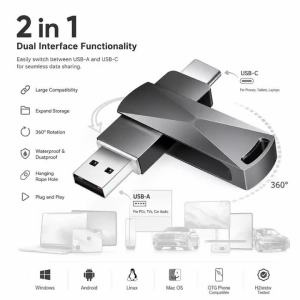
Ultra Dual Drive USB Type-c 8GB 16GB 32GB 64GB 128GB USB 2.0 Gen 1 Phone Metal Type C OTG Flash Drive Pen Drive

Kesu | Portable Encrypted High Speed Hard Drive 2TB
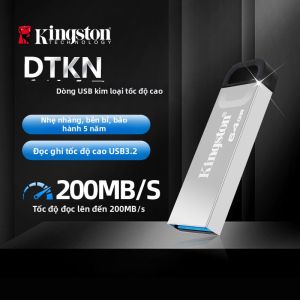
Kingston | Metal High-Speed Multi-purpose USB Flash Drive

[AIM] ORICO HUB Docking Station with M.2 NVME/SATA SSD Enclosure USB-C 10Gbps PD100W/RJ45 SD/TF 4K 10 in 1 Dock Station (DPM2P9)

Charging wind blowing fire passbook ebony creative personality USB electronic trend mens suit

Hagibis | Digital Display E-ink M.2 NVMe SSD Enclosure 2280
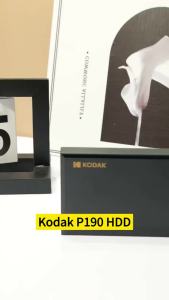
Kodak | KODAK P190 Portable External HDD 500GB 1TB 2.5 Inch Hard Drive USB3.0 5Gbps Storage Disk for PS5 PS4 Laptop Desktop PC
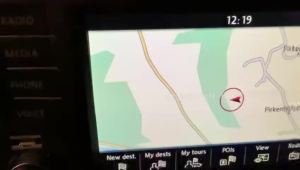
32GB Memory SD Card UK Europe Map GPS Discover MIB2 Media Navigation A1 for Skoda Octavia Superb Fabia Rapid Car 2026-2027











