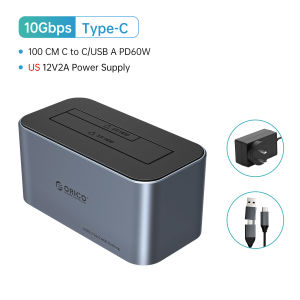
ORICO Aluminum Dual-bay Hard Disk Docking Station Type-C 10Gbps With Offline Clone 2.5/3.5" HDD Case Heat Dissipation Stronger
>Offline Clone Function
Tips : this link have 3 type, if you need clone, choose with offline clone function hdd case
>High Reading Efficiency
The dock supports reading multiple bays simultaneously
>Upgraded Speed
Support USB3.2 Gen2 protocol, UASP protocol, and TRIM function, with transmission speed reaching up to 550MB/s
>High Heat Dissipation Efficiency
The open design and metal body provide a better heat dissipation effect
>Strong Power, Stable Connection
Notice: Single-bay Power Adapter is 12V 2A
Dual-bay Power Adapter is 12V 3A
>The 10-minutes auto sleep mode effectively extends the hard drive’s lifespan and avoids data loss and corruption
>All SATA Hard Drive Compatible
>The enclosed 2-in-1 multi USB cable meets your diversified demands and supports PD 60W output
>It can be used to connect PCs, laptops, smart TVs, smart routers, PS4 and other devices
Tips
Offline Clone Instructions
1.Insert the disks in.
Disconnecting the docking station with the computer. Turo off the power and insert disk A into the Source Slot and disk B into the Target Slot.
2.Connect the power.
Switch the button at the back of the docking station to Clone and turn the power on.
3.Clone start.
Press the Start button at the back and the indicator light flashes when cloning. The indicator light is constantly on after the clone is finished.
Notes:
1.The target drive must be equal to or larger in capacity than the source drive.
2.Please do not move the disk during processing, and do not connect the dock with the computer.
3.The target disk needs to activate by connecting to the computer. Steps: PC Management – Disk Management – Online
4.The offline clone speed is 500G/2hrs.

ORICO Storage
Review
You May Also Like
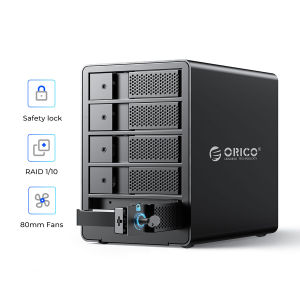
ORICO 2 bay 3.5 USB3.0 to SATA With RAID HDD Docking Station Aluminum HDD Enclosure 36W Power Adapter HDD Case
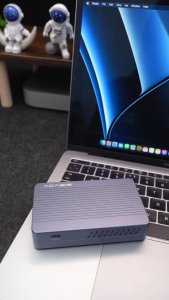
Acasis USB4.0 40Gbps SSD Docking Station | 8TB M.2 NVMe Enclosure & Dual 4K HDMI/DP Ports | 100W PD Charging + 2x USB 10Gbps for Multi-Device Home Office
Jaster | Push-pull USB 3.0 Flash Drives 128GB High Speed Pen Drive Black Memoria 64GB Real Capacity 32GB for Laptop U Disk Creative Gift
SanDisk Extreme Portable USB 3.2 Gen 2 SSD (1TB / 2TB ) E61 R:1050MB/s Type-C External Solid State Drive | Fast NVMe
Jaster | Dark Blue Memory Card 128GB High Speed SD Card Actual Capacity TF Card 64GB 32GB 16GB Suitable For Mobile Phone Storage Devices
SanDisk Extreme GO V30 A2 MicroSD Card 32GB 64GB 128GB 256GB 512GB 1TB QXGN FlashMartSG
Jaster | 5pieces Boxed Packaging Metal USB 2.0 Flash Drives 64GB Free Custom Logo Business Gift Pen Drive 16GB USB Stick Holiday Gifts
SSK SD301 Pro Flash Drive 1000MB/s Dual Drive USB C Pendrive USB3.2 Gen2 OTG Type C Thumb Drive
Hagibis | Hagibis M.2 SSD Enclosure 10Gbps USB 3.2 Gen 2 to NVMe PCI-E External Folder M.2 SSD Case for Laptops 2230/2242 /2260/2280 SSDs
ORICO M.2 NVMe SATA SSD Enclosure Tool-less 10Gbps Stable No Drop Support UASP for PCIe NVMe and SATA SSDs (AXM2)
Lenovo | Dual Interface Solid State USB 3.2 High Speed Large Capacity USB