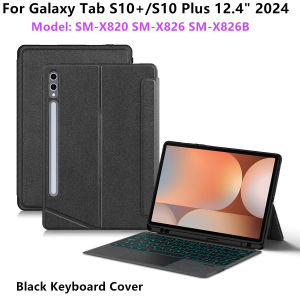
AJIUYU | Magic Keyboard For Samsung Galaxy Tab S7 S8 S9 FE Plus S10+ 12.4" Case Smart Backlit TouchPad Tab S10 FE+ 13.1" Keyboard Cover
This is an detachable keyboard case, TPU soft shell protective case, which can effectively protect your tablet. The keyboard and protective Shell can be separated .Keyboard with Backlight and TouchPad.Bluetooth connection, with touch pad, with backlight,Horizontal and vertical support.Note 1:You need to upgrade your tablet to version 15.0 or higher to use the touchpad.Note 2:After Open the Power, Please Click "Fn" and "C" 【Fn+C】Button Together to Open the Keyboard's Bluetooth. It is Very Important.How To Verify Your Tablet Model1.Turn samsung tablet to the back find your specific model,Par exemple: SM -****2.Find the "Settings"--Click the "About"--Find the "Model"3.Please select the correct model number for your tablet purchase after viewing it.Compatible Model:For Samsung Galaxy Tab S10 Plus (S10+) 12.4 in SM-X820 /SM-X826BFor Samsung Galaxy Tab S9 FE Plus (S9FE+) 12.4 in SM-X610 /SM-X616/616B/X616CFor Samsung Galaxy Tab S9 Plus (S9+) 12.4 inch SM-X810 / SM-X816B / SM-X818UThe above three models of keyboard covers are universal.For Samsung Galaxy Tab S8 Plus(S8+) 12.4 inch SM-X800 / SM-X806For Samsung Galaxy Tab S7 FE 12.4 inch SM-T730/ SM-T736 / SM-T735For Samsung Galaxy Tab S7 Plus (S7+) 12.4 inch SM-T970 / SM-T975The above three models of keyboard covers are universal.For Galaxy Tab S10 FE Plus (S10FE+) 13.1 inch SM-X620 / SM-X626B,(Not compatible with other models)Please confirm your machine model before purchasing~Attention PleaseEnglish versionkeyboard : There are English letters on the keyboard only.Multi-language versionkeyboard : English letters and carved language letters together .【For example, if you choose French, the keyboard will display English and French letters. Please note that the same letters will not be engraved repeatedly】(Due to the difference in the number of keyboard keys compared to a normal office keyboard, some special character engraving positions are the same, which is a normal phenomenon.)The keyboard Core defaults to English, and the characters engraved on the keyboard are only a Surface display.so in some countries, even if the input method is switched, the special symbols do not necessarily match the keyboard function layout.If you mind, please do not purchase)【1】 Method of connecting Bluetooth: Turn on the keyboard switch, press theFn+Cbutton, and then search for your Tablet Bluetooth connection keyboard.【2】After receiving the keyboard, first fully charge it and then connect it to Bluetooth. Only after successful connection can you switch input methods. After connecting the keyboard, open the tablet settings, go to the stylus and keyboard, select the physical keyboard, set the keyboard layout, and choose the desired language. Finally, press and hold the ctrl+spacebar on the keyboard to switch to the language of your choice !The resolution of the machine is different, and there may be color differences in the images, which is a normal phenomenon. The actual product received shall prevailNote: the tablet and pencil computer in the figure is a prop, not included .The pictures are for reference only

Prime Supply_Play Life
Review

You May Also Like

Pink Dollar Stacks For Samsung Galaxy S26 S25 S24 A56 A36 Dual Layer Luxury Fashion Full Lens Protective Case

Data Frog | DATA FROG Wireless Pro Controller for Switch OLED/Switch Lite/Switch2/PC with HD Vibration Gyro Sensor Gamepad
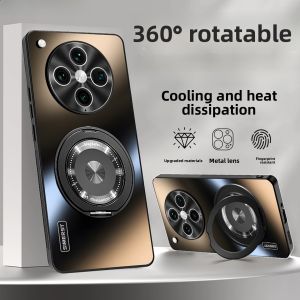
Magnetic Rotatable Phone Case for Oppo FindX Series Matte Anti-fall
(*1/2/3 Pieces) E-book Screen Protector For Kobo Clara Colour 6.0-Inch 2024 Released Tempered Glass 9H Protection Film Clara BW Color 6.0"

1 Pair Earpads For Logitech G435 Headphone Fabric Memory Foam Replacement Ear Pad Cushion Earmuffs
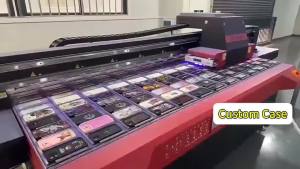
Halloween Bat Pattern Luxury Fashion Full Lens Protective Case for Samsung Galaxy S26 S25 S24 A56 A36 Plus Ultra
![[SG Stock] XILETU FM5S-MINI | 100% Aluminum Alloy Mini Tripod | 5kg Load for DSLR & Mirrorless | 360° Ball Head | Professional Travel Tabletop Stand](https://img.lazcdn.com/g/ff/kf/Sba34438d0daa49fbafc0aa7a03da1745T.png_300x300q80.png)
[SG Stock] XILETU FM5S-MINI | 100% Aluminum Alloy Mini Tripod | 5kg Load for DSLR & Mirrorless | 360° Ball Head | Professional Travel Tabletop Stand
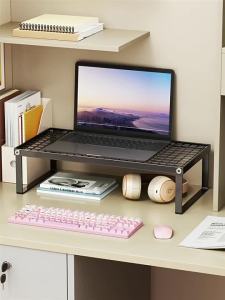
evesigar | Elevating Cooling Laptop and Monitor Stand with Keyboard Tray Multifunctional Desk Organizer
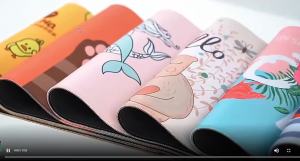
Bandai | Gundam Tabletop Game Mat Non-Slip Battle Area Mouse Pad for Office & Home

Data Frog | DATA FROG 8pcs Controller Silicone Analog Thumb Stick Grip Cap for Xbox One/S/Series X S/PS5/PS4/Switch Pro Gamepad Replacement

2026 New Anime Electronic Badge Display Pin HD Touch Screen LED Button Collectible Cyber Dynamic Gift for Otaku Fans And Friends