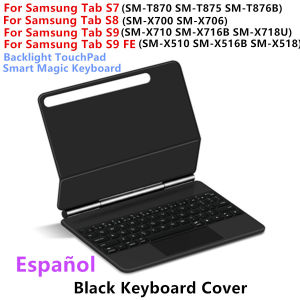
AJIUYU | Magic Keyboard for Samsung Galaxy Tab S9 FE S10 FE S10 Lite 10.9" S9 S8 S7 11 inch Smart Magnetic Case Backlight TouchPad Keypad
For Samsung Galaxy Tab S7/S8/S9 11inch, S9FE/S10FE/S10 Lite 10.9 Magic KeyboardMagnetic adsorption, backlight, touch panel, multi angle support、Wireless Bluetooth connectionHow To Verify Your Tablet Model1.Turn iPad tablet to the back find your specific model,Par exemple: SM-****2.Find the "Settings"--Click the "About"--Find the "Model"3.Please select the correct model number for your tablet purchase after viewing it.Applicable Models:For Samsung Galaxy Tab S7 11 inch(SM-T870、SM-T875)2020.For Samsung Galaxy Tab S8 11 inch(SM-X700、SM-X706)2022.For Samsung Galaxy Tab S9 11 inch(SM-X710 SM-X716B SM-X718U)2023.For Samsung Galaxy Tab S9 FE 10.9 inch(SM-X510 SM-X516 SM-X516B)2023 .For Samsung Galaxy Tab S10 FE 10.9 inch (SM-X520 SM-X526B) 2025.For Samsung Galaxy Tab S10 Lite 10.9 inch (SM-X400 SM-X406B SM-X406F) 2025.[Note: Only the corresponding machine model can be magnetically attracted. If your machine is not of the above model, please do not purchase!!! ]Note:The above six models of keyboard covers are universal.Product Details:1. Number of buttons: 642. Battery: Lithium battery 500mAh3. Stand-by time: 150 days4. Working Time: 5 hours (with backlit on),120 hours (with backlit off)5. Working Voltage: 3.0 - 4.2V6. Charging current:7. Effective distance: 10 meters8. Backlit Light: 7 colors backlit9. Charge Port: Type-c10. Material: Anti fouling and durable PU material11. Key life:3 million12. Charging times: 3 hours13. Color: White BlackNote 1:You need to upgrade iPad OS to version 15.0 or higher to use the touchpad.Note 2:After Open the Power, Please Click "Fn" and "C" 【Fn+C】Button Together to Open the Keyboard's Bluetooth. It is Very Important.Attention PleaseEnglish versionkeyboard : There are English letters on the keyboard only.Multi-language versionkeyboard : English letters and carved language letters together【For example, if you choose French, the keyboard will display English and French letters. Please note that the same letters will not be engraved repeatedly】(Due to the difference in the number of keyboard keys compared to a normal office keyboard, some special character engraving positions are the same, which is a normal phenomenon)The keyboard Core defaults to English, and the characters engraved on the keyboard are only a Surface display.so in some countries, even if the input method is switched, the special symbols do not necessarily match the keyboard function layout(You can hold down the Shift combination).If you mind, please do not purchase!!.Note :Due to the material of the white keyboard, the engraved letters are dark gray .【1】Method to connect Bluetooth: Turn on the keyboard switch, press theFn+Cbutton for about 2-3 seconds, the blue light on the keyboard indicator will flash, and then search for your tablet's Bluetooth connection keyboard.【2】After connecting Bluetooth,Take the samsung tablet as example,open Settings--ystem--Language & input--Add New Keyboard. (For other systems, please set them in the system settings according to the tips of the iPad example.)【3】Input method switching: control+spacebar.(Choose the language you need)【4】Type-C charging interface .【5】For detailed instructions, please read the user manual. If you have any questions, you can contact "Online Services" for consultation .The resolution of the machine is different, and there may be color differences in the images, which is a normal phenomenon. The actual product received shall prevailNote: Tablet and Pencil are not included in the packaging~Language layout images are for reference only

Prime Supply_Play Life
Review

You May Also Like

For Xiaomi Mijia Robot Vacuum Mop Ultra Slim STYTJ04ZHM Xiaomi Ultra Slim Robot Vacuum Cleaner Accessories of Main Brush Side Brush Hepa Filter Mop Spare Parts
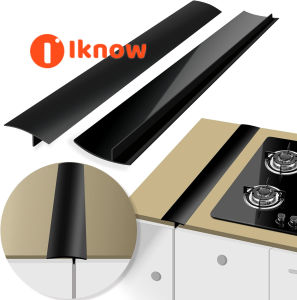
I know Gap Filler for Stove and Counter- Kitchen Stove Counter Gap Cover Silicone Gap Cover Between Stove and Counter 21 Inches Stove Gap Filler Heat Resistant Cover Easy Clean White
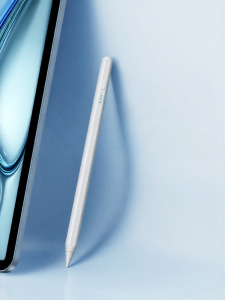
YUANSEPAI | Universal Compatible Touch Pen Mistouch Prevention
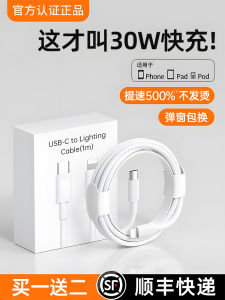
Fast Charging Data Cable for 15 14Promax 11 Charger Head 13 12 Mobile Phone 7S Quick XR 8Plus Flash Charge PD Fast Charge Tablet USB Extended 2M TypeC
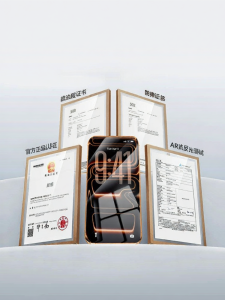
PISEN | Anti-Reflective Full-Screen Impact Protection Screen Protector
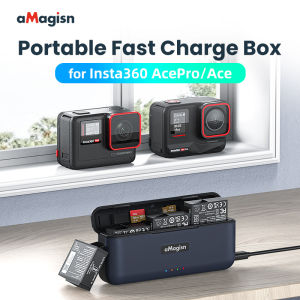
【STOCK】amagisn For Insta360 Ace Pro2/Ace/Ace Pro Fast Charging Box 3 Slots Battery Charging Box and Replaceable 1800mAh Original Battery
Original Roborock Accessory ViRise Mop Mount Vition Mopping Kit for S7 S8 S8+ S8 Plus Robot Vacuum Cleaner Parts Black Color
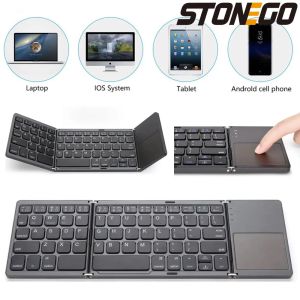
STONEGO 2-fold / 3-fold Ultra-thin Wireless Keyboard with Touchpad Bluetooth Keyboard Tablet PC Mobile Phone Mini Keyboard
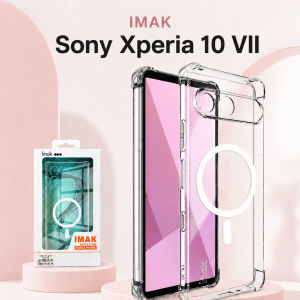
Magnetic Case For Sony Xperia 10 VII Soft Cover Camera Protection Anti Yellow CA0003
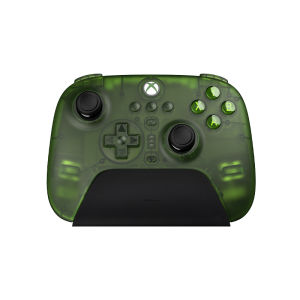
8BitDo | Microsoft Authorized Controller Gamepad for Xbox Series Android Apple iOS PC and Mac
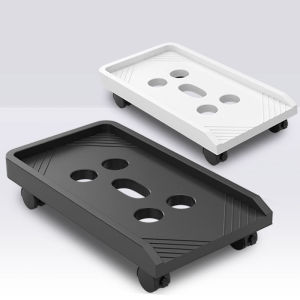
Mobile Adjustable Height Thickened Computer Host Stand