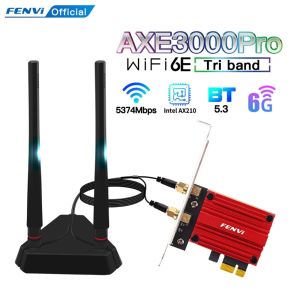
Fenvi | FENVI WiFi Adapter WiFi 6E AX210 5374Mbps Tri Band 2.4G/5G/6Ghz Blue-tooth 5.3 802.11AX Game Red Wireless Network Card Win10/11
Fenvi WiFi adapter 6e AX210 5374mbps tri band 2.4g/5g/6GHz blue-tooth 5.3 802.11ax game Red wireless network card Win10/11Description:Chipset: AX210NGWTri band: 2.4Ghz / 5Ghz/6Ghz(160Mhz)Speed up to 2400Mbps (The router must on 160Mhz);Speed up to 2400Mbps(5Ghz), 574Mbps(2.4Ghz)(The router must on 160Mhz,support 802.11ax)With Bluetooth 5.3, Support MU-MIMOInterface:Pcie x1/X4/X8/X16Supported Operating Systems: work on Microsoft Windows 10* 64bit, Window 11Note: Not support Windows 7/8/8.1Compatibility With: Almost computer with PCI Express (PCI-E 1X/4X/16X slot) Interfaces,Not Fit IBM/Lenovo/HP Version Desktop;.(if you have any probelm.Please contact to us)Driver download: You can download the driver on fenvi website or Form Intel website(Search WIFI 6E AX210)Q1: Does it work on AMD chipset motherboard?A: NOQ2: Does it support Linux system?A: Sorry, dear. currently we only provide Win 10 and Win 11 driver, no Linux service.Q3: Does it support WiFi and Bluetooth function?A: Yes, both support. But please pay attention to that the drivers for WiFi and Bluetooth are separate and you need to install two drivers.Q4: The bluetooth doesn't work, what should I do?A: Please connect the 9-pin USB cable (black) included in the package to the 9-pin USB 2.0 interface on the motherboard. The white end connects to the pcie network card adapter socket. Then install the bluetooth driver.Q5: The WiFi doesn't work, what should I do?A: ① Check whether the device wifi is recognized by the computer in the device manager. If there is a network controller with a yellow exclamation mark, please install the wifi driver. If the driver is already installed, a yellow warning will still be displayed. Please right-click, click Update, and select the driver file path to manually update.② Check whether there is an M.2 hard disk on the motherboard, which may cause a hardware function conflict. The M.2 hardware in the parallel channel needs to be unplugged.Check that the antenna connection is secure.* If your desktop computer has built-in wifi function, please turn off the built-in wifi when using it on the desktop computer.Q6: How can I get the driver?A: You can download the driver on FENVI website or From Intel website(Search WIFI 7 BE200)Q7: The motherboard has built-in wifi, but wifi 5 is a bit slow, can I buy this adapter for upgrade?A: If your PC has an open PCI-E slot, you can use it to upgrade. But when installing this adapter, you have to disable the built-in card.Q8: The WiFi speed cannot reach 5800Mbps on 6GHz? Unrecognized or wifi speed slow down after using for a while?A: ① The Maximum wireless signal rates are the physical rates derived from IEEE Standard 802.11 specifications. Actual wireless data throughput and wireless coverage, and the number of connected devices is not guaranteed and will vary as a result of network conditions, AP limitations, and environmental factors, including building materials, obstacles, volume and density of traffic, and AP location.② You can try different things by changing different pcie slots (pcie×16 available).* Please note that 6GHz Wi-Fi is only available for Win 11 or upgrading to Win 10 Dev version; Speed up to 5GHz-2400Mbps/6GHz-5800Mbps; (The router must support 802.11be, 320Mhz)

Prime Supply_Play Life
Review
You May Also Like
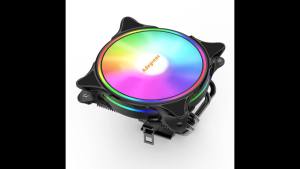
X99 CPU Air Cooler 3Pin/4Pin ARGB PC Processor Ventilador 4 Heat Pipes For Intel LGA 1150 1151 1155 1700 2011 AMD AM3 AM4 AM5
![[Free Acer Day Gift Pack] [New Ultra-Lightweight at 1.19kg][Intel® Core 3/5] Acer Swift Air 14 | SFA14-I31 14-Inch WUXGA IPS120Hz Display Laptop](https://img.lazcdn.com/g/ff/kf/S324bd76ffc9545d7895d4cb784fefea2d.png_300x300q80.png)
[Free Acer Day Gift Pack] [New Ultra-Lightweight at 1.19kg][Intel® Core 3/5] Acer Swift Air 14 | SFA14-I31 14-Inch WUXGA IPS120Hz Display Laptop

Black Shark | 6Max Magnetic Cooling Stand Tablet Cooler Low Noise High Efficiency
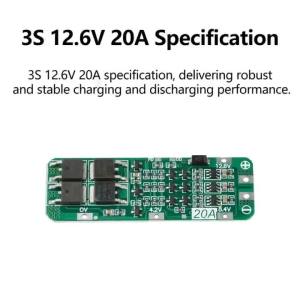
Aideepen | 3S 20A Li-ion Lithium Battery 18650 Charger PCB BMS Protection Board For Drill Motor 12.6V Lipo Cell Module 59x20x3.4mm
![[Portable Dual Display Monitor] Acer PD163Q B/PD163Q T 2x 15.6" FHD IPS Type-C Portable Dual Touch/Non-Touch Display Monitor](https://img.lazcdn.com/g/ff/kf/S853cac4643884a4789cbb355502b53e5e.png_300x300q80.png)
[Portable Dual Display Monitor] Acer PD163Q B/PD163Q T 2x 15.6" FHD IPS Type-C Portable Dual Touch/Non-Touch Display Monitor
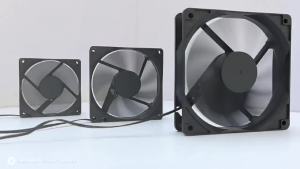
T.F.SKYWINDINTL(TFSKYWINDINTL) | Computer PC Case Fan 8cm 12cm 14cm CPU Cooler Cooling fan 5v 12v 12025 14025 8025 Computer case fan BTC Server pc Gamer
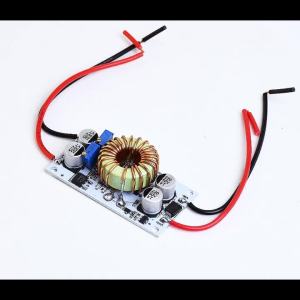
diymore | 500W/250W 10A Step Up Power Supply DC 8.5V-48V to 10-50V Boost Converter Constant Voltage Current Drive Module Adjustable CC CV

Thermal Grizzly TG Duronaut 2g
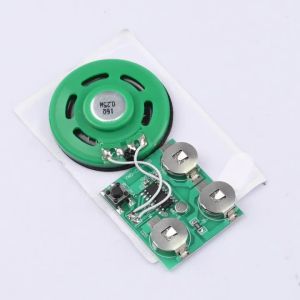
Aideepen | 60 Second Recording Playback Board Music Module Greeting Card Refrigerator Sticker DIY With Battery Button Playback Voice Module

Cooler Master | Bidirectional Placement Portable Case MATX

AMD Ryzen 9000 series CPU 9600X/9600 Tray/9700X/9900X/9950X 3 Years Warranty