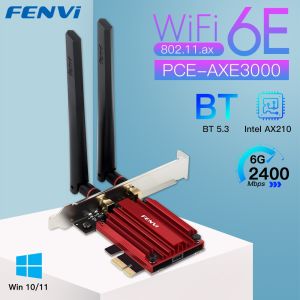
Fenvi | FENVI WiFi 6E AX210 5374Mbps Wireless PCIE Adapter Tri Band 2.4G/5G/6Ghz Compatible Bluetooth5.3 Network WiFi Card For Win 10/11
• Tri Band 2.4G/5G/6Ghz :Enjoy faster and more reliable internet connectivity with the adapter's tri-band feature that supports 2.4G, 5G, and 6Ghz frequencies.• Bluetooth 5.3 Network WiFi Card :Connect your devices seamlessly with the adapter's Bluetooth 5.3 network WiFi card that provides stable and fast internet connectivity.• PCIE Adapter Compatible :The adapter is compatible with PCIE, making it easy to install and use in your desktop or laptop computer.• High Transmission Speed :With a transmission speed of 1200 Mbps, the adapter ensures fast and efficient data transfer, making it ideal for heavy internet users.FENVI Wi-Fi 6E AX210 5374Mbps Tri-band 2.4G/5G/6Ghz Wireless PCI-E Adapter Compatible Bluetooth 5.3 Network WiFi Card For PC Win10/11Brand: FENVI;Model: PCE-AXE3000Item: Wireless AdapterChipest: Intel AX210 Chipset;New Wi-Fi with Blutetooth 5.3;Standard IEEE: 802.11ax/ac/a/b/g/n;Tri-Band : 2.4Ghz-300Mbps/5Ghz-2400Mbps/6Ghz-2400MbpsNote: Speed up to 2400Mbps (The router must support 802.11ax,160M);Support MU-MIMO;Operating Systems: Only Support Windows 10/1164bit Compatibility With: Almost computer with PCI Express (PCI-E 1X/4X/16X slot) Interfaces,Not Fit IBM/Lenovo/HP Version Desktop;Specially-designed heatsink ensures stable and reliable continuous operation;6DBi high gain antennas get the better signal reception;Driver download: You can download the driver on fenvi website or Form Intel website(Search WIFI 6E AX210)Q&AQ1: Does it work on AMD chipset motherboard?A: Yes, support work on AMD, if not, please contact Customer Service for help.Q2: Does it support Linux system?A: Sorry, dear. currently we only provide Win 10 and Win 11 driver, no Linux service.Q3: Does it support WiFi and Bluetooth function?A: Yes, both support. But please pay attention to that the drivers for WiFi and Bluetooth are separate and you need to install two drivers.Q4: The bluetooth doesn't work, what should I do?A: Please connect the 9-pin USB cable (black) included in the package to the 9-pin USB 2.0 interface on the motherboard. The white end connects to the pcie network card adapter socket. Then install the bluetooth driver.Q5: The WiFi doesn't work, what should I do?A: ① Check whether the device wifi is recognized by the computer in the device manager. If there is a network controller with a yellow exclamation mark, please install the wifi driver. If the driver is already installed, a yellow warning will still be displayed. Please right-click, click Update, and select the driver file path to manually update.② Check whether there is an M.2 hard disk on the motherboard, which may cause a hardware function conflict. The M.2 hardware in the parallel channel needs to be unplugged.Check that the antenna connection is secure. For some AMD motherboard computers, you may need to enter the BIOS to set some options of pcie. Set the PCIe speed to Gen3 (Auto, Gen 1, Gen 2, and Gen 3).* If your desktop computer has built-in wifi function, please turn off the built-in wifi when using it on the desktop computer.Q6: How can I get the driver?A: You can download the driver on FENVI website or From Intel website(Search WIFI 6E AX210)Q7: The motherboard has built-in wifi, but wifi 5 is a bit slow, can I buy this adapter for upgrade?A: If your PC has an open PCI-E slot, you can use it to upgrade. But when installing this adapter, you have to disable the built-in card.Q8: The WiFi speed cannot reach 2400Mbps on 6GHz/5GHz? Unrecognized or wifi speed slow down after using for a while?A: ① The Maximum wireless signal rates are the physical rates derived from IEEE Standard 802.11 specifications. Actual wireless data throughput and wireless coverage, and the number of connected devices is not guaranteed and will vary as a result of network conditions, AP limitations, and environmental factors, including building materials, obstacles, volume and density of traffic, and AP location.② You can try different things by changing different pcie slots (pcie×16 available).* Please note that 6GHz Wi-Fi is only available for Win 11 or upgrading to Win 10 Dev version; Speed up to 5GHz/6GHz-2400Mbps; (The router must support 802.11ax,160MHz)

Prime Supply_Play Life
Review

You May Also Like

【Local Stock】15.6-inch Portable Monitor with HDMI Input - 400Nit Brightness 100% RGB Color Type-C IPS Full HD 1080P HDR

ASUS Zenbook 14 2026 UX3405CA | ASUS Zenbook 14 inch Gaming Laptop 2025/ASUS Lingyao 14/i9-13900H/32GB RAM 4TB SSD/2.8K 120Hz OLED Display/Intel Arc Graphics

EDUP | EDUP BE9715 WiFi 7 PCIe Network Card 8774Mbps WPA Tri-Band 2.4/5/6GHz with Bluetooth 5.4 for Stable High-Speed

【ASUS Warranty】ASUS Tianxuan Air Gaming Laptop 2025/ASUS Tianxuan Air Time Agent Co-branded Gift Box AI Laptop/AMD AI 7 H 350/RTX5060 Gaming Notebook/14inch 165Hz 2.5K IPS Screen/ASUS Laptop/32GB RAM 2TB SSD/华硕天选Air 2025/锐龙AI7H350/ASUS Laptop 华硕笔记本电脑

Uninterrupted Power Supply DIY Power Bank Box DC UPS 5V 9V 12V Output 6x 18650 Battery for House Router Cellphone Tablet Modem
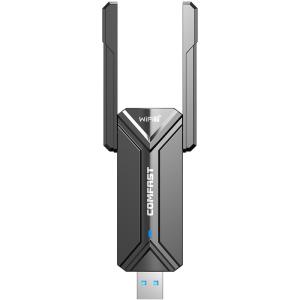
Comfast | Driverless Tri-Band Gigabit USB WiFi Adapter 6500M Power Gaming Network Card
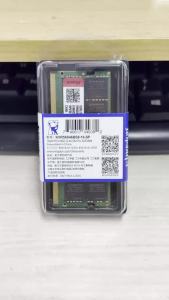
Kingston | Kingston Laptop RAM DDR5 1.1V 32GB 16GB 5600MHz 262Pin SODIMM PC5-44800 Non-ECC Unbuffered DDR5 Notebook RAM
![[New Original] 2026 Camera Gaming Laptop Intel Core i9-8950HK 14.1 16GB RAM 2 TB SSD free WIN 11 + MS office WiFi 6](https://img.lazcdn.com/g/ff/kf/S4fc01f65bdf44cba9000d9700c53f381G.png_300x300q80.png)
[New Original] 2026 Camera Gaming Laptop Intel Core i9-8950HK 14.1 16GB RAM 2 TB SSD free WIN 11 + MS office WiFi 6
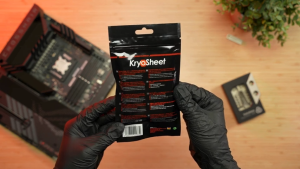
Thermal Grizzly KryoSheet - 33x33 mm (AM5) 38x38 mm (AM4 LGA1700/2066/2011) & 44 x 37 mm (LGA1851 & RTX 5090)

【ASUS Official Warranty】2025 ASUS Adolbook 14 Air Laptop/AMD Ryzen 9H 270/RTX5060/14inch 2.8K 120HZ OLED Screen/ASUS A Bean14 Air/ASUS AI Thin and Light Notebook Laptop/ASUS Adolbook Laptop
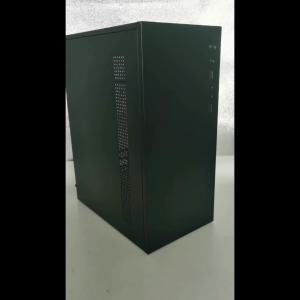
PC case PC chassis desktop casings computer case H2 desktop computer host Shell multi-disk small board compact mATX small chassis