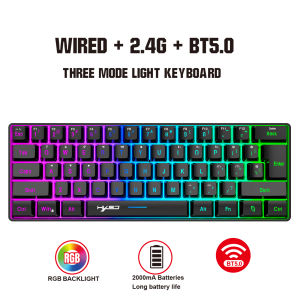
HXSJ | New design HXSJ L500 Compact membrane keyboard 60% 3-mode RGB backlit ABS rechargeable 2000mA with Type-c gaming office keyboard
Product specifications: Specification item:Wired +2.4G+ Bluetooth Triple mode keyboard Product number: L500 Compact membrane keyboardInterface Type : USB TO TYPE-C Interface Connection method:Wired + BT5.0 + 2.4G TriplemodeBuilt-in battery capacity: 2000mA Rechargeable lithium batteryLight mode: Multiple RGB light modesNumber of keys: 61 KeysButton life:10 million times or moreOperating Voltage:3.3V~4.2V DC Working current:50mA (MAX)Charging Cable:1.7m±0.3m Type-C InterfaceKey cap material :ABSKey cap production process:Oil injection radium carving process glowMultimedia:With multimedia (laser carving)Product weight: 391gProduct size: 29.210.24CMPackagesize: 32134.5cm Packageweight: 540gPackage included:1x Gaming keyboard1x USB receiver1x 1.7M Type-C charging cable1x English User manualSystem compatibility:Compatible with IBM PC Win98SE/Me/2000/XP/VISTA/WIN 7/WIN10/WIN11 and Mac OS and Linux the latest systemSupported devices:Multiple devices such as mobile phones, tablets, and desktop computers can be connected at the same time.Compound function key switch:Backlight adjustment:FN+{[= Turn on and off the light FN+]}= 8 color switch FN+|= RGB switch FN+>.= Light + 4th gear FN+.FN+:; = Slow four breaths FN+ '" = Breathe fourgears fasterCompound function key switch:FN + Q = 2.4 G FN+I= BT 1 FN+O= BT 2 FN+P= BT 3 FN+E= Wired FN+W= Toggle arrow keys FN+R= Volume - FN+T= Volume + FN+Y= Mute FN+ESC=~` FN+1! key: F1 FN+2@ key: F2 FN+3# key: F3 FN+4$ key: F4 FN+5% key: F5 FN+6^ key: F6FN+7& key: F7 FN+8* key: F8 FN+9 (Key: F9 FN+0) key: F10 FN+- key: F11 FN+ =+ key: F12 FN+Back key: DeleteFN+Win =Lock the key Win and APPBluetooth Connection:1.Turn the switch at the bottom of the keyboard to ON.2. Press and hold the key FN+I= BT1, FN+O= BT2, FN+P= BT3. At this time, the green light flashes rapidly under the F3 key, and the keyboard enters the state of sending Bluetooth code pairing (code pairing mode).3. Open your Bluetooth device search, find BTname, click Connect, LED stop flashing, Bluetooth connection successful.2.4G connection mode:1. Turn the switch at the bottom of the keyboard to ON.2. Hold down the FN+Q key. The green indicator under the F3 key blinks rapidly. Keyboard entered 2.4G pairing mode.3. Insert the 2.4G receiver. After the connection is successful, the green light of E key will no longer blink.Wired connection:1. Turn the switch at the bottom of the keyboard to OFF.2. Hold down the FN+E key. The green indicator under the F3 key blinks rapidly. Plug the keyboard cable USB port into the computer Settings to complete the connection.◎Automatic sleep power saving mode:Supports not operating the keyboard within 30 seconds, the backlight turns off by itself, the keyboard enters the sleep state, press any key to wake up.◎The charging indicator light is red when charging, and the light is off when fully charged.When the low voltage indicator is flashing, it indicates that the battery is insufficient, please charge it in time;◎Built-in 2000mA capacity battery, fully charged with 5V/1A equipment in about 2 hours; you can continue to use this product while charging.

Prime Supply_Play Life
Review

You May Also Like
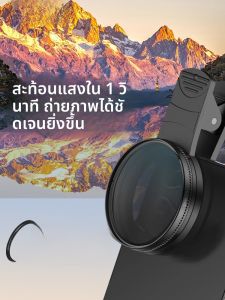
YIDONG | CPL Polarizing Filter HD Photography Lens for iPhone Huawei Xiaomi Android
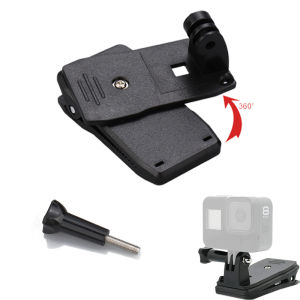
Backpack Strap Clip 360° Rotation Hat Belt Clamp Mount for Gopro 11 10 9 8 DJI Action 6 5Pro 4 Insta360 ACEPro X5 X4 Accessories
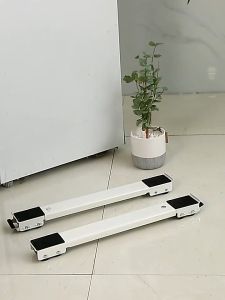
【24 hour shipping】washing machine stand 2 pcs alloy materials weight bearing 500kg 360 degreesmovable stand roller universal mobile stand dryer roller base pelapik mesin basuh 洗衣机底座
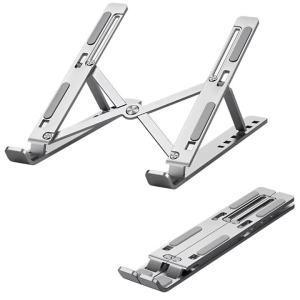
Adjustable Metal Laptop Stand Foldable Portable Computer Holder 6-Level Height Notebook Bracket
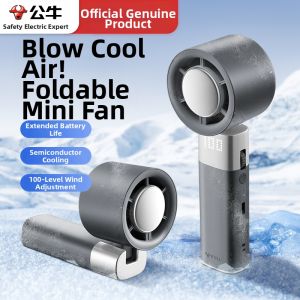
Bull | Portable Foldable Mini USB Rechargeable Fan
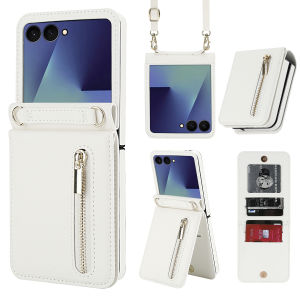
szhaiyu | Leather Wallet Phone Case For Samsung Galaxy Z Flip 8 7 6 5 4 Zipper Pocket Kickstand Shockproof Protective Crossbody Cover
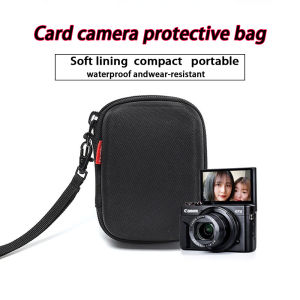
Camera Hard Case Cover For Canon G7X Mark II III G9X G7 X G7X2 Sony ZV1 ZV1F RX100 VII VI V VA IV Drift Ghost XL Gopro Hero 12
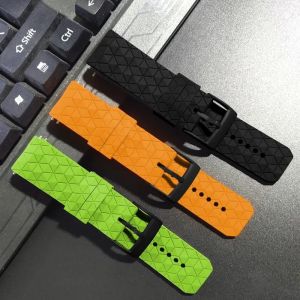
Football Pattern Silicone Replacement Strap For Garmin Forerunner 170 Smart Watch Band
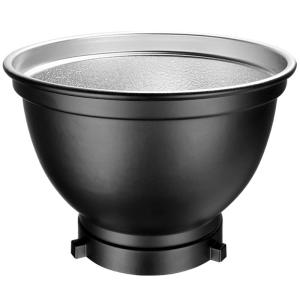
Godox | 55 Degree Reflective Flash Softbox Beehive Effect Lighting Accessory
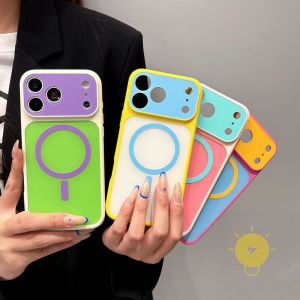
For iPhone 17 Pro Max Case Magnetic TPU Contrast Color Phone Case For 16 15 14 13 Cover Aesthetic Korean Cute
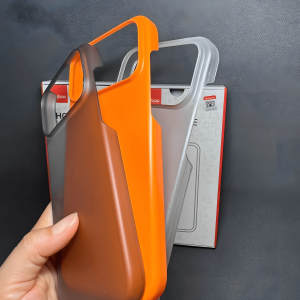
Slim Hard PC Case For iPhone 17 16 15 14 13 12 Pro Max Lightweight Scratch Resistant Camera Protection Cover