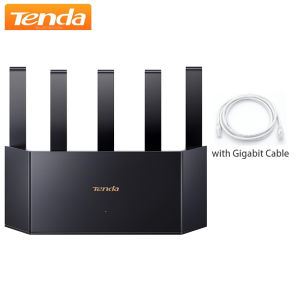
Tenda Router BE6L Dual-Core Wifi7 BE5100 5011Mbps 2.5G Ethernet Port Dual Frequency 2.4/5GHz 5Independent Signal Amplifiers Mesh
About this item BE5100 Dual-Band Wifi7 Router for Home — Delivers 5,011Mbps combined dual-band speeds (5GHz: 4,323Mbps, 2.4GHz: 688Mbps) with 4K-QAM modulation and MLO dual-band aggregation. Perfect for 8K streaming, VR, and large file transfers.Stronger Wifi Signal Coverage — Features 5 high-gain antennas and 5 built-in FEM signal amplifiers for 360° extended coverage, capable of penetrating walls and reaching every corner of large homes.Efficient Cooling Design for Blazing - Fast Speed — Compared to traditional horizontal routers, the Vertical Wireless Router has a larger air contact area to improve heat dissipation efficiency and enable your network stability.2.5G Multi-Gig Port for Future-Proofing— Includes 1×2.5Gbps WAN/LAN port and 3×1Gbps ports, supporting up to 2,000M broadband for blazing-fast wired connections (e.g., NAS, gaming consoles).Advanced Security & Parental Controls— WPA3 encryption and firewall protection against DDoS attacks. Customizable parental controls (device filtering, time limits, URL blocking) ensure safe browsing for kids.Easy Setup & Smart Management— NFC one-tap connection for instant Wi-Fi access (no password sharing). Guided installation via Tenda App or web interface. Supports Mesh networking for seamless whole-home expansion.Note: Product specifications and performance claims are based on laboratory tests under ideal conditions. Actual performance may vary depending on environment and device compatibility. What's in the box BE5100 Smart Dual-band Wifi 7 Router RE6L Pro1 Ethernet Cable1 Quick Installation Guide1 Power Adapter1 Note: This is Chinese version Tenda Wifi7 router, only install the Tenda app that is everything in the language you want. The Web only support Chinese language, but you could use Google translator. Router setup stepsSupport PC settings and application settings, you can change the settings page to the language of your country1. Computer settings: please download Google Chrome in advance and open it http://192.168.0.1/ , this is the official setting page of Tenda router. You can translate it into the language of your country through Google Chrome, such as English, Russian, Spanish, etc., just follow the prompts to set it.2.Application settings: please download Tenda WiFi app in advance1.search for and download the app "Tenda Wi Fi" on Google play or app store.2.turn on the Tenda (WiFi) router and the phone connection1) Create a Tenda account and log in to your account;2) According to the operation, click "dial up access" to enter your network account and password; (the router supports PPPoE protocol)3) Click "WiFi password" and "new password" to complete.4)open the application and complete the WiFi settings.*If you are unable to connect, please do not worry, please contact us, we will provide the connection videoNote: this is original Chinese versions Tenda Wifi 7 Router.We will send the EU adapter cover if you choose EU plug, We do not accept anydisputeoflanguageor a wrong purchasing thatcannot be powered ondue to the power voltage not being within the range (100V~240V-50/60Hz).More hot selling products:

GlobalTechMart
Review

You May Also Like

TELESIN S1-CSS-08 Vlog Remote Tripod Selfie Stick for Smartphone GoPro DJI Action Camera
【🔥SG🔥】RICHMENTMALL Matte Privacy Hydrogel Film For Motorola Razr Fold Motorola Razr 50 ultra Matte Anti0-spy Soft TPU Hydrogel Screen
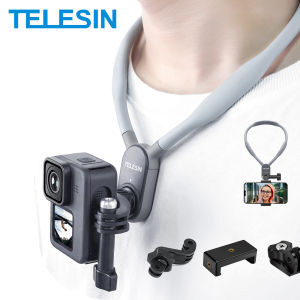
TELESIN Neck Hold Mount for GoPro Hero 13 12 11 10 9 8 7 6 5 Insta360 DJI Osmo Action Smartphone Magnetic GoPro Accessories

3-in-1 100ML Cleaning Set Cleaner for Laptop / Phone /TV LCD Monitor Screen/Camera Cleaning kit FHHB010E
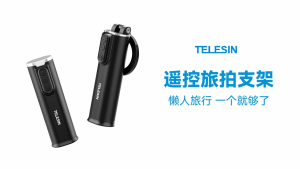
TELESIN Magnetic Phone Holder Travel Clamp Mount Stand Stick Bluetooth Remote Control for Mobile Smartphone P1-HSS-02
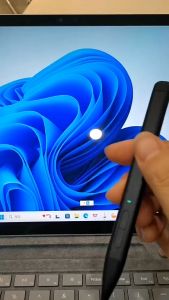
Slim pen 2 For Microsoft Surface Stylus pencil for Surface Pro 8 9 4096 pressure palm rejection ink for Surface Laptop studio 2 For Surface Pro 10/11 2in1

Jipingfan | Portable Selfie Lighting LED Ring Light Magnetic Attachment

MIRELINA LED Display Mini Handheld Fan 100 Adjustable Settings High Speed Turbo Turbo Fan Portable Strong Wind Pocket Hand-held Fans Travel
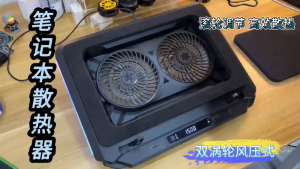
【SG STOCK】 Dual Turbo Fan 3000RPM Laptop Cooler Fan Cooling Pad Laptop Cooling Accessories Adjustable Height

XUNDD Case For OPPO Reno 15 16 Pro Reno16 F Case Shockproof Protection Phone Case Anti Drop Anti Scratch Protective Covers soft shell
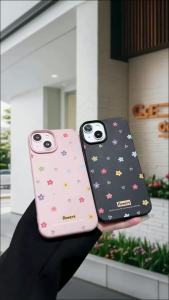
Strawberry Phone Case For Samsung A57 5G A 57 A37 A56 A55 A54 A53 A35 A36 A26 A17 A07 A06 A16 A15 A34 Case Lychee Silicone Cover