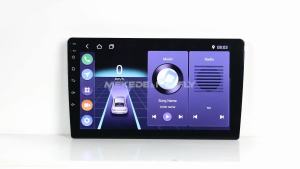
ISDN Type-C to EDP Driver Board 2K 4K 30PIN 40PIN LED LCD Projector Screen Display Laptop Notebook Mobile Phone Huawei Samsung
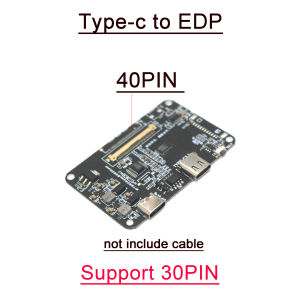
Type-c to EDP driver board phone LCD projection Screen 2K 4k 8K 144hz 165hz 60HZ for 30p 40p Mobile laptop LCD displayOnly supported the EDP output 60hz signal screen.LVDS output screen is not supportedWhen purchasing. Please search the parameters of the query screen Supports resolutions below 15.6 inches, 3840 * 2160, and 60Hz5V 2A-3A charging, does not support fast chargingNot supported (converter head)if you need buy Coaxial EDP CABLE . YOU CAN BUY THE LINKhttps://www.aliexpress.com/item/1005006490266244.htmlNotes:Type-C cable need Type-C 3.1 cable. Type-C cable must support video transmission 、Recommend USE Thunderbolt 4 or 3Not Supported Type-C 2.0 3.0 cable / Not Supported Refresh rates exceeding 60HZMobile phones need to support Isdn video projection function, and computers need to support Type-C video transmission interfaceHardware and support;Interface: Input Type-c 3.1 , Output: EDP-40pin, EDP-30pin.Strongly recommend using DP cable for Thunderbolt 4, which can support up to 8K image quality, while Thunderbolt 3 only supports 4KCurrently supported mobile phones for testing (welcome to add):Huawei: P-series P20 and above, Mate series Mate10 and aboveAnd Honor v20/v30, Honor Note10/Mate RS PorscheLG: G6 V20 V30 G8 V50 V60Samsung: S20 Uitra 5G, S8/8+, S9/9+, S10/10+Note20 Note10/10+(5G version)/Note9Nut: R1/Pro2SOPPO: R17Pro, Reno10 Zoom EditionOnePlus: 8/8Pro, 7Pro, 7T/7T Pro/7T Pro McLaren EditionHammer: Nut R1, Nut Pro 2SBlack Shark: Black Shark 2ZTE: Tianji 9computerApple: MacBook 12 inch, MacBook Air 2018/2019/2020 IPad Pro 2018/2020 iPad Air (4th generation) MacBook Pro 2016/2017/2018/2019/2020Huawei: MateBook14, MateBook13, MateBookX/XProMatePad 10.8-inch, MatePadPro MateBookXPro2019, MateBookE/E2019Honor: MagicBookPro/2020 MagicBookXiaomi: Air12.5/13.3-inch, Pro15.6-inch Enhanced EditionAsus: POG series Lingyao 3, Lingyao 3Pro, Lingyao X series, U4100UN, U5100UQLenovo: ThinkPad X1 Carbon/yoga Savior Y7000/Y7000P/Y9000K, YOGAGProHP: Shadow Elf 4 Pro, EliteBook1050G1, EliteBookFolioG1Dell: G3/G5/G7 series, Lingyue 5000/7000, XPS13 XPS15Google: Google PixeBookThundersnake: BladeStealth Spirit Blade/Spirit Blade Stealth EditionMicrosoft: Surface Book 2, Surface GoNotebook lightning port i7 12700h+B156ZAN03.2Installation dimensions:Installation hole diameter is 2MM, with a spacing of 56mm * 34.2mmPower supply voltage: DC5V; When charging a mobile phone, the current will vary with the battery level. Charging current 2A; The static current of the entire machine is less than 50UA.Key function description:Initial power on state: IO output low level, screen not lit. Click to turn on the screen, long press to increase brightness (infinite dimming), release when the brightness reaches its maximum, and long press again to decrease brightness (infinite dimming). Click again to close the screen. Every time the device is turned on, it has a memory function to record the last time it was turned offUSB extension description:3WAY expansion interface, can connect external devices such as mouse, keyboard, USB flash drive, sound card, etc. The power consumption of external devices should not exceed 500mA. If there are many external devices, it is recommended to connect an adapter for power supply.Notes:Due to the limitation of mobile phone OTG output power 5V1A=5W (maximum), when the screen power consumption exceeds 5W, an external adapter needs to be connected for power supply. Otherwise, it can only be turned on to 80% brightness. When the brightness exceeds 80%, the phone will overload protection and turn off the screen projection function. It needs to be unplugged and plugged again to start. If the screen power consumption is greater than 15W, recommended to choose 5V3A or higher power supply for the peripheral adapter.

GlobalTechMart
Review

You May Also Like
![[1 Piece] 422567 ConvaMax Superabsorber 10cm x 10cm Convatec](https://img.lazcdn.com/g/ot/common/4eb19f4c26624651890e3a55f2219f7f.png_300x300q80.png)
[1 Piece] 422567 ConvaMax Superabsorber 10cm x 10cm Convatec
Right Hand Drive Compatible Sunshade for Kona 2024-2027 Models
M80 CAR DIFFUSER 10ML REFILL STRONG FRAGRANCE ESSENTIAL OIL (PREMIUM)

2 Din Android 15 Car Radio Carplay Android Auto 9/10 Inch Universal Multimedia Player DSP AM RDS AHD WIFI GPS Auto radio 8 Core
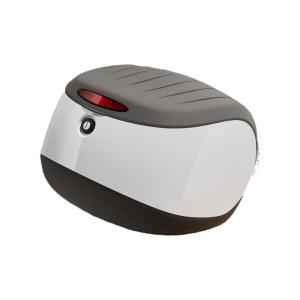
WANSLO | Large Capacity Storage Rear Backrest E-bike Trunk
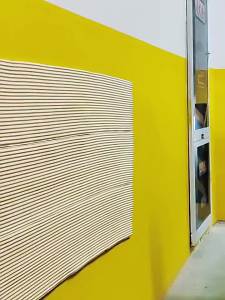
O Margo | Car Door Protector Crash Strip Garage Wall Padding
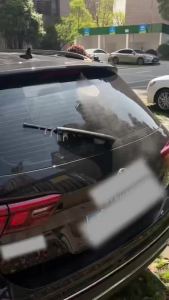
1/2PCS Rear Windscreen Wiper Blade Wiper Arm Kit For KIA Sportage 2018 Windscreen Windshield Wipers Brushes
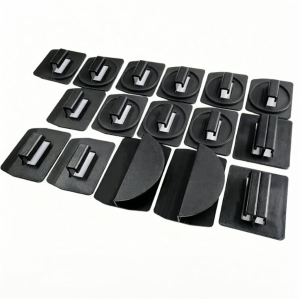
MLZH | Sun & Heat Insulation Shade Clips

Bosch Evolution Wiper for Honda Vezel / Honda CRV / Toyota Rav 4 / Toyota Prius / Toyota Harrier / Hyundai Avante / Hyundai Kona / Hyundai Tuscon / Kia Niro / Kia Sorento / Subaru XV / Kia Stonic / Kia Cerato (BD)
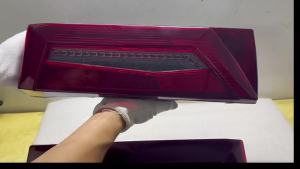
Tail Lamp For Scania New R40 Euro6 Tractor Rear Brake Light With License Plate Lamp/Reverse Buzzer 7Pin Plug 2860827 2860829
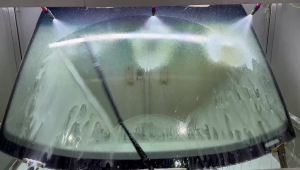
Suitable For Ford S-max MK1 MK2(2006-2020)Wiper All-Weather High-Definition And Durable Car Front Windshield Bidirectional Wiper