


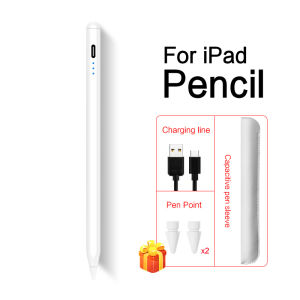
AJIUYU | For iPad Pencil With Tilt Palm RejectionStylus Pen for iPad A16 Pro 11 12.9 Mini 6 7 Air 4 5 11 13 7/8/9th 10th 11th Gen Pen
Note: iPad Stylus Pen Only for iPad 2025 & 2024 & 2022 & 2021 & 2020 & 2019 & 2018 & , Not for 2017 2016 2015 iPadiPad Stylus Pen Only for iPad 2025 & 2024 & 2022 & 2021 & 2020 & 2019 & 2018, Not for 2017 2016 2015 iPad.Please make sure that your model number is on the following picture before buying. Don't work for iPad 2017 2016 2015 ...How To Verify Your Tablet Model1.Turn iPad tablet to the back find your specific model,Par exemple: A****2.Find the "Settings"--Click the "About"--Find the "Model"3.Please select the correct model number for your tablet purchase after viewing it.Compatible models and codes:For iPad Air 11 (M3) 2025 11 inch(Model:A3266 A3267 A3270)For iPad A16 2025 11 inch(Model:A3354 A3355 A3356)For iPad Air 11 (M2) / Air 6th Gen 2024 11 inch(Model:A2902 A2903 A2904)For iPad Pro 11 (M4) 2024 11 inch(Model:A2836 A2837 A3006)For iPad Air 13 (M2) 13 inch 2024 (Model:A2898 A2899 A2900)For iPad Air 13 (M3) 13 inch 2025 (Model:A3271 A3268 A3269)For iPad Pro 13 (M4) 2024 13 inch(Model:A2925 A2926 A3007)For iPad Pro 11 inch & Air 10.9 inchFor Apple iPad Air 4 10.9 2020 4th Generation (A2324 A2325 A2072 A2136)For Apple iPad Air 5 10.9 2022 5th Generation (A2588 A2589 A2591)For Apple iPad Pro 11 2018 1st Generation (A1980 A1934 A1979 A2013)For Apple iPad Pro 11 2020 2nd Generation (A2228 A2068 A2230 A2231)For Apple iPad Pro 11 2021 3rd Generation (A2301 A2459 A2460)For Apple iPad Pro 11 2022 4th Generation(A2759 、A2435、 A2761、 A2762)For iPad Pro 12.9 inch 3rd 4th 5thFor Apple iPad Pro 12.9 2018 3rd Generation (A1876 A2014 A1895 A1983)For Apple iPad Pro 12.9 2020 4th Generation (A2069 A2232 A2229 A2233)For Apple iPad Pro 12.9 2021 5th Generation (A2378 A2379 A2461 A2462)For Apple iPad Pro 12.9 2022 6th Generation ( A2436 、A2764 、A2437 、A2766)For iPad 10th Generation 2022 (A2696、A2757、A2777)For iPad 10.2 inchFor iPad 10.2 inch 2019 ( 7th Gen ) A2197 /A2198 /A2200For iPad 10.2 Inch 2020 ( 8th Gen ) A2270 A2428 A2429 A2430For iPad 10.2 Inch 2021 ( 9th Gen ) A2602/A2603/A2604/A2605For iPad 9.7 inchFor iPad 9.7 inch 2018 : A1893/A1954 /A1822/A1823.For iPad 10.5 inchFor iPad Air 3 10.5 inch 2019(A2152、A2153、A2154、A2123)For iPad Mini 8.3 inchFor iPad Mini 6 2021 8.3inch (A2567 A2568 A2569)For iPad Mini 7 (A17 Pro) 2024 8.3inch (A2567 A2568 A2569)For iPad Mini 5 7.9 inch 2019(A2133、A2124、A2125、A2126)This stylus does not need to be connected to any Bluetooth.double-click on the top of the pen to open and use it, It can be used by turning on the switch. It is very convenient. If your iPad has been connected to Apple pencil, please turn on Bluetooth first and disconnect the original connection!Note: Tablets are not included in the packageWith Power display light, Compatible with 2018-2025 iPad & iPad Pro.& iPad AirHas the function of Apple PencilThe best choice to replace Apple Pencil.Features:① Palm rejection design② Magnetic adsorption③ Tilt-sensitive pen tip④ Integrated designRemovable & replaceable pen tipTwo spare nibs are given as a gift, so there is no need to worry about nib wear.How to replace the pen tip?1. Take out the pen tip counterclockwise,2. Insert the pen tip clockwise.Magnetic AdsorptionIt can be attached to the side of iPad Air 4 Air 5 & iPad Pro 11 (1st/2nd/3rd/4th/5th Gen) & iPad Pro 12.9 (3rd/4th/5th Gen)&Air 11 13 &Pro13, but does not support charging.Tilt-sensitive pencil tipThe tip of the pen senses the tilt angle of the pencil and draws thin lines and thick lines.Note:Tilt sensitivity depends on whether the brush has thick and thin lines. Not all brushes support tilt sensitivity.Palm rejection designYou can put your hand comfortably on the screen when drawing or writing with palm rejection, no need to wear gloves for more convenient writing or drawing.Precise and SmoothPrecise point control writing, no scratches on the screen, no lag/offset/break!Can write and drawCompatible with most notes & drawing software in the APP Store.Removable & replaceable pen tipTwo spare nibs are given as a gift, so there is no need to worry about nib wear.How to replace the pen tip?1. Take out the pen tip counterclockwise,2. Insert the pen tip clockwise.

Prime Supply_Play Life
Review

You May Also Like
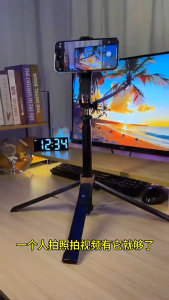
IN-BOX 4535 & 4567 Wireless Bluetooth Tripod Selfie Stick
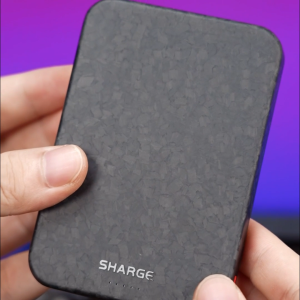
Shargeek/Sharge CarbonMag 5K/10K Qi2 Carbon Fiber Power Bank -15W Wireless ChargingPD 20W USB-C charging Ultra-Light Durable Design5000/10000mAh CapacityFast Charging for iPhoneAerospace-Grade Material
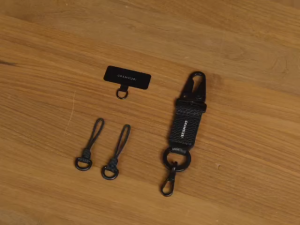
Grams(28) Strap Attachment Kit Plus
BIQU | Magnetic LED Light Bar for Flashforge AD5X AD5M 24V 6500K Flicker‑Free Dual‑Sided Eye‑Friendly APP Control,3D Printer
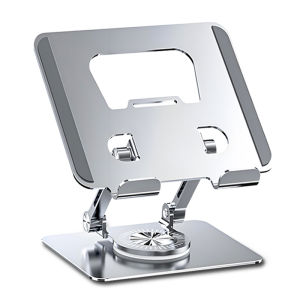
SKAMA | Multi-Function Stand for Tablets
Bandai | Hatsune Miku Starry Sky Prayer Anime Large Desk Pad Non-Slip Anti-Dirt Extended Gaming Mouse Pad
Cabletimes | CABLETIME 8K 60HZ HDMI 2.1 Connector Extension Adapter HDMI Extender Female to Female for PS5 Roku HDTV Stick Monitor HD 2.1
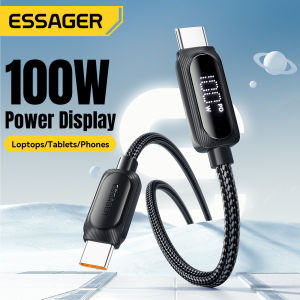
Essager PD100W 60W C-C Cables LED Digital Display Super Fast Charging Type C Cable For Tablet Laptop Mobile Phone Quick Charge LED Digital Display Type-C Cable For iPhone16 15 HUAWEI Mate 60 Xiaomi Samsung Honor C-C Wire
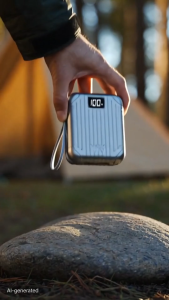
CCC certification 3 in 1 original 40000mAh Power Bank With Stand 66W for iPhone Portable Powerbank Fast Charging

3 in 1 Joystick Kit For PS5 V1.0 Controller Analog Stick LR Flex Cable Conductive Rubber Pad Anti Drift Repair Replacement
Tectinter | 4PCS Silicone Analog ThumbStick Grip Caps for PS5/PS4/PS3/Switch 2 Cover for Xbox One/Xbox Series X S/Xbox 360 Controller
![Ringke Onyx Magnetic Compatible with iPhone 16 Pro Case Cover [Strong Magnet] Military-Grade Protection TPU Shockproof Rugged Bumper Full Protection iPhone 16 Pro Back Cover](https://img.lazcdn.com/g/ff/kf/Sa0940095a4b9412ba1d5df069ccbe6d0Z.jpg_300x300q80.jpg)










