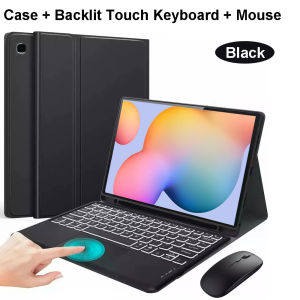
Case for Samsung Tab S6 Lite 10.4 Inch Bluetooth Keyboard Cover for Galaxy Tab S6 Lite SM-P620/P625/P613/P619/P610/P615/P617
Please confirm your machine model before purchasing~For Samsung Galaxy Tab S6 lite 10.4 Inch(2024 SM-P620/P625)(2022 SM-P613/P619)(2020 SM-P610/P615/P617)Tablet.Please noteEnglish keyboard:There are only English letters on the keyboard.Multilingual version keyboard:English letters and engraved language letters together.Note:The digital tablet and stylus are not included in the package. The detailed description is for reference only. Please refer to the actual product for the color of the product.Office learning business fashionComfortable solution to your office, study and entertainment needs.MagnetdesignMagnetdesign -Verhindern Sie, dass die Tastatur herunterfalltAbnehmbare Bluetooth-Tastatur - kann die Tastatur leicht entfernenAutomatischer Schlaf-/Wake-Energy-ErhaltungTriangular stable design Stable support, anti-slip protectionHoneycomb back design, great heat dissipation effectBacklit keyboardSwitch cool lights at willColourfulA colour that's just right for you A wide range of colours to add a touch of chic to your day.How to connect keyboard & Mouse?1,Connect the mouse first, then connect the keyboard.2,Mouse:Push the switch to the "Bluetooth" icon, find the Bluetooth connection with "Mouse" in the device Bluetooth list.3,Normal Keyboard:Push the switch in the upper right corner to "ON", press "Connect", and find the Bluetooth connection with "Keyboard" in the device Bluetooth list.4,Touchpad Keyboard:turn on keyboard ,press Fn+C to,then find the Bluetooth connection with "Keyboard" in the device Bluetooth list.Non-touch keyboard Bluetooth connection stepsTouch keyboard Bluetooth connection stepsFAQQ:What should I pay attention to when connecting the mouse for the first time?A:When the mouse is connected for the first time, you need to press the left button, the right button and the scroll wheel at the same time for about 3-5 seconds.Q: Is the scroll direction of the mouse USB connector and Bluetooth connection the same?A: No, they are different. When using the USB connector, the scroll wheel slides in the same direction as the computer mouse. Bluetooth connection is the opposite.Q: How to switch between different systems?A: Fn+Q=Android, Fn+W=Windows, Fn+E=IOS.Please note that please switch the system before connecting the tablet.Q:The bluetooth keyboard letters are messy?A: Please check the settings according to the prompts,a. Check whether the keyboard language set on the device is English.b. Disconnect the keyboard Bluetooth, click Ignore the connected device, reopen the Bluetooth keyboard, select system, Fn+E (IOS system).Note: Fn+Q=Android, Fn+W=Windows, Fn+E=IOSc. Press the L S Z buttons at the same time to reset the keyboardQ:How to configure the input method for different languages keyboard?A:Take the samsung tablet as example,open "Settings--"ystem"--"Language & input"--"Add New Keyboard". (For other systems, please set them in the system settings according to the tips of the iPad example.)Q:How does the mouse change teh scroll wheel sliding direction on the device?A: The mouse is connected, open "General" - "Trackpad & Mouse" - close "Natural Scrolling".

GlobalLifestyle
Review

You May Also Like

Lulu the Piggy Plus Silicone Earphone Bag

SENXUN | Ergonomic Desktop Stand with USB Hub Wireless Charging RGB Lights Shelf
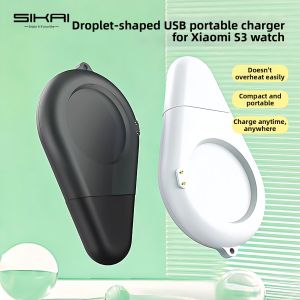
Sikai | Magnetic USB Portable Charger
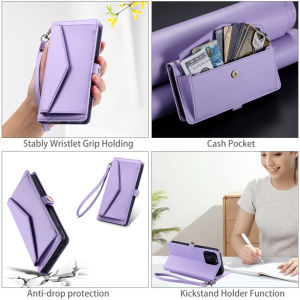
Case for Samsung Galaxy A24 A33 A53 A73 A23 A13 A04E A04S A04 A52 A52S A72 A21S A22 A22S A12 A32 4G 5G Embossed Luxury Leather Wallet Bag Shatterproof Elegant Phone Cover with Wrist Strap

Display for iPhone 8/SE 2020 Black White Screen 4.7 Inches LCD Touch Screen Frame Glass Screen Disassembly Kit Transformation

Twisted Redwood Forest Luxury Fashion Full Lens Protective Case for Samsung Galaxy S26 S25 S24 A56 A36 Plus Ultra

Light USB Rechargeable Green Pointer 1500 Metres Pointer High Power Pen Cat Toy Long Range Green Pointer for Presentations Stargazing Hiking
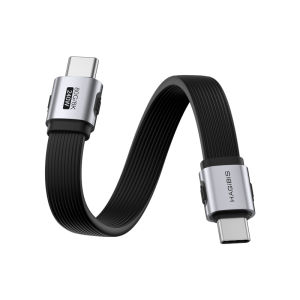
Hagibis | Super Short 80Gbps USB4 Thunderbolt 5 Data Cable CTOC Flat

Luxury Shockproof Magnetic Bracket For Magsafe Phone Case For iPhone 11 12 13 14 15 16 17 Pro Max Plus With Holder Stand Cover
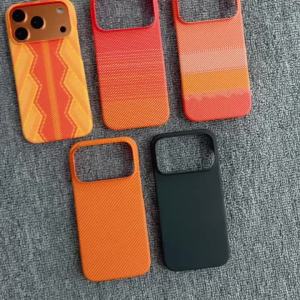
Slim Frameless Carbon Fiber Scepter Pattern Case For iPhone 17 Air 16 15 14 13 12 Pro Max Plus For Magsafe Magnetic Charge Cover

UGREEN 65W GaN PD Fast Travel Charger Quick Charge 2 Type C 1 USB A Travel Adapter with UK/EU/US Plugs Multi Plug Adapter for Ipad Pro 2022 MacBook M2 iPhone 17 16 Pro Max Macbook Air 4 2022 Pro Samsung S26 S25 Ultra Z Fold5 M14 Z Flip5 Pixel Switch 2