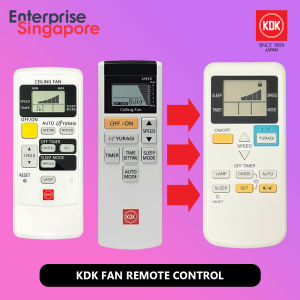
KDK Fan Remote Replacement - Pre-Configured Remote Control - V60WK V56VK K14Z9 K15Z9 R60VW K15U2 Z60WS K15Y6 U48FP K12UX U60FW K15UW W56WV
SETUP INSTRUCTIONS 1) Set Mode Number: Press and hold the "SET" button until numbersappear on the screen. Use the arrow up and arrow down buttons to select theMode Number that matches your fan model. Once the correct number is displayed,press the "SET" button again to confirm. Your device is now ready foruse.2) Lock Mode Number (Optional but Recommended): To prevent needing to repeatthis setup when changing the battery, press and hold the "LOCK"button. This will save your selected Mode Number.Mode Number "00": V56VK, K14Z9, R60VW, K15U2Mode Number "46": Z60WS, K15Y6Mode Number "47": V60WK, K15Z9Mode Number "48": U48FP, K12UX, U60FW, K15UW, W56WV, K14ZWUpgrade Your KDK Fan Remote Today!Compatible Models:V56VK, K14Z9, V60WK, K15Z9, R60VW, K15U2, Z60WS, K15Y6, U48FP, K12UX, U60FW, K15UW, W56WV, K14ZWEasy to Use:Quick Setup: Simple steps to configure for other models.Lock-in Settings: Secure your settings to avoid reconfiguration.Setup Video TutorialKey Features:Reliable Performance: Ensures smooth operation of your KDK fan.Compact Design: Sleek and easy to hold.Battery-Powered: Convenient and portable.Fast Delivery: Locally sourced for quick shipping.Note:Please ensure your fan can receive remote signals.Requires 2 AAA batteries (not included).Elevate your fan control experience with this compatible remote!

Cable Core Singpaore
You May Also Like

【✅SG STOCK】RICHMENTMALL HD Clear/Matte/Anti-Spy Privacy Hydrogel Film Screen Protector for OPPO Find X8/X7/X6/X5 Pro X8s Ultra Film
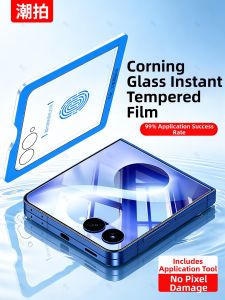
CHAOPAI | Privacy Protection Hinged Screen Protector for Flip 8 7
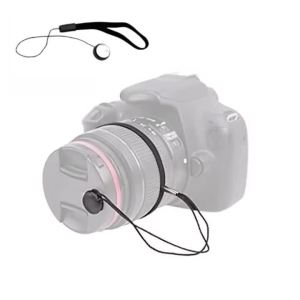
1/3/5 Pcs Camera Lens Cap Leash Keeper Holder with Elastic String Compatible with Universal DSLR SLR Mirrorless Cameras Video

HAGIBIS PD-085PT 5 Ports 200W GaN Quick Charger: UK Plug 3-Pin Plug Safety Mark Laptop Charger Fast Charging Wide Compatibility Compact Multiple Ports

⚡𝒔𝒈 𝒔𝒕𝒐𝒄𝒌⚡ Japan Aircon cleaning spray foam / Aircon cleaner spray / Aircon chemical cleaning / Air conditioner cleaner / 空调清洁剂 500ml
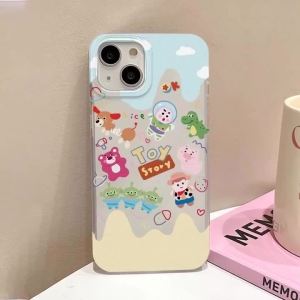
Matte Phone Case for Samsung Galaxy S26 S25 Ultra S24 FE A57 A56 A55 5G A07 A06 A15 4G Shockproof Fresh Daisy Lavender Capinha
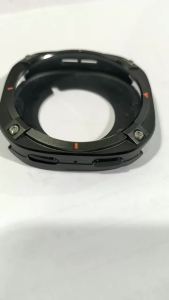
Armor Metal Case for Samsung Galaxy Watch 9 44mm Hard Frame Protective Bumper for Galaxy Watch 8 44mm Accessory Cover
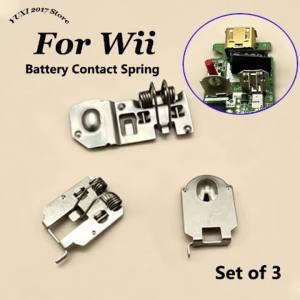
Battery Contact Spring Replacement Parts For Wii Remote Controller Joystick Game Handle Battery Holder Metal Sheet Set

Foldable Wireless Charger Metal 3 in 1 for Apple Watch Ultra/AirPods Pro 2 Magnetic Charger Station for iPhone16 15 14 13 12

MIIQNUS Cute Trinkets Keychain Pendant Cartoon Phone Pendant Keyring Phone Charm Japanese Lucky Cat Keychain Mobile Phone Strap Maneki Neko

B.O.W | Foldable Wireless Bluetooth Keyboard with Numeric Keys Portable for Tablets and Laptops