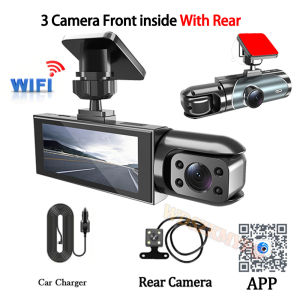
2/3 Camera Dash Cam For Cars Car DVR 1080P WIFI APP Car Dvr Video Recorder Rear View Camera G-Sensor Black Box Car Accessory
Attention:This model is available with optional 2/3 lens, 2 lens without rear camera! If you need a rear camera please pick up the 3 lens option!The new high-definition 2/3-lens dash cam features built-in WiFi support for Android iPhone connectivity, making it easy for your phone to view videos.ProductSpecifications:3 Channels: [Front+Interior+Rear]2 Channels: [Front+Interior]Screen size: 2 inchesFile format: AVIVoltage 1 Current: 5V/1AVideo resolution: 1080P; 720P; 720pContinuour Loop Video: Seamless Loop RecordingAutomatic power on/off: support automatic ignition and shutdownInterface: Support TYPE-CTime Synchronization: SupportSupport memory card: TF Card (maximum support 64 GB) Built-in stereo: supportFrequency: 50HZ / 60HZSupported languages: Chinese, English, French, German, Russian, Polish,Japanese, Portuguese, Spanish,Korean,etc.New HD 3 Lens WIFI Dash CameraOnly Front Camera: 1080PFront + Rear Camera:1080P+1080P;Front & Inside Camera:1080P+720P;Front & Inside & Rear Camera:1080P+720P+720PStarlight Night VisionWith the help of F2.0 wide aperture and the decent low-lightperformance of the lens, the car camera is able to capturedetails like license plates at night.Built-in WiFiDownload the APP from Android and iOS systems, connect your phone with dash cam via WiFi, then you can view the recordings in real-time, also can download, playback and share the recordings via your phone.How to link WIFIpress the left arrow key to open the WIFI signal interface, after the phone opens the WIFI search and connects to the WIFI signal provided by the recorder, the screen will be taken over by the cell phone APP (the cell phone APP is scanned in advance to download the QR code), and closing the WIFI signal can be done by long pressing the left arrow key as well.M key catalog to find WIFI settings can also be opened to close the WIFI signal.Reversing ImageWhen the car in reverse gear, the car DVR will automatically switch to the rear camera imaging view with parking line, ensures safety for parking.360° rotating lensThe inside lens can be freely rotated to adjust to the perspective you need, left / right / rear viewLoop RecordingEvery detail would be automatically record and not miss one second, unlocked data would be overwritten automatically when TF card is run out of storage.G-SensorIn the event of an impact or collision, the built-in G-sensor would lock and save the video, and the video would not be overwritten by loop recording.24h Parking MonitorWhen Someone Near Your Car Or Vehicle Starts To Move,Automatically Turn On And Start Recording When Detects Any Impact Or Collision,The Device AutomaticallyAutomatically Recording For Few Seconds,Make Sure 24hr Parking Guard.Attention: It Should Be Connected By A Dvr Exclusive Power Cable.(24 hours line does not include)Installation ImageA:Rear cameraB:Car recorderC:You need to link the red wire of the rear camera to the positive pole of the reversing light in order to realize the reversing imagePLEASE NOTE:If prompted to format the memory card, please follow the prompts!

Prime Supply_Play Life
You May Also Like
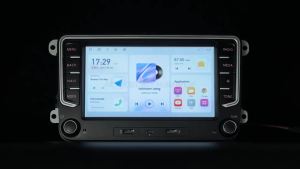
MEKEDE Android 15 Car Radio For VW Volkswagen Skoda Octavia Golf 5 Touran Passat B6 Polo Tiguan GPS Navi Carplay 7 Colors Light
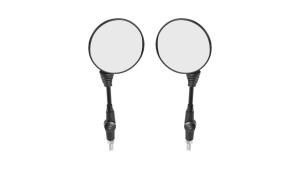
2PCS Motorcycle Black Universal 10mm Side Mirror Rearview Mirror Anti-fall Folding Round Mirror For Harley Honda

KONNWEI RC-10 12V 10 A 24V 5A Car Battery Charger Full Automatic Fast Charging Pulse Repair Battery Charger Lead Acid AGM Gel

Strong Suction & Blowing Dual-Use Vacuum Cleaner
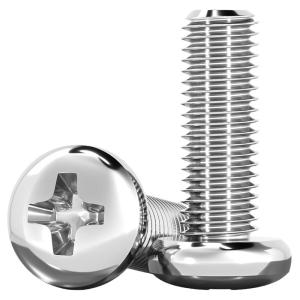
TIANZHUOJINSHU | 304 Stainless Steel Cross Pan Head Screws
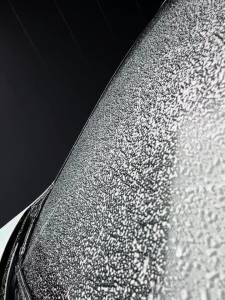
1pc Car Windshield Wiper New J-Type 12 "13" 14 "15" 16 "18" 19 "20" 21 "22" 24 "26" 28 "Natural Rubber High Quality Wiper
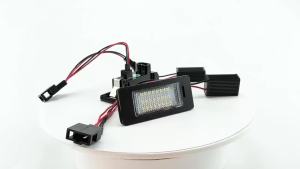
2Pcs No Error White LED Number License Plate Lights Lamp Car Accessories For Audi Q3 Q5 A1 S1 A3 A4 S4 A5 A6 S6 RS6 A7 S7 RS7 TT

For BMW E92 E93 M3 2006-2009 Front Bumper Kidney Grill Glossy Black Dual Line Grille Car Styling Racing Grilles Replacement Part
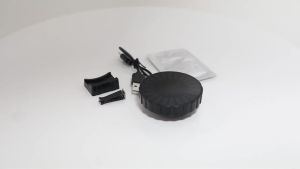
Car USB 5V Interior Air Outlet Aromatherapy Round Pickup Lamp RGB Colorful Ambient Air Fresher Cologne Ocean Fragrance

MONLEYTA | Car Deep Cleaning Set - Tire Brush Hub Brush Car Wash Brush
LRBH | LRBH 360 Degree Rotating Non-Slip Car Phone Holder Mat Dashboard Cell Phone Stand Compatible with All Smartphones