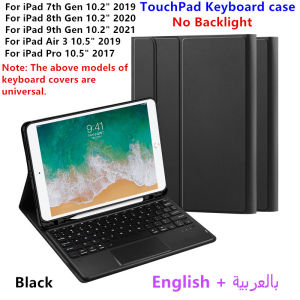
Keyboard Case for iPad 9th Gen 10.2 inch A2602 A2603 A2604 Tablet Stand Cover for ipad 10.2 9th/8th/7th Gen A2270 Air3 10.5 Case
HUWEI is suitable for iPad touch backlight keyboard protectors (can be selected without backlight or without touch) ,This keyboard protector comes with a pen slot to store your Pencil, allowing you to disassemble the keyboard and use the protector separately. It can support the tablet, making it easy for you to use for work and entertainment!ã1ãYou need to upgrade your tablet to version 15.0 or higher to use the touchpad.ã2ã Method of connecting Bluetooth: Turn on the keyboard switch, press the Fn+C button, and then search for your iPad Bluetooth connection keyboard.ã3ã Open the iOS system mode and press Fn+A to access the iPad system using the touchpad shortcut function.ã4ã Please keep your For iPad up to date with the latest system upgrades, and the mouse function is turned on. Please open the following steps: Settings - Accessibility - Touch - Accessibility Touchã5ãSwitch language: OAfter Bluetooth connection,Open Settings - Language and Input Method - Physical Keyboard - Add Language Layout.How To Verify Your Tablet Model1.Turn iPad tablet to the back find your specific model,Par exemple: A****2.Find the "Settings"--Click the "About"--Find the "Model"3.Please select the correct model number for your tablet purchase after viewing it.Applicable Models and codes:For  iPad 7th generation 10.2 inch 2019 (A2197 /A2198 /A2200 /A2232)For  iPad 8th generation 10.2 inch 2020 ( 8th Gen ) (A2270 /A2428 /A2429 /A2430)For  iPad 9th generation 10.2 Inch 2021 (A2602 /A2603 /A2604 /A2605)For iPad Air3 10.5 inch 2019ï¼A2152ãA2153ãA2154ãA2123ï¼For iPad Pro 10.5 inch 2017ï¼A1709ãA1701ãA1852ï¼Note: The keyboard covers of the above five models are universal. Other models cannot be used.Attention PleaseEnglish versionkeyboard : There are English letters on the keyboard only.Multi-language versionkeyboard : English letters and carved language letters together(Due to material reasons, the characters carved from the keyboard are dark gray)The keyboard Core defaults to English, and the characters engraved on the keyboard are only a Surface display.so in some countries, even if the input method is switched, the special symbols do not necessarily match the keyboard function layoutï¼You can hold down the Shift combinationï¼.If you mind, please do not purchaseï¼ï¼.ã1ãSwitch language: After Bluetooth connection,Open Settings - Language and Input Method - Physical Keyboard - Add Language Layoutã1-1ãInput method switching: Ctrl+spacebar.ã2ã Method of connecting Bluetooth: Turn on the keyboard switch, press the Fn+C button, and then search for your Tablet Bluetooth connection keyboard.Note: Tablet and Pencil are not included in the packaging~

GlobalLifestyle
Review

You May Also Like
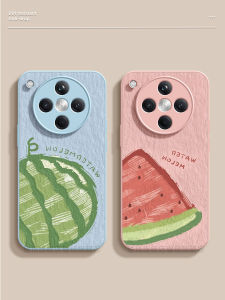
CIJING | Protective Phone Case for OPPO Silicone Full Cover Anti-Drop
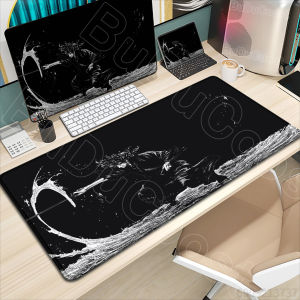
Bandai | New HD Printing Miyamoto Musashi Vagabond Manga Mousepad Large Gaming Compute XXL PC Keyboard Mouse Mat Non-slip Rubber Desk
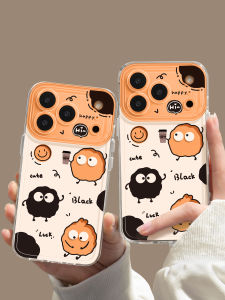
YOUSIDUN | Cute Clear Full Cover Shockproof With Lanyard Couples Aesthetic iPhone Case
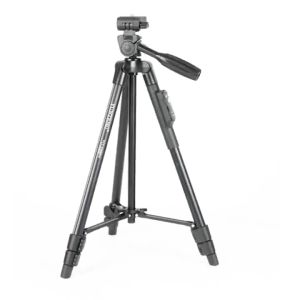
Yunteng 999 Tripod: Ideal Support for Single-lens Reflex Cameras

Carbon Fiber Strap For Samsung Galaxy Watch 7/6/5/4 40mm 44mm Strap Carbon Fiber Pattern Watchstrap Samsung Watch 7 Ultra 47mm Watch 5 Pro 45mm/Watch 6 4 Classic 43mm 47mm 42 46mm Replacement Band

Strings&Things Phone Charm Happy Shroomie for Phone or Bag
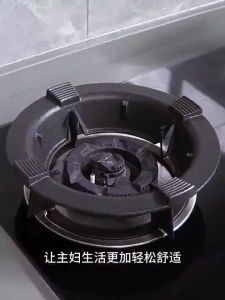
SG【READY STOCK】NEW Universal Gas Stove Metal Support Rack Energy Saving Windproof Cover Cast Iron Windshield
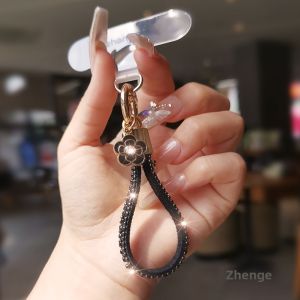
ZHENGEGE | Floral Design Phone Lanyard Ring Ins Stylish Ladies Elegant Anti-Theft Camera Strap

CHAOPAI | Impact-Resistant All-Inclusive Protective Case
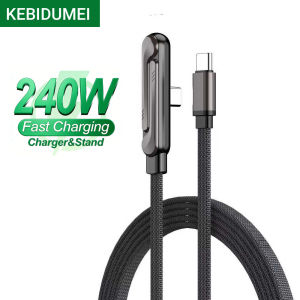
240W Fast Charging Data Cable 2-IN-1 Type-C Cable Foldable Mobile Phone Holder Multifunction Phone Charge Bracket Dual PD cable
UGP | Unique Aesthetic All-around Silicone Case