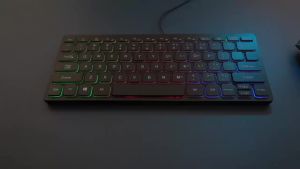
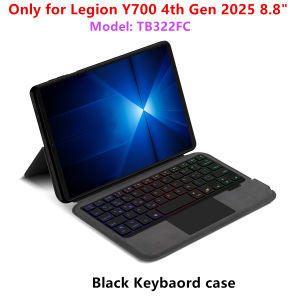
AJIUYU | Keyboard Case For Lenovo LEGION Y700 2025 TB322FC 8.8 Cover Funda for Legion Y700 1st 2nd 3rd 4th 5th Generation 8.8"Tablet Case
This is an "all-in-one" keyboard case, TPU soft shell protective case, which can effectively protect your tablet. The keyboard and protective case cannot be separated .Keyboard with Backlight and TouchPad.Bluetooth connection, with touch pad, with backlight.Note 1:You need to upgrade Tablet to version 15.0 or higher to use the touchpad.Note 2:Please check in the size and detail model of your Tablet. it is very importtant ! ! !Note 3:After Open the Power, Please Click "Fn" and "C" 【Fn+C】Button Together to Open the Keyboard's Bluetooth. It is Very Important.How To Verify Your Tablet Model1.Turn tablet to the back find your specific model,Par exemple: TB****2.Find the "Settings"--Click the "About"--Find the "Model"3.Please select the correct model number for your tablet purchase after viewing it.For Lenovo LEGION Y700 4th Generation 2026 8.8 inch (Model:TB323FU ) For Lenovo LEGION Y700 4th Generation 2025 8.8 inch (Model:TB322FC ) For Lenovo LEGION Y700 3rd Generation 2024 8.8 inch (Model:TB321FU)For Lenovo LEGION Y700 2nd Generation 2023 8.8 inch (Model:TB320FC TB320F)For Lenovo LEGION Y700 1st Generation 2022 8.8 inch (Model:TB-9707F/TB-9707N) Attention: The keyboard covers of the above four models are not universal. Please choose the correct model before placing an order. Don't worry about the hole positions in the picture. We will send the correct model according to your order, and the product will correspond to the hole positions of your machine.Please confirm your machine model before purchasing~Attention PleaseEnglish versionkeyboard : There are English letters on the keyboard only.Multi-language versionkeyboard : English letters and carved language letters together .【For example, if you choose Spanish, the keyboard will display English and Spanish letters. Please note that the same letters will not be engraved repeatedly】(Due to the difference in the number of keyboard keys compared to a normal office keyboard, some special character engraving positions are the same, which is a normal phenomenon)(The keyboard Core defaults to English, and the characters engraved on the keyboard are only a Surface display.so in some countries, even if the input method is switched, the special symbols do not necessarily match the keyboard function layout.If you mind, please do not purchase)Due to the keyboard material, the carved characters are dark gray.【1】Bluetooth connection method: Turn on the keyboard switch, then press and hold Fn+C for about 2-3 seconds to start Bluetooth. The indicator light flashes blue. Then turn on your machine's Bluetooth and click"Wireless Keyboard Or BT Keyboard Connection" to connect【2】After connecting Bluetooth,Take the samsung tablet as example,open Settings--ystem--Language & input--Add New Keyboard. (For other systems, please set them in the system settings according to the tips of the iPad example.)【3】Input method switching: ctrl+spacebar.(Choose the language you need)【4】Type-C charging interface,Wireless Bluetooth connection、Adjustable bracket Stand.【5】For detailed instructions, please read the user manual. If you have any questions, you can contact "Online Services" for consultation .The resolution of the machine is different, and there may be color differences in the images, which is a normal phenomenon. The actual product received shall prevail..Note: Tablet and Pencil are not included in the packaging.Note: The back bracket needs to be manually opened !!

Prime Supply_Play Life
You May Also Like
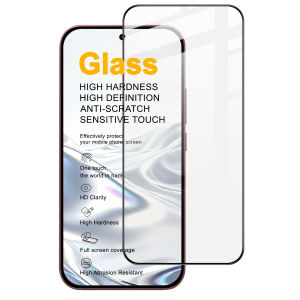
Tempered Glass For POCO F9 Pro Ultra Support Fingerprint Protector Film Full Screen Coverage FM0003

Godox MA5R RGB LED Light and Power Bank (White)
Magenta Gold Wave Paint For Samsung Galaxy S26 S25 S24 A56 A36 Dual Layer Luxury Fashion Full Lens Protective Case
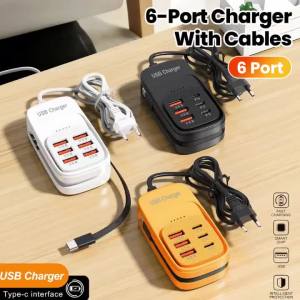
6-in-1 Charger Fast USB Power Strip Desktop Charging Station With Fast Charging Cord EU/US Plug USB HUB Adapter Socket 3PD 3USB
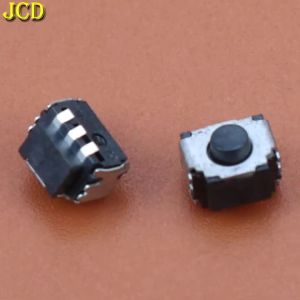
JCD 2~10PCS LR L R Left Right Button for 3DS Internal L/R Switch Button for 2DS 3DSXL 3DSLL Microswitch Buttons For New 3DS
Blue Floral Luxury Fashion Full Lens Protective Case for Samsung Galaxy S26 S25 S24 A56 A36 Plus Ultra
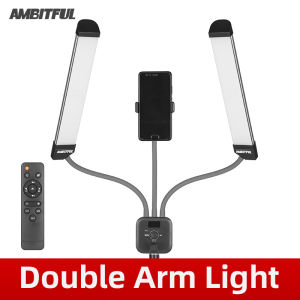
AMBITFUL AL-20 Double Arms LED Light Beauty Makeup Fill Lights with Tripod 3000K-6000K or RGB Version 40W Long Strips LCD Screen LED Light with 2M Light stand for Photo Studio Live Broadcast
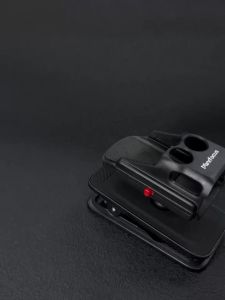
Minifocus | Magnetic Mount For DJI Osmo Pocket 3 Backpack Strap Clip Pocket3 Adapter Magnet Suction Case Holder on Vertical Metal Surface
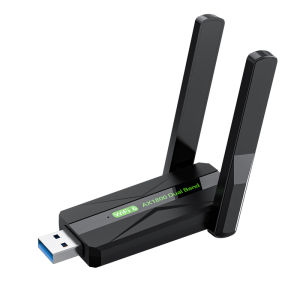
SHENGSHICHANGYING | High-Power WiFi6 Dual-Band Wireless Network Card

Lenovo | Removable Dustproof Cooling Stand Fan Cooler
![Hydroflux Intelligent Dehumidifier Q7 Compatible Replacement HEPA Filter [HEPAPAPA]](https://img.lazcdn.com/g/ff/kf/S33af7534ca4b451b875c0164aae53ea4E.jpg_300x300q80.jpg)
Hydroflux Intelligent Dehumidifier Q7 Compatible Replacement HEPA Filter [HEPAPAPA]