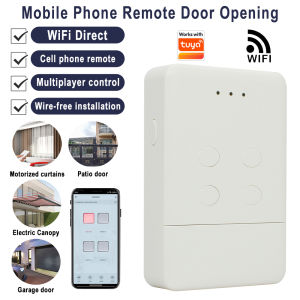
Smart Opener Wifi Converter Work For DOORHAN TRANSMITTER - 2/4 PRO 433MHz Garage Door Remote Control Work With Tuya App
Wifi Smart Garage Door Remote control DOORHAN Transmitter 433mhz Work With Tuya SmartLife APP Alexa Google Home Work With TuyaIt combines Rf and TUYA mobile app control, After the device paired with the network, you can realize the remote control of your gate through the tuya mobile app. You can connect the voice audio to realize voice control of your gate. you also can share the control of the device to other people and you can remove the control of other people. This smart device eliminates the complicated receiver wiring and allows you to conveniently, quickly, and securely realize the remote control of your gate by mobile app/smart speaker/RF controlSpecifications:Name: Hormann Wifi & RF smart remote controlType of programming: Programming with the receiverNumber of channels: 4Size: 885920mmProduct material: ABSProduct weight: 55 gPower on (USB Android Type-c 5V)Installation: wireless & 2.4G Wifi Wireless transmission distance: 50-150 (m). (open space) Frequency: DOORHAN 433MHz.Selling Point:Tuya Smart New Remote Control replaces your old RF remote control.You will get a RF remote control + Tuya APP smart remote control.No other additional devices are needed to make your garage door Wifi smart.Throw away your old remote, a mobile phone to control your garage door easily.HighlightIt can help you solve the trouble of forgetting to bring the remote control.All you need is a mobile phone to open and close your garage door whenever you want.Tuya smart APP remote controlTuya WiFi Smart Garage Door Remote Control Compatible With Alexa Echo , Google Home voice control.REMOTE MONITORING: You can open or close the door by the APP. You can check the garage door open or closed state in real time. You can authorize multiple people to access your garage. EASY TO USE: Instantly control the garage door by tapping the TUYA or SMART LIFE app on your smartphone. Just connect the smart remote control to the 2.4G WiFi network.VOICE CONTROL: You can activate your garage door opener by placing a voice command to your Alexa or Google Assistant device or driving near the garage doorWarm Tip:It only supports Type C 5V power supply.It does not include a Type-C cable and it does not support battery power.Smart Wifi Garage Door Receiver Controller(Open & Close your Garage by phone)This Tuya Garage smart remote control can be controlled by the phone , easy install and without any changed in your Garage , Just need a new remote control, and you will have this funtions to open and close the garage door by phone ,by voice (work with alexa & google home) , Query status, query open/close recordsetc.Smartlife / Tuyasmart APP ControlAvailavle in google & IOSShare Device With Your FamilyAfter the family member registering a Tuya account, You can authorize device control to familys by "share device" in the APPSupport Amazon Alexa and Google Assistant to open/close Garage door by voiceYou should add this Garage door controller to work with tuyasmart or smartlife APP , and Binding it with Amazon Alexa or Google Assistant to achieve voice control.Checklist before using the deviceYour smart phone or tablet has connected to a2.4g WiFi with internet.You need to enable Bluetooth of the phone.You have the correct WiFi PWD.You smart phone or tablet must have access to APP store,Google play.Your router is MAC-openUser Guide1.You can download the App by searching “Tuya Smart”in mobile app stores.2.Register an Tuya Smart account.3.If you have Tuya Smart acconunt. just login.4.Power on.ON/OFF operating principle:The connected appliances work/stop throughlive wire power on/ofRF Remote Control PROGRAMMING:The new remote control must be programmed on the receiver.User Guide1.You can download the App by searching “Tuya Smart”in mobile app stores or scanning the following QR code.2.Register an Tuya Smart account.3.If you have Tuya Smart account. just log in.4.Start pairingReset the device first:if the network indicator(red light) blinking fast(0.5S/time) , skip the reset step.①Power on②hold down the Reset button for 10 seconds.until network indicator(red light) blinking fast(0.5s/time).③Clicking in the top right corner on tuya smart app.then click“Auto scan" ,wait a few seconds, After the devices are found,click "Next"④Select a 2.4GHz Wi-Fi network and enter your password.⑤Name your device.⑥Start controlling your device with your mobile phone.

Prime Supply_Play Life
Review

You May Also Like
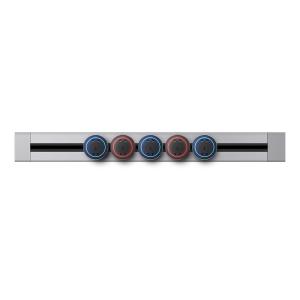
aodoran | Mobile Power Track Socket 5 Holes

Huepar | Huepar S04CG 16 Lines 4D Cross Line Laser Level Bluetooth & Remote Control Functions Green Beam Lines With Hard Carry Case
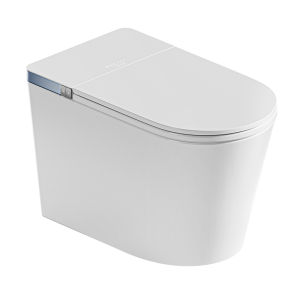
SSWW | Home Fully Automatic Foam Shield Foot Sensing Smart Toilet
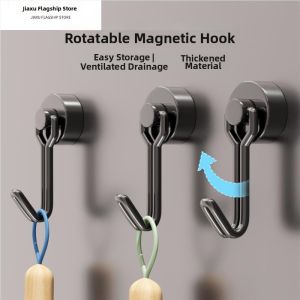
Jiaxun | Strong Magnetic Adhesive Wall Hanger
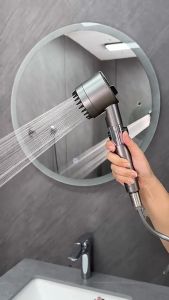
🇸🇬SG Seller | 4-in-1 High-Pressure Shower Head with Filter 3 Modes Water-Saving Switchable Silicone Massage
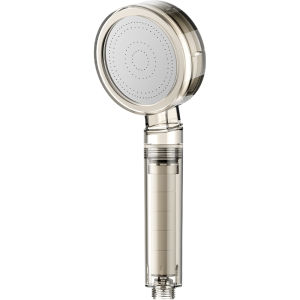
TAOSHI | Pressure Boosting Filter Showerhead Water Purification Chlorine Removal Antiseptic Beauty

YALANDENG | High Pressure Shower Head Bath Set

Kerui | KERUI PIR Motion Sensor Alarm with Power Supply Wireless Doorbell Welcome Chime 32 Songs for Home Security Burglar Alarm
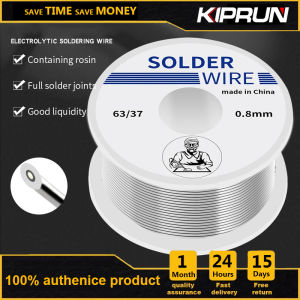
KIPRUN Tin Lead Rosin Core Soldering Solder Iron Soldering Tin Wire Tin Melt Rosin Core Solder Wire Flux Reel 0.8/1.0MM 2.0% Soldering Welding Iron Wire (50g)
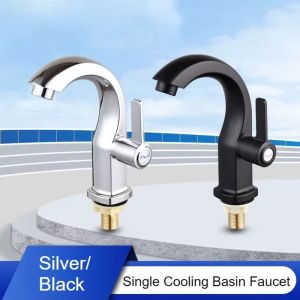
CUNXIN Single Cold Bathroom Basin Faucet Multifunction Modern Single Lever Hole Tap Durable Anti-corrosion Deck Mounted Sink Faucet Kitchen

High-Strength Double-Sided Tape Multi-Surface Adhesive Suitable for Carpets Mats And Balloons Non-Slip Residue-Free Synthe