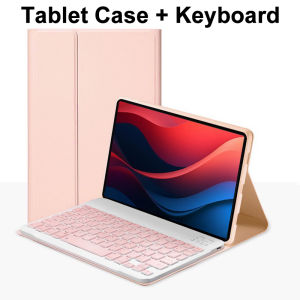
Case for Lenovo Tab M11 11 Inch Magnetic Keyboard Cover for Xiaoxin Pad 11 2024/2025 for Lenovo Idea Tab 11 Smart Stand Cover
Please confirm your machine model before purchasing~For Lenovo Tab M11 11-inch(TB330XU/FU)Lenovo Idea Tab 11-inch(TB336FU/ZU)Lenovo Xiaoxin Pad 11-inch 2024(TB331FC)Lenovo Xiaoxin Pad 11-inch 2025(TB335FC) Tablet.Please confirm the language keyboard you needwe will customize the engraving keyboard language for you according to your choicePlease confirm each combination of the product before purchasing. Note the first basic image of each color version, which will most accurately reflect the color combination of the product.Please confirm the keyboard language before purchasing, we will deliver the goods to you according to the color combination you have selectedNote:The digital tablet and stylus are not included in the package. The detailed description is for reference only. Please refer to the actual product for the color of the product.Office learning business fashionComfortable solution to your office, study and entertainment needs.MagnetdesignMagnetdesign -Verhindern Sie, dass die Tastatur herunterfalltAbnehmbare Bluetooth-Tastatur - kann die Tastatur leicht entfernenAutomatischer Schlaf-/Wake-Energy-ErhaltungTriangular stable designStable support, anti-slip protectionHoneycomb back design,great heat dissipation effectBacklit keyboardSwitch cool lights at willHow to connect keyboard & Mouse?1,Connect the mouse first, then connect the keyboard.2,Mouse:Push the switch to the "Bluetooth" icon, find the Bluetooth connection with "Mouse" in the device Bluetooth list.3,Normal Keyboard:Push the switch in the upper right corner to "ON", press "Connect", and find the Bluetooth connection with "Keyboard" in the device Bluetooth list.4,Touchpad Keyboard:turn on keyboard ,press Fn+C to,then find the Bluetooth connection with "Keyboard" in the device Bluetooth list.Non-touch keyboard Bluetooth connection stepsTouch keyboard Bluetooth connection stepsFAQQ:What should I pay attention to when connecting the mouse for the first time?A:When the mouse is connected for the first time, you need to press the left button, the right button and the scroll wheel at the same time for about 3-5 seconds.Q: Is the scroll direction of the mouse USB connector and Bluetooth connection the same?A: No, they are different. When using the USB connector, the scroll wheel slides in the same direction as the computer mouse. Bluetooth connection is the opposite.Q: How to switch between different systems?A: Fn+Q=Android, Fn+W=Windows, Fn+E=IOS.Please note that please switch the system before connecting the tablet.Q:The bluetooth keyboard letters are messy?A: Please check the settings according to the prompts,a. Check whether the keyboard language set on the device is English.b. Disconnect the keyboard Bluetooth, click Ignore the connected device, reopen the Bluetooth keyboard, select system, Fn+E (IOS system).Note: Fn+Q=Android, Fn+W=Windows, Fn+E=IOSc. Press the L S Z buttons at the same time to reset the keyboardQ:How to configure the input method for different languages keyboard?A:Take the samsung tablet as example,open "Settings--"ystem"--"Language & input"--"Add New Keyboard". (For other systems, please set them in the system settings according to the tips of the iPad example.)Q:How does the mouse change teh scroll wheel sliding direction on the device?A: The mouse is connected, open "General" - "Trackpad & Mouse" - close "Natural Scrolling".

GlobalLifestyle
Review

You May Also Like
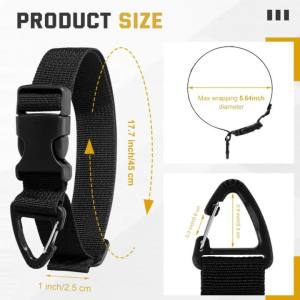
6 Pack 17 Inch Adjustable Extension Cord Holder Organizer with Triangle Clips for Garage Organization and Storage Heavy Duty
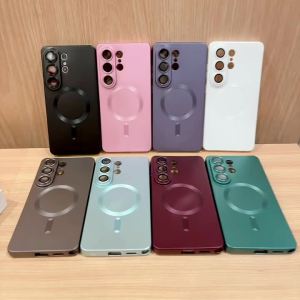
Luxury Metallic Paint Magnetic Case For Samsung S26 S22 Plus Ultra S25 Ultra Edge FE S24 S23 S21 Ultra Plus FE Shockproof Cover
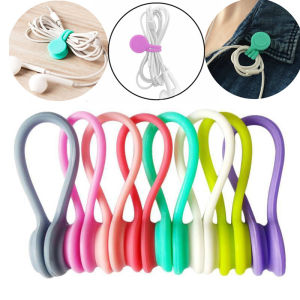
WEIDONGFANG | Magnetic Cable Organizer Earphone Winder Anti-Tangle Portable
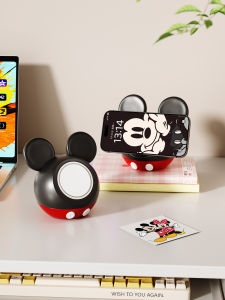
RUIDEDAN | Cartoon Magsafe Magnetic Fast Charging Wireless Charger Stand
For Samsung Z Flip3 5G TFT Quality LCD Display Touch Screen Assembly Replacement F711 F711B F711U Models
Inateck | Light Weight Magnetic Keyboard Case for iPad with Bluetooth Protection
Bosie | Fast Charging Data Cable for Apple 14 iPhone 13 Pro Max iPhone 15 Plus iPhone 16 Pro iPhone 11 iPhone xr iPhone 12 iPad Extended Length
![[3c/ccc certification] 2025 new power bank comes with four-wire 22.5W super fast charging mobile phone dedicated ultra-thin and compact portable](https://img.lazcdn.com/g/ff/kf/Se3bdd2d79f1946939dccfef2a97d90a8E.png_300x300q80.png)
[3c/ccc certification] 2025 new power bank comes with four-wire 22.5W super fast charging mobile phone dedicated ultra-thin and compact portable
Original Philips Smart TV Remote Control | Support All Philips Smart TV
MODERNLUX Silicone Cable Organizer Flexible Black Wire Holder Desktop Tidy Management Clips For Mouse Keyboard Earphone Protector

For HUAWEI Y6p 2020 6.3OEM For Y6P MED-LX9 MED-LX9N LCD Display Touch Screen Digitizer Assembly Replacement