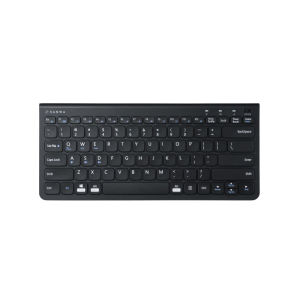
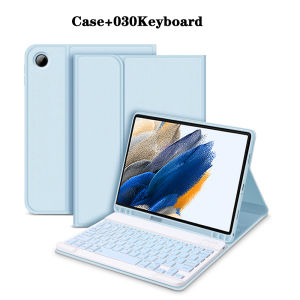
Keyboard Case for Samsung Galaxy Tab A8 10.5 lnchfor Galaxy Tab A8 10.5" Tablet Case with Pencil Holder and Bluetooth keyboard
The tablet case in this link is only compatible with models:Samsung Galaxy Tab A8 10.5-inch(Model:SM-X200/X205/X207)How to verify tablet model1. Go to the back and find your specific model.2. Find "Settings" - Click "About" - Find "Model"3. Please purchase the correct compatible model case according to the tablet after viewing.Note:The digital tablet and stylus are not included in the package. The detailed description is for reference only. Please refer to the actual product for the color of the product.How to connect keyboard and mouse?1. Connect the mouse first, then the keyboard.2. Mouse: Push the switch to the "Bluetooth" icon and find the Bluetooth connection with the "mouse" in the device Bluetooth list.3. Keyboard: Push the switch in the upper right corner to "ON", press "Connect", and find the Bluetooth connection with "Keyboard" in the device Bluetooth list.4. Touchpad keyboard: Open the keyboard, press Fn+C, and then find the Bluetooth connection with "Keyboard" in the device Bluetooth list.FAQQ:What should I pay attention to when connecting the mouse for the first time?A:When the mouse is connected for the first time, you need to press the left button, the right button and the scroll wheel at the same time for about 3-5 seconds.Q: Is the scroll direction of the mouse USB connector and Bluetooth connection the same?A: No, they are different. When using the USB connector, the scroll wheel slides in the same direction as the computer mouse. Bluetooth connection is the opposite.Q: How to switch between different systems?A: Fn+Q=Android, Fn+W=Windows, Fn+E=IOS.Please note that please switch the system before connecting the tablet.Q:The bluetooth keyboard letters are messy?A: Please check the settings according to the prompts,a. Check whether the keyboard language set on the device is English.b. Disconnect the keyboard Bluetooth, click Ignore the connected device, reopen the Bluetooth keyboard, select system, Fn+E (IOS system).Note: Fn+Q=Android, Fn+W=Windows, Fn+E=IOSc. Press the L S Z buttons at the same time to reset the keyboardQ:How to configure the input method for different languages keyboard?A:Take the samsung tablet as example,open "Settings--"ystem"--"Language & input"--"Add New Keyboard". (For other systems, please set them in the system settings according to the tips of the iPad example.)Q:How does the mouse change teh scroll wheel sliding direction on the device?A: The mouse is connected, open "General" - "Trackpad & Mouse" - close "Natural Scrolling".

GlobalTechMart
You May Also Like
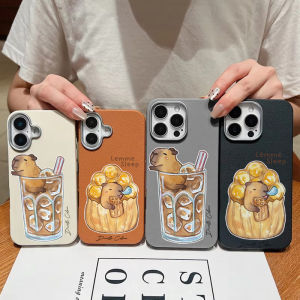
Cute Capybara PU Leather Case for Redmi 13 14C A3 Pro A5 K40 K80 Pro K70E Redmi Note 10 5G 15 Pro 4G Light Thin Retro Simple Shockproof Cover

Universal Airplane Phone Holder 360 Degree Rotation Portable Phone Mount for Travel Handsfree Flexible Phone Stand
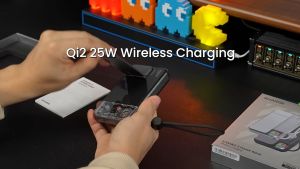
Sharge ICEMAG 3 Power bank Qi2.2 25W Wireless Magnetic Power Bank with Built in Cable

SFAUQ393402 Silicone Watch Band Rubber Bracelet Breathable Replacement Wristband High Quality Adjustable Sport Strap for Google Fitbit Air for Men Women
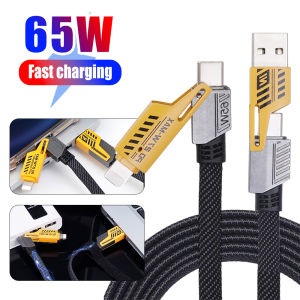
4 in 1 65W Super Fast Charging Mecha Data Cable Convertible Charging Dual Type-c Braided Charging Cable for Micro Usb C Lightning
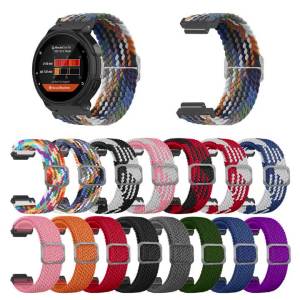
Nylon Band Bracelet for Garmin Forerunner 235 220 230 620 630 735XT Adjustable Elastic Replacement Wristband Accessories

Aluminum Alloy Hot Shoe to 1/4" Screw Adapter for GoPro DSLR Camera LED Light Monitor Microphone Vlog Photography Accessory

100Pcs Long Nails Suitable Keyboard Stickers with Raised Pad Magnified Letter

Power Supply Adapter For PS4 Pro ADP-300CR ADP-300ER N15-300P1A ADP-300FR For PS4 Pro 300CR 300ER 300FR 7000X Series Console

SCUF Omega Wireless Performance Controller for PS5 & PC
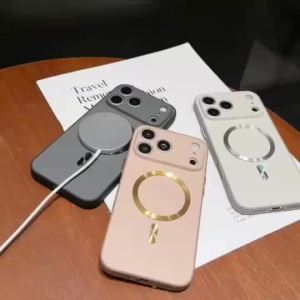
Magnetic Color Block Ultra Thin Casing para sa OPPO A6 Pro 5G Phone Case Drop Protection Soft Edge Hard Cover With Raised Camera Protection