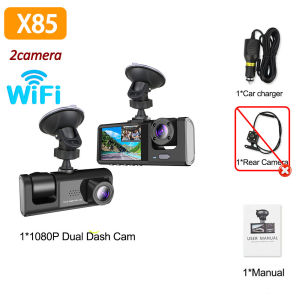
WIFI APP 3Channel Car DVR 1080P Dash Cam for Cars Dual Len car recording camera Optional Rear View Camera Car accessory
Please note that:This driving recorder has an optional rear camera with 2 lenses/3 lenses. You can choose according to your own needs. Thank you!The new high-definition 3-lens dash cam features built-in WiFi support for Android iPhone connectivity, making it easy for your phone to view videos.Product Specifications:3 Channels: [Front+Interior+Rear]Screen size: 2 inchesFile format: AVIVoltage 1 Current: 5V/1AVideo resolution: 1080P; 720P; 720pContinuour Loop Video: Seamless Loop RecordingAutomatic power on/off: support automatic ignition and shutdownTime Synchronization: SupportSupport memory card: TF Card (maximum support 64 GB)Frequency: 50HZ / 60HZSupported languages: Chinese, English, French, German, Russian, Polish,Japanese, Portuguese, Spanish,Korean,etcNew HD 3 Lens WIFI Dash CameraOnly Front Camera: 1080PFront + Rear Camera:1080P+1080P;Front & Inside Camera:1080P+720P;Front & Inside & Rear Camera:1080P+720P+720PStarlight Night VisionWith the help of F2.0 wide aperture and the decent low-lightperformance of the lens, the car camera is able to capturedetails like license plates at night.Built-in WiFiDownload the APP from Android and iOS systems, connect your phone with dash cam via WiFi, then you can view the recordings in real-time, also can download, playback and share the recordings via your phone.How to link WIFIYou need to press the M menu button for 5-10 seconds and then it will show the WIFI module, the WIFI QR code is also in the menu bar, and you can eventually link your phone to view the video.Reversing ImageWhen the car in reverse gear, the car DVR will automatically switch to the rear camera imaging view with parking line, ensures safety for parking.Loop RecordingEvery detail would be automatically record and not miss one second, unlocked data would be overwritten automatically when TF card is run out of storage.G-SensorBuilt-in 3Axis G-Sensor,dash cam automatically detects a sudden collision and lock the footage to ensure important footage is kept Protection.In order to have a better use experience, please be sure to read the following tips:1. Be sure to connect the original car charger to provide power for the device before you can power on, the recorder is not a battery without power can not be used normally, please do not use other non-car charging source data line in the home socket use, the electric volt does not reach 5V easy to damage the device.2. The product screen has a layer of transparent protective film to prevent scratches, the first time after receipt of the protective film, otherwise it will affect the aesthetic, please do not misunderstand the second-hand screen.3. Please use Class 10 memory card, or directly buy our TF memory card.To protect your privacy, the TF card needs to be formatted for the first time. There are two solutions:1. Insert the TF card correctly into the dash cam, open the camera settings, find the storage card format, confirm that the formatting is complete, and then restart the camera to use.2.Connect to the mobile application, search for settings in the mobile application, format the memory card, confirm formatting is complete, and then restart the camera to use it. Sincere wishes to you and your family.

GlobalLifestyle
Review

You May Also Like

Lourmarin | For 17-26 HONDA CRV Urv Crown Gear Shift Cover

EKLEVA 12 Inch Stream Media Mirror Car Camera Dual Lens FHD 1080P Car DVR Camera RearView Mirror Driving Video Recorder Dash Cam
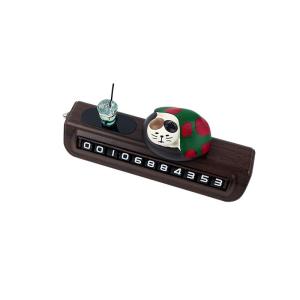
SANZHIXIONG | Creative Car Parking Sign with Phone Number
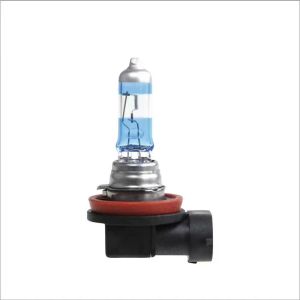
Right One | Super Bright Halogen Fog Light
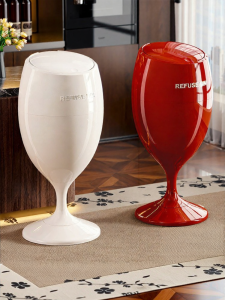
ASCOR | Elegant High-End Tall Movable Large Trash Can

LINCHEIN Wireless Solar Powered Car Neon Light Suction Cup Vibration Lights on Cool EYE Ambient Lights Gifts Dynamic Display Smart LED Lights

UV Protection Breathable Seat Cover for G400

10PCS 0608 6*8mm I-shape Power Inductor Inductance Copper Coil 68Uh 100Uh 150UH 220/330/470UH 1MH 2.2MH 3.3MH 4.7MH 10MH Hot
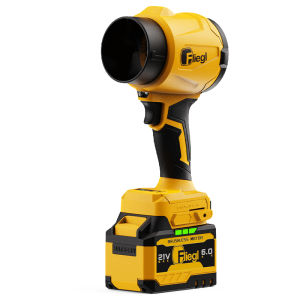
FLIEGL | Powerful Wireless Handheld Car Vacuum Cleaner
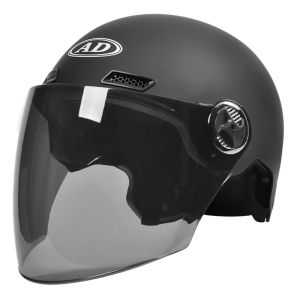
AD | Sun Protection Motorbike Helmet Four Seasons Universal

Superme | Smart Automatic Trash Can Square