


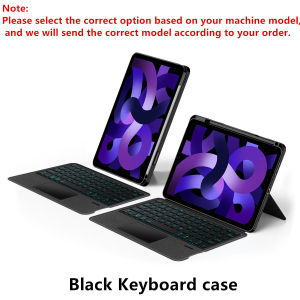
Detachable Magic Keyboard Case for iPad Pro 11 12.9Keyboard Cover For iPad Air 11 13 M2/M3Air 5 4 6 iPad 10.2 7/8/9th 10th Gen
This is an detachable keyboard case, TPU soft shell protective case, which can effectively protect your tablet. The keyboard and protective case can be separated .Keyboard with Backlight and TouchPad.Bluetooth connection, with touch pad, with backlight.,Horizontal and vertical supportNote 1:You need to upgrade your tablet to version 15.0 or higher to use the touchpad.Note 2:After Open the Power, Please Click "Fn" and "C" ãFn+CãButton Together to Open the Keyboard's Bluetooth. It is Very Important.How To Verify Your Tablet Model1.Turn iPad tablet to the back find your specific model,Par exemple: A ****2.Find the "Settings"--Click the "About"--Find the "Model"3.Please select the correct model number for your tablet purchase after viewing it.Compatible models and codes:For iPad Pro 11 inch & Air 10.9 11 inchFor Apple iPad Air 11 inch (M3) 2025 (A3266 A3277 A3270)For Apple iPad Air 11 inch (M2) 2024 (A2902 A2903 A2904)For Apple iPad Air 4 10.9 2020 4th Generation (A2324 A2325 A2072 A2136)For Apple iPad Air 5 10.9 2022 5th Generation (A2589 A2591ï¼For Apple iPad Pro 11 2018 1st Generation (A1980 A1934 A1979 A2013)For Apple iPad Pro 11 2020 2nd Generation (A2228 A2068 A2230 A2231)For Apple iPad Pro 11 2021 3rd Generation (A2301 A2459 A2460)For Apple iPad Pro 11 2022 4th Generation (A2759 A2435 A2761 A2762)The above eight models of keyboard covers are universal !!! The rear camera holes are all universal square holes !!!For iPad 10.2 inch & 10.5 inchFor Apple iPad 7th generation 10.2 inch 2019 (A2197 /A2198 /A2200 /A2232)For Apple iPad 8th generation 10.2 inch 2020 ( 8th Gen ) (A2270 /A2428 /A2429 /A2430)For Apple iPad 9th generation 10.2 Inch 2021 (A2602 /A2603 /A2604 /A2605)For Apple iPad Air3 10.5 inch 2019ï¼A2152ãA2153ãA2154ãA2123ï¼For Apple iPad Pro 10.5 inch 2017ï¼A1709ãA1701ãA1852ï¼The above five models of keyboard covers are universal !!!For iPad Pro 12.9 inch 3rd 4th 5th 6th & Air 13 inchFor Apple iPad Air 13 inch (M3) 2025 (A3271 A3268 A3269)For Apple iPad Air 13 inch (M2) 2024 (A2898 A2899 A2900)For Apple iPad Pro 12.9 2018 3rd Generation (A1876 A2014 A1895 A1983)For Apple iPad Pro 12.9 2020 4th Generation (A2069 A2232 A2229 A2233)For Apple iPad Pro 12.9 2021 5th Generation (A2378 A2379 A2461 A2462)For Apple iPad Pro 12.9 2022 6th Generation (A2436 A2764 A2437 A2766)The above six models of keyboard covers are universal !!! The rear camera holes are all universal square holes !!!For iPad 10th 11th Gen 10.9/11 inchFor Apple iPad 10 Generation 10.9 inch 2022 (A2696 A2757 A2777 ) For Apple iPad (A16) 2025 11th Generation 11 inch 2025 (A3354 A3355 A3356)The above two models of keyboard covers are universal !!!For iPad Pro 11 inch (M4) 2024 (A2836 A2837 A3006)ãOther models cannot be usedãFor iPad Pro 13 inch (M4) 2024 (A2925 A2926 A3007)ãOther models cannot be usedãPlease confirm your machine model before purchasing~Due to multiple model options available on this link, please make sure to confirm your machine model or code before making a purchase in order to select the correct option. If you make a wrong purchase, you will be responsible for it yourself   Attention PleaseEnglish versionkeyboard : There are English letters on the keyboard only.Multi-language versionkeyboard : English letters and carved language letters together .ï¼Due to the difference in the number of keyboard keys compared to a normal office keyboard, some special character engraving positions are the same, which is a normal phenomenonï¼ï¼The keyboard Core defaults to English, and the characters engraved on the keyboard are only a Surface display.so in some countries, even if the input method is switched, the special symbols do not necessarily match the keyboard function layout.If you mind, please do not purchaseï¼Note: You need to upgrade your tablet to version 15.0 or higher to use the touchpad.ã1ã Method of connecting Bluetooth: Turn on the keyboard switch, press theFn+Cbutton, and then search for your iPad Bluetooth connection keyboard.ã2ã Open the iOS system mode and press Fn+A to access the iPad system using the touchpad shortcut function.ã3ã Please keep your For iPad up to date with the latest system upgrades, and the mouse function is turned on. Please open the following steps: Settings - Accessibility - Touch - Accessibility Touchã4ãSwitch language: Open Settings - Language and Input Method - Physical Keyboard - Add Language Layout..ã5ãInput method switching: ctrl+spacebar.(Choose the language you need)ã6ãType-C charging interfaceï¼ with switch button, ã7ãFor detailed instructions, please read the user manual. If you have any questions, you can contact "Online Services" for consultation .Note: Tablets and pens are not included in the packaging .Note: Please purchase according to your machine model, don't worry about the hole position in the picture. We will send the correct model according to your order, and the hole position of the protective cover will correspond to your machine hole position.

GlobalTechMart
Review

You May Also Like
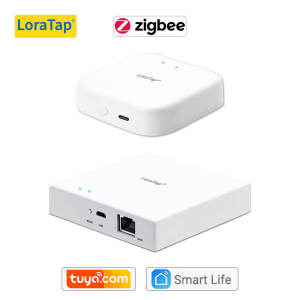
LoraTap Tuya Multi-mode WiFi ZigBee 3.0 Bluetooth Mesh Gateway Hub Bridge Wireless and Wired Smart Life App Remote Control
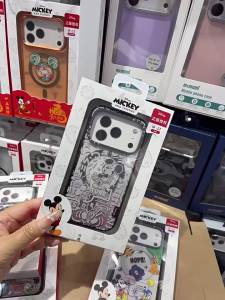
100% Authentic Disney Case for iPhone17 17promax Case Magsafe 17pro Casing iPhone Case Beautiful Back Cover Shockproof Full Protection MYD87
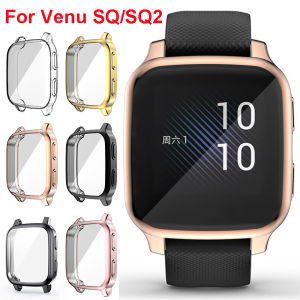
Case For Garmin Venu SQ/SQ Music TPU Full Screen Protector Protective Cover For Garmin Venu SQ 2/SQ 2 Music Cases Venu Sq Shell

Waterproof Dustproof Air Conditioner Cover

SKYRC | Smart Discharge and Analysis NiMH NiCd Battery Charger AA AAA

Acasis | Desktop Storage Expansion USB Multi-Port Hub with Fan Cooling
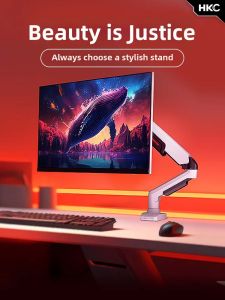
Nvision | Dual Screen Support Adjustable Computer Monitor Arm White

ATTACK SHARK | ATTACK SHARK R3 Magnesium Alloy True 8K Wireless Gaming Mouse PAW3395 26K DPI Tri-Mode BT 2.4G 46g Lightweight Esports Mouse
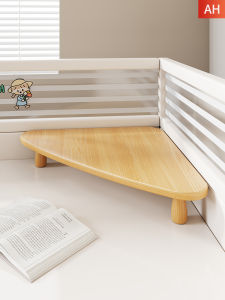
Monitor Desk Organizer Elevated Stand Corner Compatible
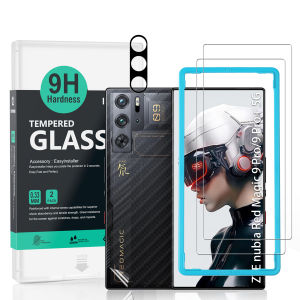
Ibywind For ZTE nubia RedMagic 9 Pro/9 Pro+/9S Pro 5G Screen Protector(Pack of 2)with 1pc Metal Lens Protector1pc Carbon Fiber Back FIlmEasy Install Kit
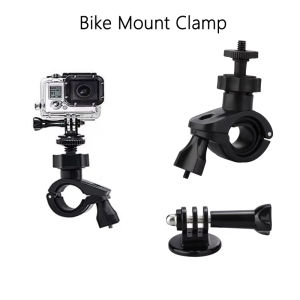
Universal Bike Handlebar Mount Clamp for Gopro Hero 13 12 11 DJI Osmo Action 5 4 Insta360 X4 X3 Camera Motorcycle Bracket Holder
![[SG READY STOCK] EWEADN TK950 Wireless Punk Typewriter Mechanical Keyboard Game Office Triple Mode Wireless 5.0/2.4G/Wired Keyboard](https://img.lazcdn.com/g/ff/kf/S99f8530e4ff8417ebbde126c1414d67fp.png_300x300q80.png)










