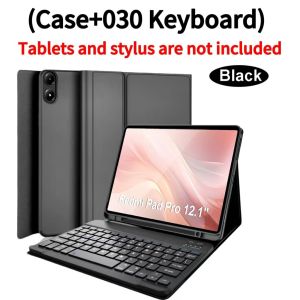
Case for Redmi Pad Pro 12.1 Inch Bluetooth Keyboard Cover for Xiaomi POCO Pad 12.1 Inch 2024 Wireless Removable Keyboard Cover
Please confirm your machine model before purchasing~
For Xiaomi Redmi Pad Pro 12.1 Inch
Xiaomi POCO Pad 12.1 Inch 2024 Tablet. Please note
English keyboard:There are only English letters on the keyboard.
Multilingual version keyboard:English letters and engraved language letters together.
Please confirm each combination of the product before purchasing. Note the first basic image of each color version, which will most accurately reflect the color combination of the product.
Please confirm the keyboard language before purchasing, we will deliver the goods to you according to the color combination you have selected
Note:The digital tablet and stylus are not included in the package. The detailed description is for reference only. Please refer to the actual product for the color of the product.
Office learning business fashion
Comfortable solution to your office, study and entertainment needs .
How to connect keyboard & Mouse?
1,Connect the mouse first, then connect the keyboard.
2,Mouse:Push the switch to the "Bluetooth" icon, find the Bluetooth connection with "Mouse" in the device Bluetooth list.
3,Normal Keyboard:Push the switch in the upper right corner to "ON", press "Connect", and find the Bluetooth connection with "Keyboard" in the device Bluetooth list.
4,Touchpad Keyboard:turn on keyboard ,press Fn+C to,then find the Bluetooth connection with "Keyboard" in the device Bluetooth list. Non-touch keyboard Bluetooth connection steps
Touch keyboard Bluetooth connection steps
FAQ
Q:What should I pay attention to when connecting the mouse for the first time?
A:When the mouse is connected for the first time, you need to press the left button, the right button and the scroll wheel at the same time for about 3-5 seconds.
Q: Is the scroll direction of the mouse USB connector and Bluetooth connection the same?
A: No, they are different. When using the USB connector, the scroll wheel slides in the same direction as the computer mouse. Bluetooth connection is the opposite.
Q: How to switch between different systems?
A: Fn+Q=Android, Fn+W=Windows, Fn+E=IOS.
Please note that please switch the system before connecting the tablet.
Q:The bluetooth keyboard letters are messy?
A: Please check the settings according to the prompts,
a. Check whether the keyboard language set on the device is English.
b. Disconnect the keyboard Bluetooth, click Ignore the connected device, reopen the Bluetooth keyboard, select system, Fn+E (IOS system).
Note: Fn+Q=Android, Fn+W=Windows, Fn+E=IOS
c. Press the L S Z buttons at the same time to reset the keyboard
Q:How to configure the input method for different languages keyboard?
A:Take the samsung tablet as example,open "Settings--"ystem"--"Language & input"--"Add New Keyboard". (For other systems, please set them in the system settings according to the tips of the iPad example.)
Q:How does the mouse change teh scroll wheel sliding direction on the device?
A: The mouse is connected, open "General" - "Trackpad & Mouse" - close "Natural Scrolling".

GlobalTechMart
Review

You May Also Like

GGUU | Rotatable Stand Shockproof Case

TV Stand With Wheels Floor Type TV Rack With Wheels Movable Universal Wheel Fixed Floor Exhibition Hall Household with Storage 55/75
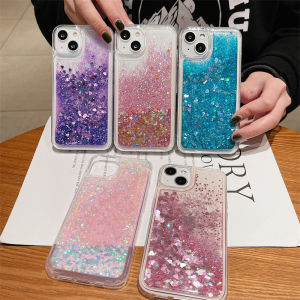
CrashStar Sequin Glitter Heart Liquid Quicksand Movable Phone Case For iPhone 16 15 14 13 12 11 Pro Max Mini XS XR X 7 8 6 6S Plus + SE 2020 TPU Soft Transparent Phone Casing Clear Phone Cover
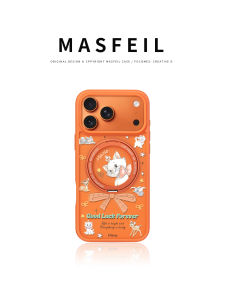
MASFEIL | New Magnetic Stand Case for iPhone 17 Pro Max
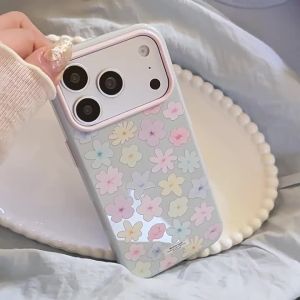
Korean Full Screen Colorful Flowers Pattern Phone Case For IPhone 17 16 15 13 14 Pro Max Floral Shockproof Soft Cover
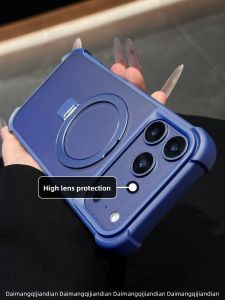
DAIMANG | Anti-Fingerprint Case for iPhone 17 Pro Max Blue Magnetic Foldable Stand
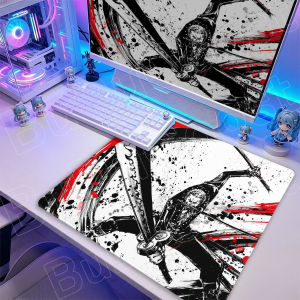
Bandai | 50X50cm Roronoa Zoro Gaming Mouse Pad Ink Wash Style New Laptop Rubber Deskmat One Piece PC Gamer Table Decoration Office Carpet
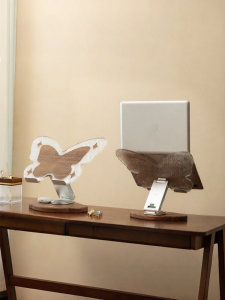
NORDIC MORE | Heat-dissipating Rotatable Adjustable Laptop Stand
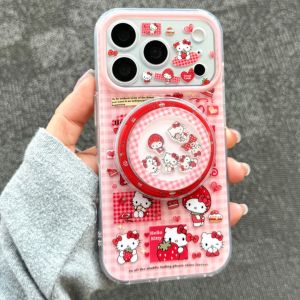
Sanrio | Cute Full Screen Strawberry Hello Kitty Magnetic Phone Case For iPhone 17 16 15 14 Pro Max 17 Lens Protective Shockproof Cover
Omelet Switch Pro+ Wireless Gaming Controller Crystallized Responsive Button Nintendo Switch / PC / Android & iOS

GRAMOCK 31.5mm Black Blue Green Sterile Watch Dial Hands Set Luminous Fit Miyota8215 DG2813 3804 Movement Watch Replacement Part