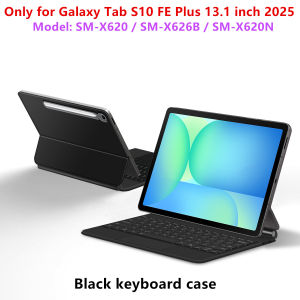
AJIUYU | Magic Keyboard for Samsung Galaxy Tab S10 FE Plus 13.1 Inch Smart Case Tab S10 FE+ 13.1 SM X620 X626B Multi-touch Keyboard Cover
For Samsung Galaxy S10 FE Plus 13.1 Inch Magic KeyboardMagnetic separation, backlight,touch panel,multi angle support, Wireless Bluetoothconnection.Note 1:You need to upgrade the system to version 14.5 or higher to use the touchpad.Note 2:Please check in the size and detail model of your Tablet. it is very importtant ! ! !Note 3:After Open the Power, Please Click "Fn" and "C" 【Fn+C】Button Together to Open the Keyboard's Bluetooth. It is Very Important.Product Details:1. Number of buttons: 782. Battery: Lithium battery 500mAh3. Stand-by time: 150 days4. Working Time: 5 hours (with backlit on),120 hours (with backlit off)5. Working Voltage: 3.0 - 4.2V6. Charging current:<250 mA7. Effective distance: 10 meters8. Backlit Light: 7 colors backlit9. Charge Port: Type-c10. Material: Anti fouling and durable PU material11. Key life:3 million12. Charging times: 3 hours13. Color: BlackHow To Verify Your Tablet Model1.Turn iPad tablet to the back find your specific model,Par exemple: SM-****2.Find the "Settings"--Click the "About"--Find the "Model"3.Please select the correct model number for your tablet purchase after viewing it.Applicable Models:only For Samsung Galaxy Tab S10 FE Plus 13.1 inch(SM-X620 SM-X626B )2025 .Cannot be used for other models.Note: Tablet and stylus are not included in the packaging!!Note:Due to the large size of the tablet, if the keyboard angle is adjusted too much during use, the keyboard may tilt. This is a normal situation, please do not panic, just adjust the keyboard amplitude, and it will not affect use.Attention PleaseEnglish versionkeyboard : There are English letters on the keyboard only.Multi-language versionkeyboard : English letters and carved language letters together ..(Due to the difference in the number of keyboard keys compared to a normal office keyboard, some special character engraving positions are the same, which is a normal phenomenon)The keyboard Core defaults to English, and the characters engraved on the keyboard are only a Surface display.so in some countries, even if the input method is switched, the special symbols do not necessarily match the keyboard function layout(You can hold down the Shift combination).If you mind, please do not purchase!!.【1】Method to connect Bluetooth: Turn on the keyboard switch, press theFn+Cbutton for about 2-3 seconds, the blue light on the keyboard indicator will flash, and then search for your tablet's Bluetooth connection keyboard.【2】After connecting Bluetooth,Take the samsung tablet as example,open Settings--ystem--Language & input--Add New Keyboard. (For other systems, please set them in the system settings according to the tips of the iPad example.)【3】Input method switching: ctrl+spacebar.(Choose the language you need)【4】Type-C charging interface .【5】For detailed instructions, please read the user manual. If you have any questions, you can contact "Online Services" for consultation .The resolution of the machine is different, and there may be color differences in the images, which is a normal phenomenon. The actual product received shall prevail

Prime Supply_Play Life
Review

You May Also Like
Luxurious Leather Back Electroplated Soft TPU Cover Case For iPhone 17 pro Max Air iPhone 16 15 14 ProMax

SmallRig 72" Lightweight Travel Tripod Stand Monopod with Center Column Fluid Head (Max Load 3KG) Knob Lock Legs Height from 43cm to 188cm for Vlogging Dslr Camera Cellphone 3760

🌟SG STOCK🌟Study desk small table on the bed folding desk small table height-adjustable desk

Silicone Magnetic Band for Samsung Galaxy Watch Watch Ultra 2025 47mm Bracelet for Galaxy 9 8 40 44mm/8Classic 46mm Sports Strap
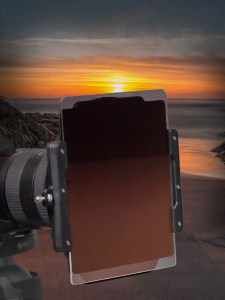
Nisi | Ultra-Wide Angle Filter Mount 150mm
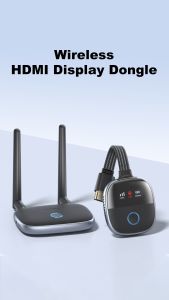
Hagibis Wireless HDMI Transmitter and Receiver Kit Wireless HDMI Extender TV Dongle Plug & Play Streaming for Laptop Projector
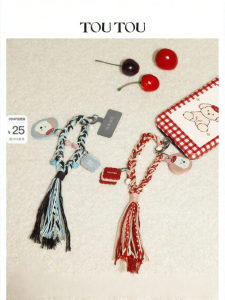
TOUTOU | Red Birthday Gift Diy Bag Charm Keychain
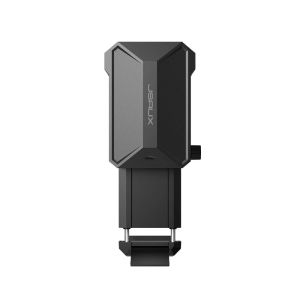
JSAUX Cooler Fan for Nintendo Switch 2 Enhance Performance Cooling Fans Kit Switch2 Gaming Accessories GP0201A
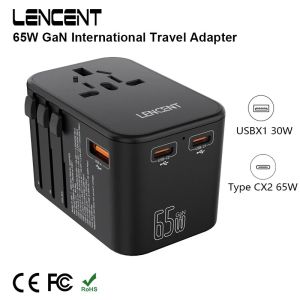
65W GaN Universal Travel Adapter with 1USB Dual Type C PD3.0 All-in-one Travel Charger EU/UK/USA/AUS Plug for Travel
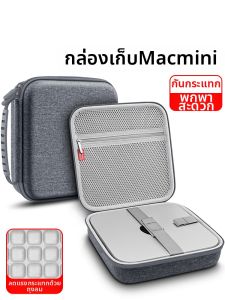
OLYSON | Portable Shockproof Protective Case for Desktop
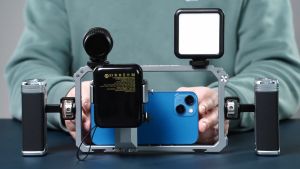
Ulanzi Dual Handle Metal Cage Hand Grip Rig for Smartphone