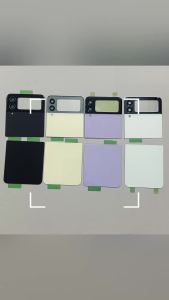
Case for Samsung Galaxy Tab S10 Lite 10.9 lnchKeyboard Cover for Samsung Galaxy Tab S10 Lite 10.9 lnch (Model:SM-X400/X406B)
The tablet case in this link is only compatible with models:Samsung Galaxy Tab S10 Lite 10.9 lnch (Model:SM-X400/X406B)How to verify tablet model1. Go to the back and find your specific model.2. Find "Settings" - Click "About" - Find "Model"3. Please purchase the correct compatible model case according to the tablet after viewing.Please noteThe digital tablet and stylus are not included in the package. The detailed description is for reference only. Please refer to the actual product for the color of the product.How to connect keyboard and mouse?1. Connect the mouse first, then the keyboard.2. Mouse: Push the switch to the "Bluetooth" icon and find the Bluetooth connection with the "mouse" in the device Bluetooth list.3. Keyboard: Push the switch in the upper right corner to "ON", press "Connect", and find the Bluetooth connection with "Keyboard" in the device Bluetooth list.4. Touchpad keyboard: Open the keyboard, press Fn+C, and then find the Bluetooth connection with "Keyboard" in the device Bluetooth list.FAQQ:What should I pay attention to when connecting the mouse for the first time?A:When the mouse is connected for the first time, you need to press the left button, the right button and the scroll wheel at the same time for about 3-5 seconds.Q: Is the scroll direction of the mouse USB connector and Bluetooth connection the same?A: No, they are different. When using the USB connector, the scroll wheel slides in the same direction as the computer mouse. Bluetooth connection is the opposite.Q: How to switch between different systems?A: Fn+Q=Android, Fn+W=Windows, Fn+E=IOS.Please note that please switch the system before connecting the tablet.Q:The bluetooth keyboard letters are messy?A: Please check the settings according to the prompts,a. Check whether the keyboard language set on the device is English.b. Disconnect the keyboard Bluetooth, click Ignore the connected device, reopen the Bluetooth keyboard, select system, Fn+E (IOS system).Note: Fn+Q=Android, Fn+W=Windows, Fn+E=IOSc. Press the L S Z buttons at the same time to reset the keyboardQ:How to configure the input method for different languages keyboard?A:Take the samsung tablet as example,open "Settings--"ystem"--"Language & input"--"Add New Keyboard". (For other systems, please set them in the system settings according to the tips of the iPad example.)Q:How does the mouse change teh scroll wheel sliding direction on the device?A: The mouse is connected, open "General" - "Trackpad & Mouse" - close "Natural Scrolling".

GlobalTechMart

Review

You May Also Like

Luxury Glitter Mirror Stand Case For Vivo X50 X60 X70 X80 X90 X100 X200 Pro + Bracket Gradient Make Up Plating Cover Casing

Cooling Supportive Stand Desktop
Godox ML80Bi/ML150Bi LED Video Light
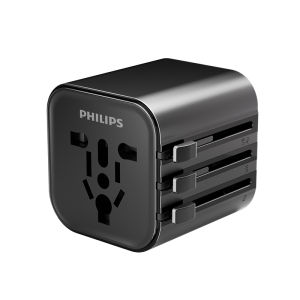
Philips | Global Universal Travel Adapter
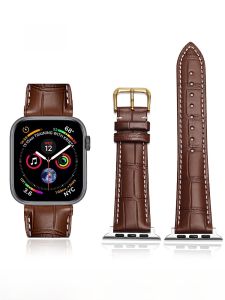
FUDIEN | Apple Watch Compatible Leather Strap S9 New Model Apple Watch 7 Butterfly Buckle Personality SE Genuine Leather 44mm Smart Watch Band

Ulanzi U-190 Mini Fluid Head (2895)

UGP | Luxury Glitter Transparent Case 17promax

RICHMENT 3 IN 1 TPU+PC Full Coverage Military Grade Drop Proof Protection Phone Case with PC Kickstand Rugged Shockproof Protective Cover For Samsung Galaxy S26 Ultra S25 ultra S25FE S24 Plus S24+ S24 S23 Ultra S23 Plus S23+ S23Ultra S22 Ultra S22 Plus
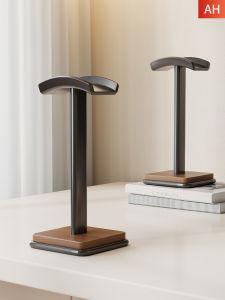
MUGG | High-quality Wooden Headphone Storage Rack

Extra Large Pokemon Pikachu Gaming Mouse Pad Computer Gamer Laptop Keyboard Carpet Mouse Mat Non-Slip Rubber Table Rug

CRENOV | Face Tracking Auto 720 Degree Rotating Handheld Stabilizer Anti-shake Video