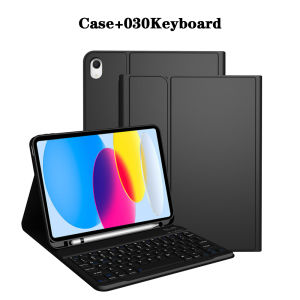
Keyboard Case for iPad (A16) 11th/10th GenerationDetachable Wireless KeyboardStand Folio Keyboard Cover with Pencil Holder
The tablet case in this link is only compatible with models:iPad 10th Generation 10.9-inch(2022 Model:A2696/A2757/A2777/A3162)iPad 11-inch A16 2025(2025 Model:A3355/A3356/A3354)How to verify tablet model1. Go to the back and find your specific model.2. Find "Settings" - Click "About" - Find "Model"3. Please purchase the correct compatible model case according to the tablet after viewing.Note:The digital tablet and stylus are not included in the package. The detailed description is for reference only. Please refer to the actual product for the color of the product.How to connect keyboard and mouse?1. Connect the mouse first, then the keyboard.2. Mouse: Push the switch to the "Bluetooth" icon and find the Bluetooth connection with the "mouse" in the device Bluetooth list.3. Keyboard: Push the switch in the upper right corner to "ON", press "Connect", and find the Bluetooth connection with "Keyboard" in the device Bluetooth list.4. Touchpad keyboard: Open the keyboard, press Fn+C, and then find the Bluetooth connection with "Keyboard" in the device Bluetooth list.FAQQ:What should I pay attention to when connecting the mouse for the first time?A:When the mouse is connected for the first time, you need to press the left button, the right button and the scroll wheel at the same time for about 3-5 seconds.Q: Is the scroll direction of the mouse USB connector and Bluetooth connection the same?A: No, they are different. When using the USB connector, the scroll wheel slides in the same direction as the computer mouse. Bluetooth connection is the opposite.Q: How to switch between different systems?A: Fn+Q=Android, Fn+W=Windows, Fn+E=IOS.Please note that please switch the system before connecting the tablet.Q:The bluetooth keyboard letters are messy?A: Please check the settings according to the prompts,a. Check whether the keyboard language set on the device is English.b. Disconnect the keyboard Bluetooth, click Ignore the connected device, reopen the Bluetooth keyboard, select system, Fn+E (IOS system).Note: Fn+Q=Android, Fn+W=Windows, Fn+E=IOSc. Press the L S Z buttons at the same time to reset the keyboardQ:How to configure the input method for different languages keyboard?A:Take the samsung tablet as example,open "Settings--"ystem"--"Language & input"--"Add New Keyboard". (For other systems, please set them in the system settings according to the tips of the iPad example.)Q:How does the mouse change teh scroll wheel sliding direction on the device?A: The mouse is connected, open "General" - "Trackpad & Mouse" - close "Natural Scrolling".

GlobalTechMart
Review
You May Also Like
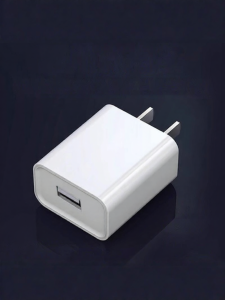
Fast and Slow Charging USB Adapter 5V 1-2A
ATTACK SHARK | ATTACK SHARK X3 Mouse 26000DPI PAW3395 Tri-mode Wireless RGB Lightweight Gaming High-DPI Rechargeable
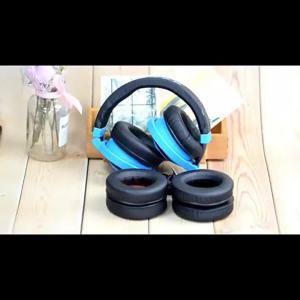
1Pair Leather Ear Pads Cushion Cover Earpads Replacement for Jabra Evolve 20 20se 30 30II 40 65 65+ 75 75+ uc ms Headset
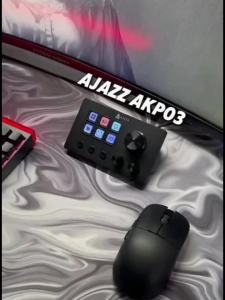
AJAZZ | Ajazz AKP03E Desktop Assistant LCD Display Multimedia Integrated Live Console for Self Media Creation/Office Practical Use
XTEINK | E-book Reading Light for XTEINK X3/X4 E-Reader Fill Light Night Reading Supplementary Light Reading Lamp Book Clip Lamp Gifts
![🇸🇬[Ready Stock] Playstation 5 Slim Pro RGB Cooling Stand with Cooling Fan and Dual Controller Charger Station for PS5 / PS5 Slim / PS5 Pro Console Accessories Disc&Digital Edition Headset Holder 6/15 Game Slots](https://img.lazcdn.com/g/ff/kf/Sd2cdc782bd9f401ebab61e904a94582a7.jpg_300x300q80.jpg)
🇸🇬[Ready Stock] Playstation 5 Slim Pro RGB Cooling Stand with Cooling Fan and Dual Controller Charger Station for PS5 / PS5 Slim / PS5 Pro Console Accessories Disc&Digital Edition Headset Holder 6/15 Game Slots
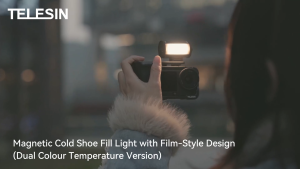
TELESIN S5-BGD-14 / S5-BGD-16 MagFilm Fill Light Magnetic LED Quick Release Cold Shoe Adapter Lamp for Smartphone DSLR Action Camera
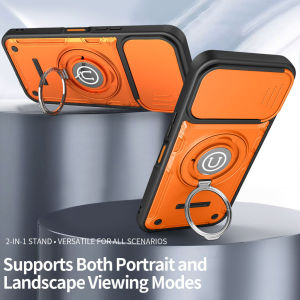
For TECNO POVA 8 5G Anti-drop phone case with lens dust-proof cover multi-functional ring stand

Telesin Insta360 Luna Ultra Filter Kit CPL + VND + 1/4 Black Diffusion
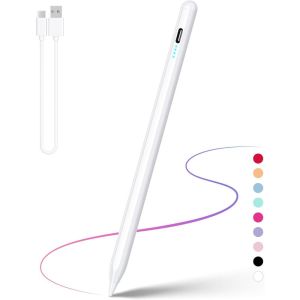
KEYOOL Rechargeable Active Stylus Pen Universal Mobile Phone Screen Pencil Professional Drawing Capacitive Stylus for Android/iOS
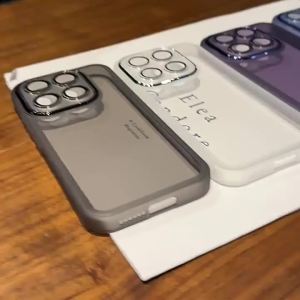
For OPPO Reno 16 F 16 FS Case Simple Matte Finish Lens Film Bare Phone Feel TPU Cover For OPPO Reno16 Pro Ultra-thin Funda