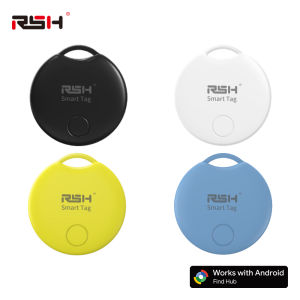
RSH 4PCS Android Tracker Work With Googles Find Hub App Navigation Locate Key Bag Finder for Samsung Xiaomi Pixel Smart Tag GMS
Notice before purchase :1.Make sure the Google LCC offer services (and updates) in the area you want to use the tracker ;2.The Android devices you used with 9.0 and above ,and the devices can download Google' Find Hub AppAbout this itemSMART TRACKER FOR ANDROID: The Android version smart tag is a Google Certified location tracker that works with Find My Device (Find Hub) app on Android devices. Attach this android tracker to the items you usually misplace and let it help you find your keys, bag, suitcase, toy, etc.TRACKING TAG WITH SOUND: Within Bluetooth range (60-150 m), you can check the current location and easily find your item by activating sound via Google Find My Device (Find Hub) app or voice commands. The tracking tag will ring loud enough to help you locate it.REMOTE LOCATION UPDATES: As long as the tracker tag is covered by the Android network (surrounded by Android devices), you will continue to receive location updates even when it's left behind. You can also share the location with your trusted ones if necessary.Sharing Mode and Lost Mode: You can share this Google air smart tag with your family andfriends to increase security. You can also set a lost mode, where when you lose the air tracker tag.the information you set can help others find you and increase the chances of finding your tagDATA SECURITY GUARANTEED: Unlike unknown apps that may collect your data, the Google Find My network is encrypted and anonymous. The location data and history of your belongings are not stored on the tracker and cannot be known by Google systems, ensuring your data security.For certain Samsung models, there are connectivity issues. Please check the following points:Three Core Permission Fixes (Samsung Galaxy Owners Must) 1. Activate Google Bluetooth scanning module in Galaxy Settings (core requirement); 2.Check device and sharing permissions for Google services; 3.Access Google Play Services, find the Nearby devices permission and set it to Allowed.

GlobalTechMart
Review

You May Also Like

MiJia | Mijia Portable Desk Fan USB Rechargeable Handheld Mini Electric Fans Cordless Air Cooling Small Fan 4 Gears Speed
LIGE | LIGE Smart Watch 5ATM Outdoor Sports GPS Trackr Flashlight 1.96 HD Display Screen Bluetooth Call Fitness Watches For Android IOS
【Kidi Go Watch】Kids Smart Watch With GPS Tracker | Camera | 4G Watch For Kids With SIM Card Slot Yiju®
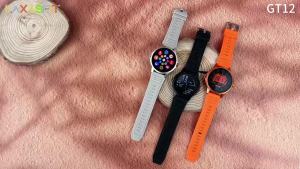
laxasfit | 2026 New Smart Watch 1.52" HD Display Bluetooth Calling Dual Flashlight Multi Sports Fitness Tracker

Philips Hue Play Light Bar Smart RGBW Ambient Light | 2-Pack Base Kit / 1-Pack Extension / Hue Bridge Bundle

Lenovo Zl02C Pro Smart Watch Sports Fitness Tracker Watch Waterproof Bluetooth Call Full Touch Screen Smartwatch Universal 2026
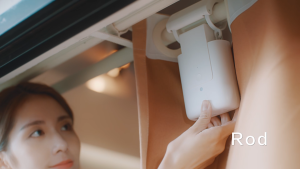
Aqara Curtain Driver E1 Track / Rob Version | Work with Apple Home Google Home | 2 Years Local Warranty
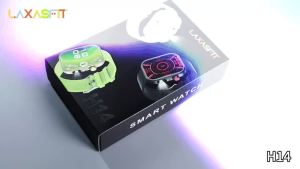
laxasfit | 2026 New LED Flashlight Smart Watch Men Outdoor Sport Fitness Tracker Health Monitor 2.01 Inch Bluetooth Call Smartwatch
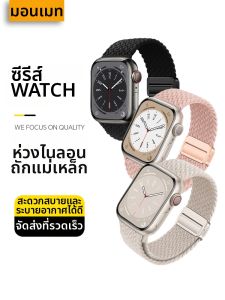
MENGMEITE | Sporty Breathable Braided Magnetic Apple Watch Bands
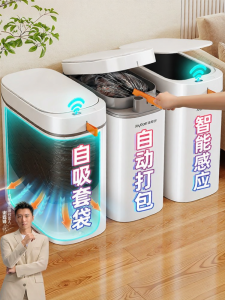
Joybos | Smart Sensor Automatic Trash Can For Narrow Spaces
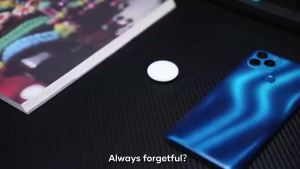
1/2/4PCS Google Find My Supported Android GPS TrackerWorks with Google Find Hub DeviceAnti-Lost Locator for Key Bag Wallet Car