🇸🇬[Ready Stock] For Nintendo Switch 2 Joy-Con 2 Charging Grip Charging Station for Switch 2 Joystick Controllers
【Compatible with Nintendo Switch 2 Joy-Cons】Charger grip is designed for Nintendo Switch 2 Joy-Con controllers.It is equipped with a usb charging cable,and can be charged while playing,charging the Joycon will not affect the game, and the power of the Joycon will continue to increase.【Ergonomic & Comfort】The Grip features an ergonomically curved palm contour that seamlessly conforms to the natural shape of the hand. This optimized design prevents fatigue during extended gaming sessions while maintaining maximum comfort, ensuring you can fully immerse yourself in gameplay enjoyment without strain. Easy to carry: Lightweight and portable, very convenient to use at home or on the go.【Visual Indicator Light】 The charging indicator light of the charging grip is positioned at the center of the grip. The charging status is represented by an orange breathing light,the fully charged status by a colorful light, the standby status by a steady white light.【Elevate Your Gaming Experience】Elevate your gaming experience with the Switch 2 Joy Con Charging Grip, designed specifically for Nintendo Switch 2. This comfort controller charger combines functionality and style, allowing you to charge your Joy-Cons while enjoying a comfortable grip during extended gaming sessions.【Safe & Durable】The nintendo switch 2 joycon grip is made of high quality ABS.It is not easy to be broken. The grip features magnetic charging, making the charging process simple and convenient The Jon con in the picture only shows its usage and is not included in the product box.How to Use the Gaming Charging Grip1. Connect the charging grip to a 5V1A power source or a USB 3.0 port on your PC or TV dock. The package includes a power cable supporting 1A current; please use the included cable first.2. When the charging grip is connected to power, the charging indicator will light up white, indicating it is in charging mode.3. Attach the controllers to the charging grip. The magnetic charging feature ensures a simple and convenient charging process.Charging Indicator LightsThe charging indicator lights are located in the center circle of the grip. The left half indicates the charging status of the left controller, while the right half indicates the charging status of the right controller.Charging status is indicated by an orange breathing light. A full charge is signaled by a multicolored flashing light. Standby mode is indicated by a steady white light.Product SpecificationsType-C Input: DC 5V/1AHandle Charging Current: 250mA x 2Handle Charging Time: Approximately 2 hours

DearGoGo
![🇸🇬[Ready Stock] For Nintendo Switch 2 Joy-Con 2 Charging Grip Charging Station for Switch 2 Joystick Controllers](https://img.lazcdn.com/g/p/aeb2d80f28ff7ddf8165ac0274f07754.jpg_300x300q80.jpg)
You May Also Like
Laptop Keyboard Protective Film Universal 14-Inch Suitable for Lenovo Huawei HP Xiaomi Xiaoxin 15.6
OATSBASF Metal Phone Case Wood Panel Bumper Phone Shell with 360° Stand for IPhone 18 Pro Max/17 Pro Max/17 Pro/17 Air
imobile | Shockproof Full Enclosure Soft Shell Phone Case for OnePlus 15 Liquid Silicone
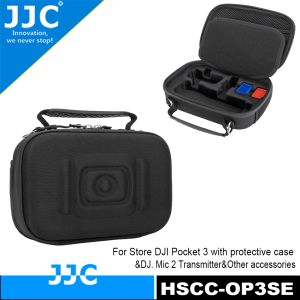
JJC Camera Bag Pouch EVA Hard Shell Protective Case For DJI Pocket 3 With Protective CaseDJI Mic 2 Transmitter & Osmo Pocket 3 Battery Handle & Other Suitable AccessoriesFree Get 2pcs MicroSD Card Holders
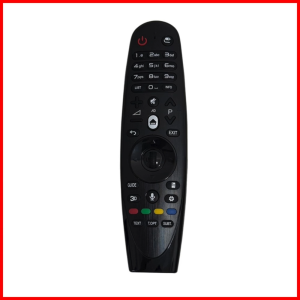
LG Magic Remote Control AN-MR600 - Voice Control & Mouse Pointer - For LG Smart TV
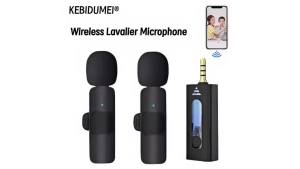
Mini Wireless Lavalier Lapel Microphone Portable Clip On Mic Universal Audio Video Recording Microphone Compatible IOS Type C
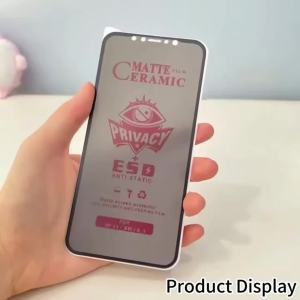
1-5Pcs Matte Ceramic Privacy Film For Xiaomi Redmi Note 15 14 Pro 5G 13 12 11 10S 15 14C 13C 12C 11A 10 10C 10A Screen Protector
Divi | Fast Charging PD Cable 2m
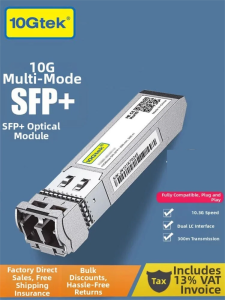
10Gtek | 10G Multi-mode SFP+ Optical Module
Luxury Military Shockproof Armor Magnetic Phone Case For Iphone 17 Pro Max Air 16 15 14 13 12Pro MagSafe Rugged Protective Cover
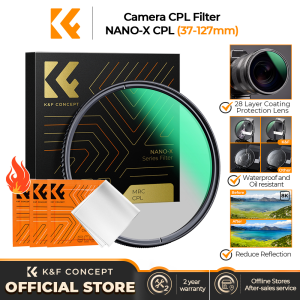
K&F CONCEPT NANO-X CPL Filter 28 Layer Super Slim Circular Polarizing Filter Multi-coated Polarized MRC Filter(37-127mm)