


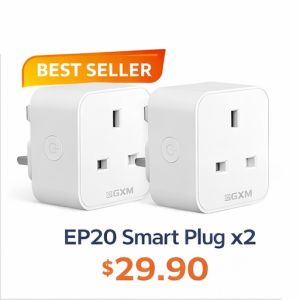
GXM 20A Smart Plug Energy Monitoring Remote Voice control Schedule Power Monito Google Alexa EP20
🔌 Wide Voltage Support – 100V to 250V input, supports high-load appliances up to 20A📶 2.4GHz Wi-Fi Connection – Stable and secure wireless control📱 Remote Control via GXM App – Turn devices on/off anytime, anywhere🕒 Schedule & Timer Function – Automate your home with preset schedules or countdowns🗣️ Voice Control – Works with Amazon Alexa & Google Assistant for hands-free control⚡ Real-Time Energy Monitoring – Track power usage and save on electricity🔧 No Hub Required – Easy setup with the free GXM app🧩 Compact Design – Mini size avoids blocking nearby socketsPecifications:Model: EP20Rated Current: 20ARated Voltage: AC 100–240VAC Frequency: 50/60HzWireless: Wi-Fi 2.4GHzMaterial: ABS + PCDimension: 57 x 57 x 65 mmWeight: 78gCertification: CE, FCC, UKCA, RoHSDesign: Designed in SingaporeMade in: China🔌 GXM EP20 Smart Plug Setup GuideBefore You Begin:If you have only one Wi-Fi network, connect as usual.If you have dual-band Wi-Fi, make sure to connect to the 2.4GHz network before setup.Ensure Bluetooth is turned ON on your phone.📱 Step-by-Step Installation:Download the “GXM” app from the Google Play Store or Apple App Store.Allow all permissions when prompted.For Android users: Make sure Location Services are enabled.Register a new account or log in to your existing one.Tap the “+” icon in the top right corner to add a new device.Select “Add Device Manually” instead of scanning the QR code.Choose “EP20 Smart Plug” from the device list.Press and hold the reset button on the smart plug for 5 seconds until the blue light starts flashing.On the app, scan and select the Bluetooth device named MKD_CWCZ_XXXX.Select your 2.4GHz Wi-Fi network from the list and enter your Wi-Fi password.Tap “Next Step”, then give your smart plug a name (e.g., “Living Room Plug”).✅ Setup Complete!You can now control your smart plug remotely via the GXM app.Store Pick-Up & Service Centre📍 1 Yishun Industrial Street 1, #05-24, A’POSH Bizhub, Singapore 768160🕒 Opening Hours:Mon–Fri: 10:00 AM – 6:00 PMSat: 10:00 AM – 2:00 PM(Closed on Public Holidays)Retail Experience Shop (No Store Pick-Up / Service)📍 NEX Serangoon, #03-29🕒 Open Daily: 11:00 AM – 9:00 PM

GXM.SG
You May Also Like
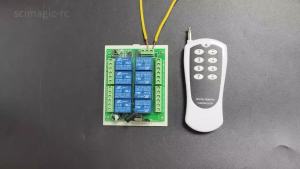
8Channel 433MHz Wireless Remote Control Relay System DC 12V/24V with RF433 Transmitter & Receiver

Smart Watch Android IOS Phone 1.83 Inch Color Screen Bluetooth Answer Call Fitness Watches Tracker Smartwatch Women Men New Ht30

Fashion Classic Smart Watch 9 Mini Lightweight Healthy Outdoor Sports Wearable NFC Access Control Wireless Call Smart Watch

2024 New Cardiac Blood Glucose High End Smart Health Watch Temperature ECG+PPG Monitoring Men Women Smart Watch Chest Patch 1.39 inch 360*360 HD For Xiaomi Huawei Android iOS㏇0708

Momax | Cross-Platform Compatible Airtag Locator
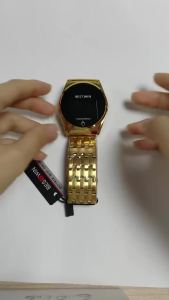
MASTOP Touch Screen Digital Watch for Men LED Gold Silver Steel Band
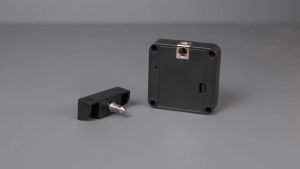
MOES | MOES Tuya Bluetooth Smart Wood Cabinet Lock App Remote Control Monitoring Keyless IC Card Unlock Door Locker Furniture Drawer

GUHUAVMI | 2026 New HD Smart Audio Glasses 800W Camera Dual Speaker Bluetooth Voice Control AI Real-Time Translator Type-C Charge Eyewear

2026 New Upgrade AI Diagnostic Airbag Precise Blood Pressure Health SmartWatch Uric Acid ECG Blood lipids Smartwatch Men Women

Smartwatches for Men Women 2023 Waterproof Android Touchscreen Smart Watch Clock Display Tracking Music Control Sleep Monitor Text Message Voice Control Smartwatch㏇0708
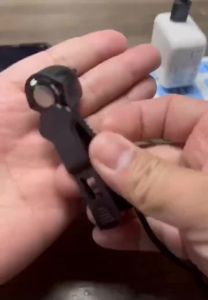
Automatic Screen Tapper Clicker Tool Gaming Shopping Live Broadcasts Reward Tasks Auto Clicker for Phone Automatic Screen Tapper











