


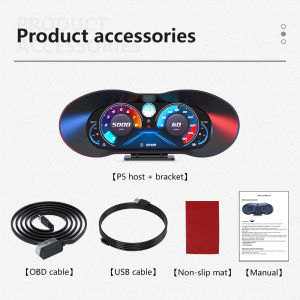
P5 OBD2 Head Up Display OBD GPS dual system on Board Computer speed Water Oil Temp Fuel consumption Oil pressure Slope Meter
My friend, to ensure that the product can be used normally in your car, please send me your model brand and model year before buying the product, and I will check if it is suitable for OBD mode. All diesel cars do not show OBD function, Gasoline cars before 2008 are not suitable for OBD and some gasoline cars do not show it, such as for Renault, for Peugeot, for Suzuki and other car series. If the model is incompatible with the product due to self-purchase, you will have to bear the after-sale problem, Thank you for your understanding and support1.Dial button:Switch the display interface ② Short press to confirm the function in the setting item.Long press vertically (press and hold for 2 seconds):① Go to the settings menu.②Press and hold for 2 seconds in the setting item to save and exit.Short dial left:①Adjust parameter values in the setting items. ②Switch setting items in the setting menu. Dial left for 2 seconds:①Enter the main screen to switch the display function, automatically save if no operation within 10 seconds.Short dial right:①Switch function display in the main screen when setting ②Switch setting items in the setting menu ③Adjust parameters in the setting items.④Calibrate slope (operate on the slope meter display interface)Dial right for 2 seconds:①Quick shutdown 2. Photosensitive components: Automatically adjust the brightness of the display screen3. Spare upgrade interface4. Rotating bracket5. OBD line interfaceOBD system switch to GPS system :On the main interface, press the dial left for 2 seconds and the icon will flash. Press right to switch functions. Press left to go to the next function. Press the dial vertically to save.Quick shutdownTurn the dial button right for 2 seconds to turn off, press right again to turn on.Slope meter calibration:Fix the main unit, operate on the Slope meter display interface, turn the dial button to the right to complete the calibration.Enter Settings mode:Press and hold the wheel button for 2 seconds to go the setting items, dial right to select the menu, short press to enter the settings, after adjustments, press and hold the wheel button for 2 seconds to save, press and hold again for 2 seconds to return to the home page.Package includes:1 X HUD1 X Mount1 X OBD Cable1 X Anti Slip Mat1 X Manual

Prime Supply_Play Life
You May Also Like

NBM | Faux Fur Shoulder Protector Long Car Seat Belt Cover
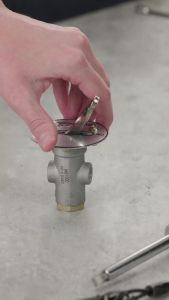
Buyers Products 6451000 Universal 3-Way Toggle Air Valve 174 PSI
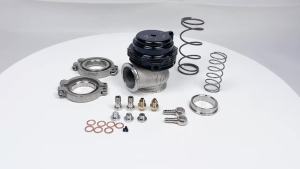
Water Cooler 44mm Wastegate External Turbo With Flange Hardware MV-R Water Cooled With Logo Red Blue Black

Motowolf | Fall Prevention Warm Mens Motorcycle Jacket
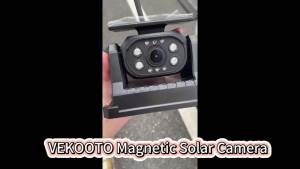
Solar Wireless Backup Camera 7" HD Monitor DVR 9600mAh Rechargeable Battery Magnetic WiFi Reverse Camera for Truck RV Trailer

Razux NUBER Motorcycle Plastics And Rubber Renewer 240 ml
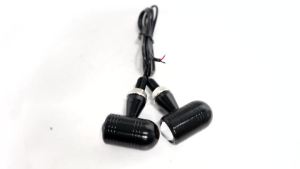
KEVANLY | 2PCS Led Motorcycle Signal Light Eagle Eye LED License Plate Lights Yellow Warning Taillight Motorbike Brake Lamp Moto Accessori
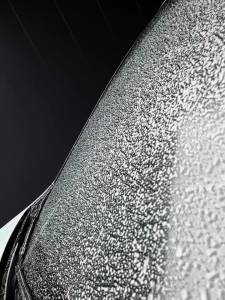
Rear Windscreen Wiper Blade Wiper Arm Kit For Smart FOR FOUR/453 2014--2018 Windscreen Windshield Wipers Brushes Cleaning Acces
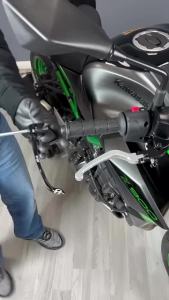
2025 New Motorcycle Brake Handle Protects For Kawasaki Z1000 SX Ninja 1000SX Performance 2017-2024 CNC Brake Clutch Handguard

SEMSPEED Motorcycle Anti Crash Rear Exhaust Sliders Muffler Falling Protector For Honda ADV 150 160 ADV150 2019-2026

WANSLO | Universal Electric Vehicle Rear Trunk Non-aluminum Alloy











