


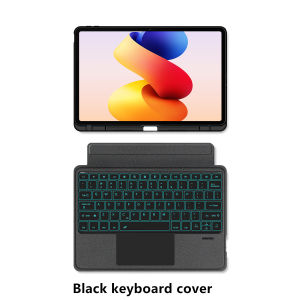
AJIUYU | Magic Keyboard Case For Xiaomi Redmi Pad 2 Pro 12.1 inch 2025 Redmi Pad 2 Pro Poco Pad 12.1" Tablet Keyboard Cover With Pen Slot
This is an detachable keyboard case, TPU soft shell protective case, which can effectively protect your tablet. The keyboard and protective case can be separated .Keyboard with Backlight and TouchPad.Bluetooth connection, with touch pad, with backlight.,Horizontal and vertical supportNote 1:You need to upgrade your tablet to version 15.0 or higher to use the touchpad.Note 2:After Open the Power, Please Click "Fn" and "C" 【Fn+C】Button Together to Open the Keyboard's Bluetooth. It is Very Important.How To Verify Your Tablet Model1.Find the "Settings"--Click the "About"--Find the "Model"2.Please select the correct model number for your tablet purchase after viewing it.Applicable Models:For Xiaomi Redmi Pad 2 Pro 12.1 inch 2025 Tablet .For Xiaomi Redmi Pad Pro 12.1 inch 2024 Tablet .For Xiaomi Poco Pad 12.1 inch 2024 Tablet .Note: The above three models of keyboard covers are universal.Please confirm your machine model before purchasing~Attention PleaseEnglish versionkeyboard : There are English letters on the keyboard only.Multi-language versionkeyboard : English letters and carved language letters together(Due to the difference in the number of keyboard keys compared to a normal office keyboard, some special character engraving positions are the same, which is a normal phenomenon)The keyboard Core defaults to English, and the characters engraved on the keyboard are only a Surface display.so in some countries, even if the input method is switched, the special symbols do not necessarily match the keyboard function layout(You can hold down the Shift combination).If you mind, please do not purchase!!.[1]Bluetooth connection method: Turn on the keyboard switch, then press and holdFn+C for about 2-3 seconds to start Bluetooth. The indicator light turns blue, and then turn on your tablet Bluetooth. Search for "Wireless Keyboard" and click connect to pair. After receiving the keyboard, fully charge it (about 4 hours).【2】After connecting Bluetooth,open Settings--ystem--Language & input--Add New Keyboard. (For other systems, please set them in the system settings according to the tips of the iPad example.)【3】Input method switching: ctrl+spacebar.(Choose the language you need)【4】For detailed instructions, please read the user manual. If you have any questions, you can contact "Online Services" for consultation .【5】Bluetooth connection, Type-C charging interface.The resolution of the machine is different, and there may be color differences in the images, which is a normal phenomenon. The actual product received shall prevail .Note: Tablet and Pencil are not included in the packaging~

Prime Supply_Play Life
Review
You May Also Like
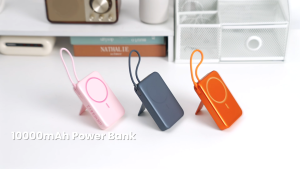
Vention Semi Solid Battery Powerbank 10000mAh Magnetic Original 22.5W Fast Charging with Cable LED Display for iPhone 18 17 16 15 14 13 pro max Samsung S24 Ultra S23 Xiaomi 13t ios Android Tablet Portable Power Bank
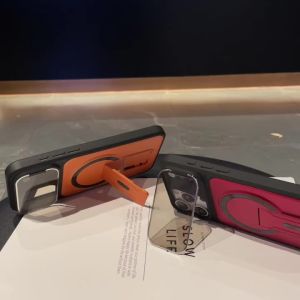
Luxury Invisible Mirror Protection Kickstand Magnetic Case For IPhone 17 16 15 14 Plus 13 12 11 Pro Max Shockproof Bumper Cover
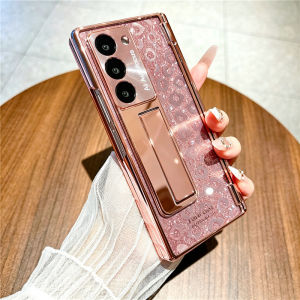
11.11 For Samsung Galaxy Z Fold 8 Ultra 5G With Screen Protector Luxury Plating Cover For ZFold 8 Fold8 Ultra Hinge Protection Case 261102

Ultra Thin Hinge Protection Case For vivo X Fold Series
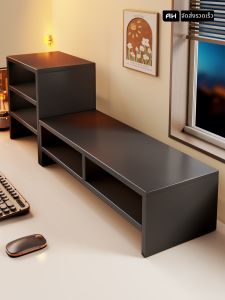
evesigar | Desktop Multi-layer Storage Monitor Stand with Keyboard Tray

BEXIN New Carbon Fiber Monopod Retractable Portable Monopod Travel Shooting Mobile Phone Live Selfie Bracket for iphone Camera
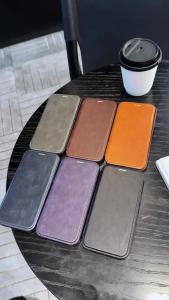
Luxury Magnetic Flip Leather Wallet Case For iPhone 17E 16E 17 Promax 16 Pro Max 15 Plus 14 13 12 Card Slot Holder Phone Cover

Dustproof TV Cover

YOOCUANG | Universal DJI Bluetooth Remote Controller

🇸🇬 Fast Delivery 3rd Gen Wind Deflector Air Conditioner Wind Shield Aircon Anti-Blowing Shield Retractable Aircon Windshield Hanging-type

JJC Reversible Lens Hood Shade Replaces EW-83F for Canon EF 24-70mm f/2.8L USM LensLens Shade ProtectorABS Material











