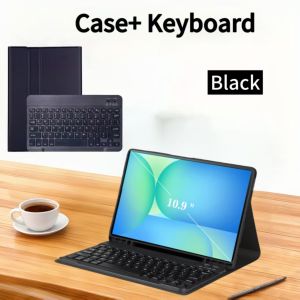
Case for Samsung Tab S10 FE 10.9 inch 2025 Wireless Bluetooth Keyboard Case for Galaxy Tab S10 FE 10.9 SM-X520/X526/X526B
Please confirm your machine model before purchasing~For Samsung Galaxy Tab S10 FE 10.9 Inch 2025(SM-X520/X526/X526B) Tablet.Please notePlease confirm each combination of the product before purchasing. Note the first basic image of each color version, which will most accurately reflect the color combination of the product. Please confirm the keyboard language before purchasing, we will deliver the goods to you according to the color combination you have selectedNote:The digital tablet and stylus are not included in the package. The detailed description is for reference only. Please refer to the actual product for the color of the product.Office learning business fashionComfortable solution to your office, study and entertainment needs.MagnetdesignMagnetdesign -Verhindern Sie, dass die Tastatur herunterfalltAbnehmbare Bluetooth-Tastatur - kann die Tastatur leicht entfernenAutomatischer Schlaf-/Wake-Energy-ErhaltungTriangular stable design Stable support, anti-slip protectionHoneycomb back design, great heat dissipation effectBacklit keyboardSwitch cool lights at willColourfulA colour that's just right for you A wide range of colours to add a touch of chic to your day.How to connect keyboard & Mouse?1,Connect the mouse first, then connect the keyboard.2,Mouse:Push the switch to the "Bluetooth" icon, find the Bluetooth connection with "Mouse" in the device Bluetooth list.3,Normal Keyboard:Push the switch in the upper right corner to "ON", press "Connect", and find the Bluetooth connection with "Keyboard" in the device Bluetooth list.4,Touchpad Keyboard:turn on keyboard ,press Fn+C to,then find the Bluetooth connection with "Keyboard" in the device Bluetooth list.Non-touch keyboard Bluetooth connection stepsTouch keyboard Bluetooth connection stepsFAQQ:What should I pay attention to when connecting the mouse for the first time?A:When the mouse is connected for the first time, you need to press the left button, the right button and the scroll wheel at the same time for about 3-5 seconds.Q: Is the scroll direction of the mouse USB connector and Bluetooth connection the same?A: No, they are different. When using the USB connector, the scroll wheel slides in the same direction as the computer mouse. Bluetooth connection is the opposite.Q: How to switch between different systems?A: Fn+Q=Android, Fn+W=Windows, Fn+E=IOS.Please note that please switch the system before connecting the tablet.Q:The bluetooth keyboard letters are messy?A: Please check the settings according to the prompts,a. Check whether the keyboard language set on the device is English.b. Disconnect the keyboard Bluetooth, click Ignore the connected device, reopen the Bluetooth keyboard, select system, Fn+E (IOS system).Note: Fn+Q=Android, Fn+W=Windows, Fn+E=IOSc. Press the L S Z buttons at the same time to reset the keyboardQ:How to configure the input method for different languages keyboard?A:Take the samsung tablet as example,open "Settings--"ystem"--"Language & input"--"Add New Keyboard". (For other systems, please set them in the system settings according to the tips of the iPad example.)Q:How does the mouse change teh scroll wheel sliding direction on the device?A: The mouse is connected, open "General" - "Trackpad & Mouse" - close "Natural Scrolling".

GlobalTechMart
Review
You May Also Like

MIZIQIER 8K HDMI 2.1 Cable 48Gbps Ultra High-Speed HDMI Cables 8K 60Hz 4K 120Hz EARC Compatible for TV/PS5/PS4/Xbox/Projector
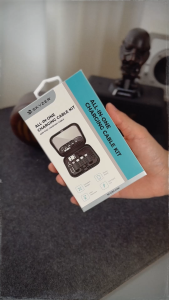
Skyzer AC500 Multi USB Charger Adapter Cable Kit
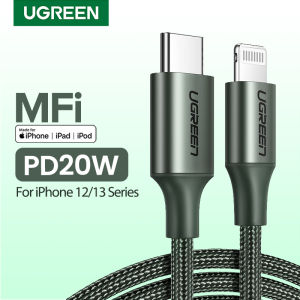
UGREEN 1M PD 20W USB C to Lightning Cable for iPhone 14 13 Pro Max iPhone 14 Plus iPhone 12 11 Pro Max MacBook MFi USB C Fast Charging for iPhone Charger Type C Cable

AXNEN | AXNEN Cellphone Magnetic Fill Light 3-color Mini Selfie Ring Light Brightness Adjustment for Magnetic Iphone Android Smartphone
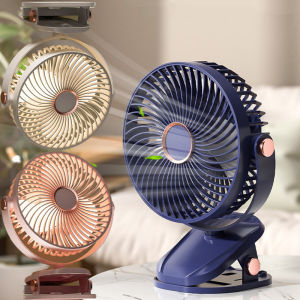
【SG STOCK】USB Rechargeable Clip Fan 360° Adjustable Multifunctional Desktop Cooling Fan Atmosphere Light
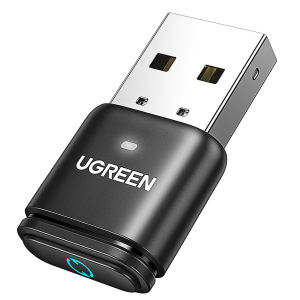
UGREEN Bluetooth 5.3 Transmitters for PS4 PS5 Switch Model:15765A

GURUNGMANI 1pcs Anti-fouling Painting Gloves Anti-touch Sweat-proof Sketch Gloves High Quality 1/2 Fingers Anti Accidental Touch Gloves Hand-drawn

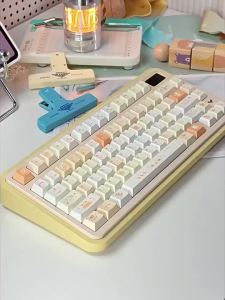
GravaStar K1 Lite: 75% Wireless Mechanical Keyboard with Organic Polymer Frame Hot-Swappable Switches and RGB Glow
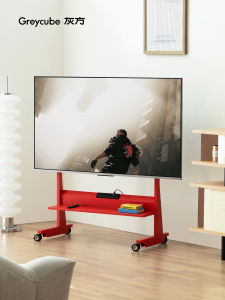
GREY CUBE | Movable TV Stand
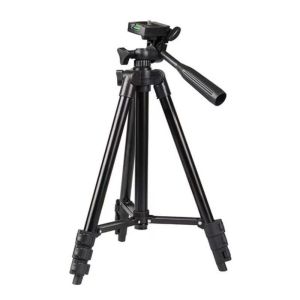
TZD62 Extendable Phone Tripod Stand Black Aluminum Selfie Stick Level Adjustable Camera Stand Video Recording
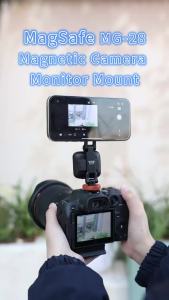
VRIG Magnetic Phone Holder Tripod Mount for Magsafe iPhone 17 16 Aluminum Alloy Tripod Mount Adapter with Cold Shoe Mount2026