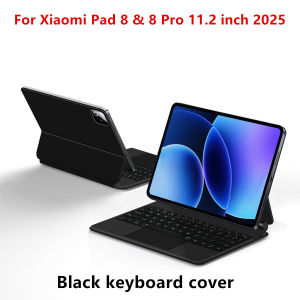
Floating Magic Keyboard For Xiaomi Pad 8 Pad 8 Pro 11.2" Case for XiaoMi Pad 7 Mi Pad 8 Pro 11.2 Tablet Smart Keyboard Cover
For Xiaomi Pad 8 & 8Pro/ Xiaomi Pad 7 & 7Pro & Poco Pad X1 Magic KeyboardMagnetic adsorption, backlight, touch panel, multi angle support、Wireless Bluetooth connectionA keyboard and protective case in oneOne product ,dual uses,when unfolded , it is a Tablet Keyboard,and when closed,it is a protective Case,non-removable,enabling it to meet the needs of more scenariosProduct Details:1. Number of buttons: 642. Battery: Lithium battery 500mAh3. Stand-by time: 150 days4. Working Time: 5 hours (with backlit on),120 hours (with backlit off)5. Working Voltage: 3.0 - 4.2V6. Charging current:7. Effective distance: 10 meters8. Backlit Light: 7 colors backlit9. Charge Port: Type-c10. Material: PU Leather11. Key life:3 million12. Charging times: 3 hours13. Colors: Black WhiteNote: Tablets and pens are not included in the packaging .Note 1:You need to upgrade Tablet to version 15.0 or higher to use the touchpad.Note 2:Please check in the size and detail model of your Tablet. it is very importtant ! ! !Note 3:After Open the Power, Please Click "Fn" and "C" 【Fn+C】Button Together to Open the Keyboard's Bluetooth. It is Very Important.Due to multiple model options available on this link, please make sure to confirm your machine model or code before making a purchase in order to select the correct option. If you make a wrong purchase, you will be responsible for it yourself. How To Verify Your Tablet Model1.Find the "Settings"--Click the "About"--Find the "Model"2.Please select the correct model number for your tablet purchase after viewing it.Applicable Models:For Xiaomi Pad 7 / 7 Pro (Mi Pad 7 / Mi Pad 7 Pro) 11.2 inch Tablet 2024.For Xiaomi Pad 8 / 8 Pro (Mi Pad 8 / Mi Pad 8 Pro) 11.2 inch Tablet 2025.For Xiaomi Poco Pad X1 11.2 inch Tablet 2025.Note: The above models of keyboard covers are universal,[Note: Only the corresponding machine model can be magnetically attracted. If your machine is not of the above model, please do not purchase!!! ]Attention Please:English versionkeyboard : There are English letters on the keyboard only.Multi-language versionkeyboard : English letters and carved language letters together ..【For example, if you choose French, the keyboard will display English and French letters. Please note that the same letters will not be engraved repeatedly】(Due to the difference in the number of keyboard keys compared to a normal office keyboard, some special character engraving positions are the same, which is a normal phenomenon)The keyboard Core defaults to English, and the characters engraved on the keyboard are only a Surface display.so in some countries, even if the input method is switched, the special symbols do not necessarily match the keyboard function layout(You can hold down the Shift combination).If you mind, please do not purchase!!.Note :Due to the material of the white keyboard, the engraved letters are dark gray .【1】Method to connect Bluetooth: Turn on the keyboard switch, press theFn+Cbutton for about 2-3 seconds, the blue light on the keyboard indicator will flash, and then search for your tablet's Bluetooth connection keyboard.【2】After connecting Bluetooth,Take the samsung tablet as example,open Settings--ystem--Language & input--Add New Keyboard. (For other systems, please set them in the system settings according to the tips of the iPad example.)【3】Input method switching: control+spacebar.(Choose the language you need)【4】Type-C charging interface .【5】For detailed instructions, please read the user manual. If you have any questions, you can contact "Online Services" for consultation .The resolution of the machine is different, and there may be color differences in the images, which is a normal phenomenon. The actual product received shall prevail

GlobalTechMart
Review

You May Also Like
Painted Soft Tablet Case For Samsung Galaxy Tab A11 S10 S6 Lite S12 S7 S8 S11 S12 Ultra A9 Plus A8 S9 FE 10.9 inch Funda Cover
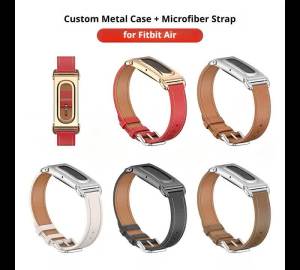
For Fitbit Air Wristband Strap with New Metal Shell Durable Microfiber Leather Band for Fitness Tracker Watch
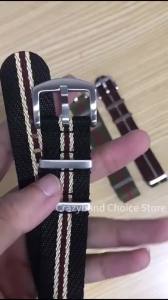
Silver Buckle Ribbed Sailcloth Watch Band Fabric Universal 18mm 20mm 22mm Black Premium High Quality Nylon Sport Strap Accessory
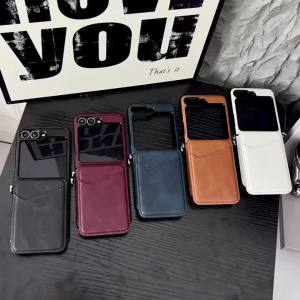
szhaiyu | For Samsung Galaxy Z Flip 8 7E 7 6 5 4 3 Leather Wallet Phone Case With Retro Cowhide Pattern With Card Slot Holder Protection
UAG iPhone 18 Pro Max Case / iPhone 17 Pro Max Case 6.9" Metropolis LT Kevlar Magnetic Phone Case iPhone 18 Pro Max Casing
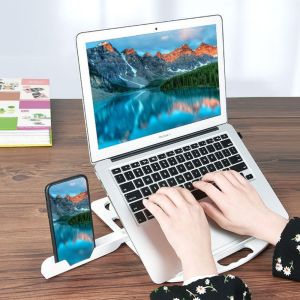
RUCHO With Phone Holder Laptop Stand Plastic Foldable Holder Lazy Holder Non Slip Ergonomic Laptop Riser Smart Phones

EUCAGR Rugged Protective Cover for Honor X7E Honor X7e 4G Case Built-in Magnetic Suction Car Holder Phone Coque Fundas
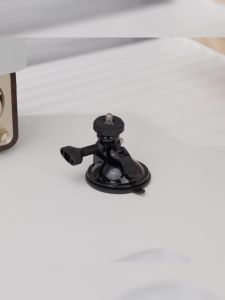
JJC | JJC Suction Cup Mount Windshield Camera Holder Tripod Adapter for DJI Pocket 4 Osmo 360 Action 5 Pro 4 3 2 GoPro Hero 11 10 9
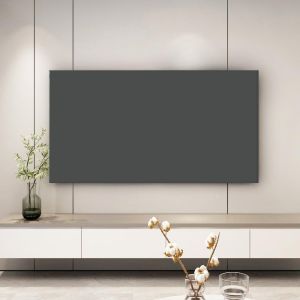
LENMAX. Waterproof TV Dust Cover Dustproof Sunproof Solid Color TV Cover Simple Anti-Scratch Elastic Edge Protective Cover Home

LINGKEN | AR Enhancement Anti-Reflective Protective Film for Camera Screen
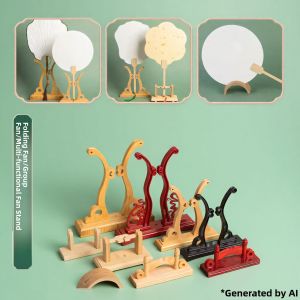
TIANQINGGE | Antique Style Bamboo and Wood Fan Display Stand