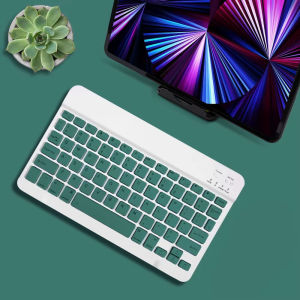
HANSONG | 10 inch Multilingual Keyboard for Samsung iPad Xiaomi Tablet Android Windows Bluetooth-compatible Wireless Keyboard
Keyboard Bluetooth Connection StepsStep 1 : Turn on the switch '' ON ''Step 2 : Click on " Connect "Step 3 : Click on " Bluetooth keyboard " in the tablet Bluetooth to connectKeyboard ParametersConnection method: BluetoothConnection distance: 8m-10mCompatible system: IOS/Android/MicrosoftSuitable for: smart phone/tablet/laptop (need to have Bluetooth function)Smart sleep: no use, sleep after 30 minutesContinuous use time: 90 hoursStandby time: 90 daysCharging time: 2-3 hoursSize:9.7 inchMouse ParametersConnection method: Bluetooth/2.4GHz Wireless USBConnection distance: 8m-10mMouse DPI: 800/1200/1600Compatible system: IOS/Android/MicrosoftSuitable for: smartphone/tablet/laptop/computerSmart sleep: no use, sleep after 3 minutesContinuous use time: 90 hoursStandby time: 90 daysCharging time: 2-3 hoursSupport 3 System1. Fn+Q For Android System2. Fn+W For Window System3. Fn+E For ios SystemUltra-stable Bluetooth ConnectionBluetooth Connectivity1. Toggle the OFF / ON button and the blue light comes on to indicate the switch is on2. Then press the CONNET key on the keyboard and the blue light flashes, indicating that the Bluetooth is on and ready for pairing(Press Fn+C at the same time, so that the keyboard can be searched by iPad Bluetooth)3. As shown in the picture, the connection is successful and you can now enjoy quick input4. To discover Bluetooth click on "Bluetooth 3.0 keyboard" and the pairing PIN code will appearComfortable Scissors DesignEnjoy quite and smooth keystoke actionRechargeable Wireless Keyboard1. 2-3 Hours Charge Built-in 200mah rechargeable Li-ion Battery2. 3 Months standby 44 hours Uninterrupted WorkProduct Display

Prime Supply_Play Life
Review

You May Also Like

Green Pink Polka Dot Phone Case for iPhone 18 17 16 15 14 13 12 11 Air Pro Max Plus Double-layer Cover
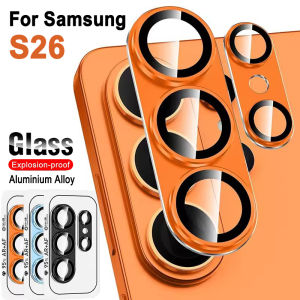
Metal Camera Lens Protector Glass for Samsung Galaxy S26 Ultra Full Cover Lens Protection Film
![[New] HOCO U114 100% Original PD Fast Charging Set 3A Type C to Type-C Fast charge Cablefor Micro to Type-c / Lightning to Type-c / USB to Type-c adapter Mobile phone Card pin Contain on holder box for Android / iOS](https://img.lazcdn.com/g/ff/kf/S45c27cd945f04a21905c52991edde3a4o.jpg_300x300q80.jpg)
[New] HOCO U114 100% Original PD Fast Charging Set 3A Type C to Type-C Fast charge Cablefor Micro to Type-c / Lightning to Type-c / USB to Type-c adapter Mobile phone Card pin Contain on holder box for Android / iOS
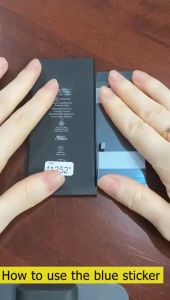
Tai He BM32 Battery for Xiaomi Mi 4 Mi4 M4 Redmi (3000/3080 mAh) XIaomi Mi4 Battery
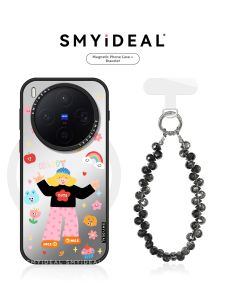
Smyideal | Magnetic Phone Case for Multiple Models Unique Design
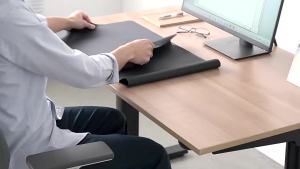
Sanwa Supply | Anti-slip Washable Ultra-thin Large Desk Pad
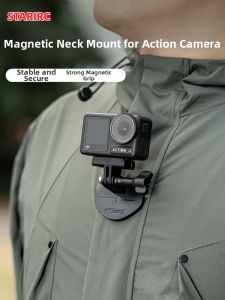
STARTRC | Neck-hanging Magnetic Camera Mount Chest-mount Compatible with DJI Action & GoPro

GRACETEN Quick Release Stage Lights Truss Clamp Double Lock Aluminum Alloy Lamp Hanger Hooks High Quality Clip Bracket Fixing Clip For LED PAR Moving Head Beam Spot Clamps
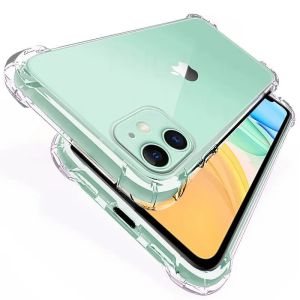
For Xiaomi Redmi Note13 Note 13 Pro Plus 13 Pro Phone Case Luxury Soft TPU Silicone Transparent Case Shockproof Phone Back Cover

EDUP | EDUP SK0146S-PRO Upgraded Mini Dish Mount Clamp Aluminum Alloy Dual Clamp 360° Rotation 270° Tilt Heavy Duty Pipe Bracket for RV
✨SG【Stock】NEW 3 In 1 Fast Charging Cord Micro USB Type C Charger Cable Multi Usb Port Multiple Usb Charging Cord Charge