


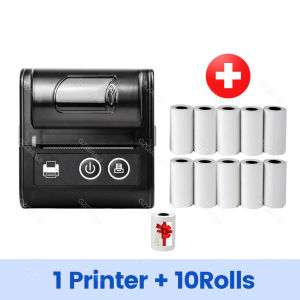
58mm Thermal Printer Mini Bluetooth Receipt Printer Wireless Mobile Bill Ticket Printing for Small Business Impresora
Note:1. When the printer is connected to the Android phone, first match with Bluetooth in the phone setting, password: 0000/1234, and then go to the APP to connect Bluetooth. (For iPhone, Connect Bluetooth directly to the app .)2. (Only for cell phones and Windows, not for MAC and iPad)3. Bluetooth can not connect to a computer directly; Bluetooth can only connect to a cell phone by APP.4. USB connects with the computer, you need to download and install the driver.Driver link:https://u.pcloud.link/publink/show?code=XZDnWW0ZqYdS83uCVXbqsdkw3rmOoFEUNt4yFree App Installation:1. LOYVERSE(Only support Android,Loyverse POS APP is not available in France.)2. IREAP(Retail/Inventory)3. CasierStock(Shopping/Inventory Management)4. Kyte(Mobile Sales)5. SRS6. CAYSNPRINTER7. RECEIPT GENERATOR8. Thermos Pro9. ZywellPrinterPlease Make sure to connect Bluetooth through the app on your phone.Main features:●Resolution:203dpi, 8dots/mm●Speed (Max):90mm/s●Paper size:58mm*30mm●Valid printing width:48mm●Roller diameter:≤50mm●Interface:Bluetooth and USB●Command sets:Compatible with ESC/POS●SDK:Android and iOS(Only suitable for mobile phones, not suitable for tablets or iPad)●Driver:Win7/Win8/Win10

Prime Supply_Play Life
Review

You May Also Like
GZQIANJI | 4x6inch Mini Portable 300dpi Color Photo Printer Wifi Wireless Connect Print with Cartridge Ribbon High Quality Picture Print

[SG Stock] Bambu Lab PETG Matte Filament

HP | Error-correcting Mobile-connectable AIO Printer
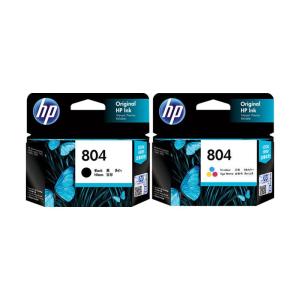
HP | Original Black & Color XL Ink Cartridges 804

Fujifilm | Portable Home Instant Color Photo Printer

Marklife | Marklife P50 Portable Thermal Printer Wireless Label Printer White Adhesive Label Sticker Machine For Home Office DIY Tag Inkles
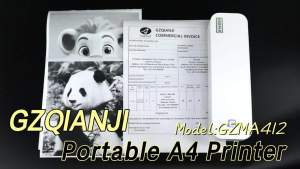
A4 Portable Printer Bluetooth Inkless 203DPI Rechargeable Thermal Printer For Business Travel Home Office Print Anywhere
Niimbot M2/M3 Black Printing Paper Hardware Qualification Certificate Electrical Equipment Nameplate Label Self-adhesive Sticker
N20 Mini Bluetooth Label Printers Mini Thermal Printer 20-50mm Barcode Label Maker for Price-tag Clothing as B21 B1

MUNBYN Bluetooth Thermal Label Printer | Waybill Printer | Sticker Label Thermal Printer | Custom Sticker Printer

A4 Inkless Portable Printer Phomemo M08F Wireless Bluetooth Thermal Printer Works with Mobile iPhone Laptop PC Android IOS Windows











