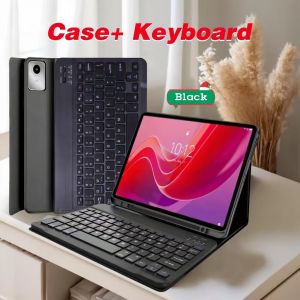
Case for Xiaoxin Pad 11 in 2024/2025Bluetooth Keyboard Cover for Lenovo Tab M11 11inchfor Lenovo Idea Tab 11 Smart Stand Cover
Please confirm your machine model before purchasing~For Lenovo Tab M11 11-inch(TB330XU/FU)Lenovo Idea Tab 11-inch(TB336FU/ZU)Lenovo Xiaoxin Pad 11-inch 2024(TB331FC)Lenovo Xiaoxin Pad 11-inch 2025(TB335FC) Tablet.Please confirm the language keyboard you needwe will customize the engraving keyboard language for you according to your choicePlease confirm each combination of the product before purchasing. Note the first basic image of each color version, which will most accurately reflect the color combination of the product.Please confirm the keyboard language before purchasing, we will deliver the goods to you according to the color combination you have selectedNote:The digital tablet and stylus are not included in the package. The detailed description is for reference only. Please refer to the actual product for the color of the product.Office learning business fashionComfortable solution to your office, study and entertainment needs.MagnetdesignMagnetdesign -Verhindern Sie, dass die Tastatur herunterfalltAbnehmbare Bluetooth-Tastatur - kann die Tastatur leicht entfernenAutomatischer Schlaf-/Wake-Energy-ErhaltungTriangular stable designStable support, anti-slip protectionHoneycomb back design,great heat dissipation effectBacklit keyboardSwitch cool lights at willHow to connect keyboard & Mouse?1,Connect the mouse first, then connect the keyboard.2,Mouse:Push the switch to the "Bluetooth" icon, find the Bluetooth connection with "Mouse" in the device Bluetooth list.3,Normal Keyboard:Push the switch in the upper right corner to "ON", press "Connect", and find the Bluetooth connection with "Keyboard" in the device Bluetooth list.4,Touchpad Keyboard:turn on keyboard ,press Fn+C to,then find the Bluetooth connection with "Keyboard" in the device Bluetooth list.Non-touch keyboard Bluetooth connection stepsTouch keyboard Bluetooth connection stepsFAQQ:What should I pay attention to when connecting the mouse for the first time?A:When the mouse is connected for the first time, you need to press the left button, the right button and the scroll wheel at the same time for about 3-5 seconds.Q: Is the scroll direction of the mouse USB connector and Bluetooth connection the same?A: No, they are different. When using the USB connector, the scroll wheel slides in the same direction as the computer mouse. Bluetooth connection is the opposite.Q: How to switch between different systems?A: Fn+Q=Android, Fn+W=Windows, Fn+E=IOS.Please note that please switch the system before connecting the tablet.Q:The bluetooth keyboard letters are messy?A: Please check the settings according to the prompts,a. Check whether the keyboard language set on the device is English.b. Disconnect the keyboard Bluetooth, click Ignore the connected device, reopen the Bluetooth keyboard, select system, Fn+E (IOS system).Note: Fn+Q=Android, Fn+W=Windows, Fn+E=IOSc. Press the L S Z buttons at the same time to reset the keyboardQ:How to configure the input method for different languages keyboard?A:Take the samsung tablet as example,open "Settings--"ystem"--"Language & input"--"Add New Keyboard". (For other systems, please set them in the system settings according to the tips of the iPad example.)Q:How does the mouse change teh scroll wheel sliding direction on the device?A: The mouse is connected, open "General" - "Trackpad & Mouse" - close "Natural Scrolling".

GlobalTechMart
You May Also Like
INOVAGEN Smartphone Camera Shutter Grip Bluetooth Selfie Handle Camera Photo Stabilizer with Fill Light for IphoneAndroi
1PC Print Head Cable for Epson R1390 L1800 R1400 R1410 R1430 1500W DTF UV Printer Head Data Cable
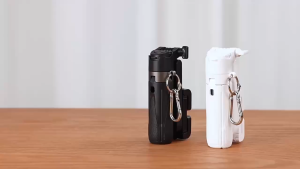
SG SELLER🔥P15 Mini Selfie Stick Tripod Stabilizer 3In1 Portable Telescopic multifunction Selfie Stick with Remote
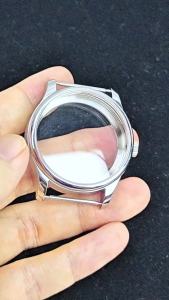
RICHUS 40.6mm Silver Watch Case Compatible with ETA6497 6498 ST3600 ST3620 ST36 Movements - Watch Case

Pinch the big-bellied puppy 3D Shiba Inu Dog Belly Sticker silicone self-adhesive Anti-collision sticker Phone care home Decor
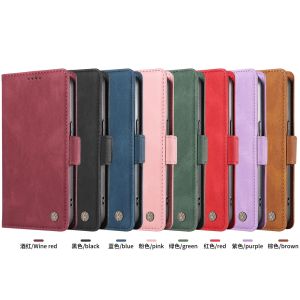
For OPPO Reno 15F 14F 13F 12F 11F 8T 8Z 7Z / Reno 15 14 13 12 11 10 5G Phone Case Magnetic Leather Wallet Card Slot Fashion Flip Cover Casing
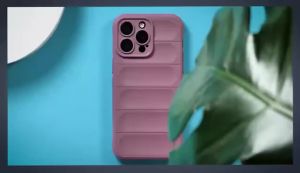
Bumper Anti-Slip Silicone Shockproof Protective Phone Cover For Samsung Galaxy Z Flip7 Z Flip6 Z Flip5 4 3 Z Flip 7 5G TPU Cover
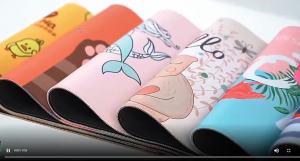
Bandai | Wide Keyboard Gaming Pad Anti‑Fray Edges Non‑Slip Mousepad For Desktop PC Gamer Table Decoration
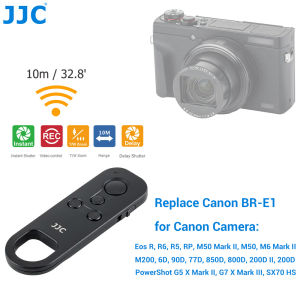
JJC Wireless Bluetooth Remote Control Replace Canon BR-E1 for Canon EOS R100 R50 R10 R8 R7 R3 R5C R5 R5 Mark II R6 R6 Mark II R RP 6D Mark II 90D 77D 850D 800D 200DII 200D M6 Mark II M50 Mark II M50 M200 PowerShot G5 Mark II G7X Mark III PowerShot SX70 HS

AULA | AULA F75 75% Wireless Mechanical Keyboard Hot Swappable Creamy Keyboard 2.4GHz/Type-C/BT5.0 RGB Backlit Gaming Keyboards
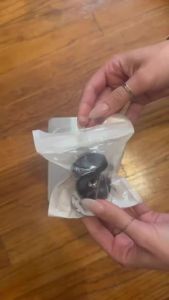
Dual Magnetic Gym Phone Holder for Working Out Videos-Double Sided Strong Magnet with 360 Degree Rotation - Fits Any Smart Phone