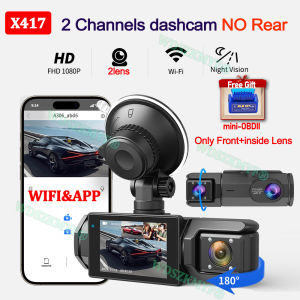
3 Channel WIFI Dash Cam With OBD2 1080P Video Recorder Front Rear Camera Dashcam Black Box Car DVR Optional Rear View Camera
Buy Dashcam Now & Get 1 OBD2 Bluetooth App Mini Diagnostic Tool Free🎁MINI OBD ELM327 bluetooth ELM327 is the newly developed wireless scan tool. It supports all OBD-II protocols.Read diagnostic trouble codes, both generic and manufacturer-specific, and display their meaning (over 3000 generic code definitions in the database).Mini327 BT V2.1 can read diagnostic trouble codes, both generic and manufacturer-specific, and display their meaning (over 3000 generic code definitions in the database).Mini 327 Support clear trouble codes and turn off the MIL ("Check Engine" light)Super Mini327 support most OBD2 protocol cars,Works with OBD2 compliant vehicles and support windows system is Windows98/ME/2000/XP/Vista & 7Support Multi languages:Czech, Danish, German, English, Spanish, French, Croatian, Hungarian, Italian, Polish, Serbian, Turkish . (NO Russian Language.)Please note we have two versions:Old version X293- without WIFI and rear cameraNew version X417-has WIFI function and rear camera is optional.Product Specifications:> 3 Channels[Front1080p+Interior720p+Rear720p]> 2 Channels: [Front1080p+Interior720p]> Screen size: 2 inches> File format: AVI>Voltage 1 Current: 5V/1A> Video resolution: 1080P; 720P; 720P> Continuour Loop Video: Seamless Loop Recording> Automatic power on/off: support automatic ignition and shutdown> Interface: Support USB> Time Synchronization: Support> Support memory card: TF (maximum support 64 GB)> Built-in stereo: support> Frequency: 50HZ / 60HZ> Supported languages: Chinese, English, French, Russian,Japanese, Spanish,Korean,etc.New HD 3 Lens WIFI Dash CameraOnly Front Camera: 1080PFront + Rear Camera:1080P+1080P;Front & Inside Camera:1080P+720P;Front & Inside & Rear Camera:1080P+720P+720PStarlight Night VisionWith the help of F2.0 wide aperture and the decent low-lightperformance of the lens, the car camera is able to capturedetails like license plates at night.Built-in WiFiDownload the APP from Android and iOS systems, connect your phone with dash cam via WiFi, then you can view the recordings in real-time, also can download, playback and share the recordings via your phone.Warm tipsCustomers in the use of the recorder want to connect WIFI please in the recorder menu to open the WIFI and mobile phone connected to be able to use it!Reversing Image(Optional rear camera.)When the car in reverse gear, the car DVR will automatically switch to the rear camera imaging view with parking line, ensures safety for parking.Loop RecordingEvery detail would be automatically record and not miss one second, unlocked data would be overwritten automatically when TF card is run out of storage.G-SensorIn the event of an impact or collision, the built-in G-sensor would lock and save the video, and the video would not be overwritten by loop recording.24h Parking MonitorWhen Someone Near Your Car Or Vehicle Starts To Move,Automatically Turn On And Start Recording When Detects Any Impact Or Collision,The Device AutomaticallyAutomatically Recording For Few Seconds,Make Sure 24hr Parking Guard.Attention: It Should BeConnected By A Dvr Exclusive Power Cable.(Friendly reminder: parking monitoring needs to be configured with a special buck cable for use, otherwise 24-hour monitoring is not possible)Installation ImageCar recorder must be installed in the package car charging power on the use, please do not use a cell phone charger or do not install the power supply.To protect your privacy, the TF card needs to be formatted for the first time. There are two solutions:1. Insert the TF card correctly into the dash cam, open the camera settings, find the storage card format, confirm that the formatting is complete, and then restart the camera to use.2.Connect to the mobile application, search for settings in the mobile application, format the memory card, confirm formatting is complete, and then restart the camera to use it. Sincere wishes to you and your family.

Prime Supply_Play Life
Review

You May Also Like
LANGTU | No Inflation Required Car Sleep Pad
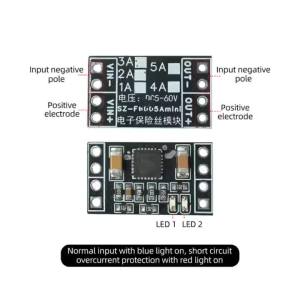
Kirilgu DC 5-60V 5AIntelligent Electronic Fuse Module Overcurrent Short Circuit Protection Board Y5R7K
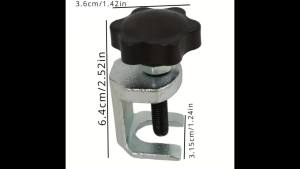
Wiper Arm Remover Tool - Ball Joint Design for Sedan/SUV/Truck Adjustable Puller Terminal Removal Anti-Slip
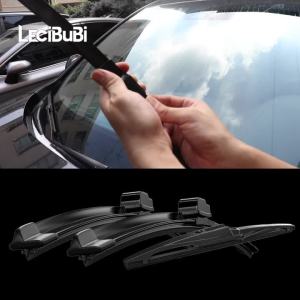
For Citroen C4 Grand Picasso 2013-2022 1set Front & Rear Windshield Wiper Blades Windscreen Wipers 2014 2015 2016 2017 2018
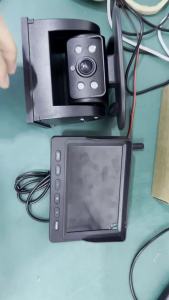
Solar Wireless Backup Camera Kit 4 Channel 5 Inch DVR Car Monitor AI BSD Blind Spot Detection Warning Magnetic for RV Truck
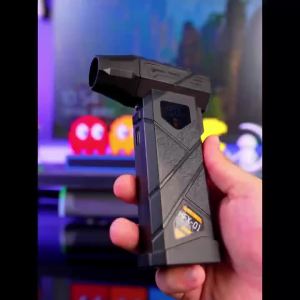
Portable Air Duster Brushless Turbo Blower 240W Stepless Speed Rechargeable Power Bank for Car Camping Snow Removal Pet Blowing
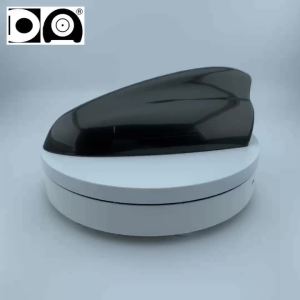
Super Shark Fin Antenna Universal Auto Radio Receiving Aerial FM/AM Car Styling Suitable for Kia Rio K2 Rio II III IV Borrego K5

Bosch | Bosch Activated Cabin Filter AF4577 For Ford Focus Kuga Escape C-Max Transit For Volvo V40 【OE:1776360 / AV6N18D543AA】
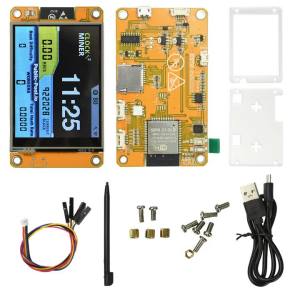
Aideepen | ESP32 Development Board with 2.8-inch OLED Screen High Hash Rate 355KH/s BTC Mining Micro USB Interface Stable Performance
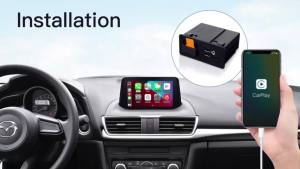
CARABC For Retrofit Mazda 2 3 6 CX3 CX5 CX8 CX9 MX5 Demio Miata TK78669U0C Kit Carplay Android Auto Adapter UBS Hub OEM

HAOLIDE Led Work Light 6inch 6000k Hi/Lo Beam 3500k Amber DRL Strobe Flashing with Wire off-road useAngle for SH125i 1200RSCar