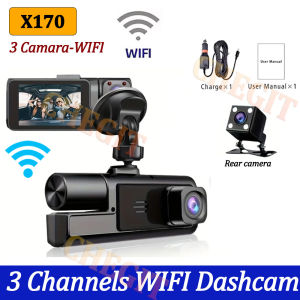
WIFI 3 Channel Dash Cam for Cars 1080P Car Camera Video Recorder 2LENS option Rear View Camera Car DVR Black Box Car Assecories
Please note we offer two models with identical appearances but differing configurations: X293: No WiFi, rear camera with optional 2/3 lens X170: WiFi enabled, 3 lenses with rear camera⭐WIFI: You can download the car recorder APP to connect the product's WIFI through your cell phone, you can use the cell phone APP to control the device, you can watch the real-time recording video and download/share the past video through the screen of your cell phone, you can share it to the social app.3Lens 1080P Dash CamDash Cam for Cars 1080P Car Dvr 3Lens Front Inside Camera WIFI Recorder Video Camera for Vehicle Car Accsesories Black Box3CHANNEL RECORDINGOnly Front Camera: 1080PFront + Rear Camera:1080P+1080P;Front & Inside Camera:1080P+720P;Front & Inside & Rear Camera:1080P+720P+720PWarm tips: 3 cameras recording at the same time are 720PMobile App Connection(Optional)With the built-in Wi-Fi, you can view and download the recorded videos to your phone via the application.How to Link WIFIYou need to press the M menu button for 5-10 seconds and then it will show the WIFI module, the WIFI QR code is also in the menu bar, and you can eventually link your phone to view the video.Powerful night vision shooting1080P full-HD spherical glass lenses F2.0 apertureReversing Camera Function(Optional)When hanging in the "R" gear, the screen will automatically switch Reverse image, and the accurate inverted auxiliary line provides you with better parking prediction.24H parking monitoring.Start the intelligent parking detection mode after the engine is off, support the three recording lens motion detection, abnormal collision automatic recording, one second one frame time lapse recording.(Friendly reminder: parking monitoring needs to be configured with a special buck cable for use, otherwise 24-hour monitoring is not possible)Built-in G-SensorBuilt-in 3Axis G-Sensor,dash cam automatically detects a sudden collision and lock the footage to ensure important footage is kept Protection.Loop- Cycle RecordingWhen the TF card is full,it will automatically delete former video and keep recording all the timeInstallation ImageA:Rear cameraB:Car recorderC:You need to link the red wire of the rear camera to the positive pole of the reversing light in order to realize the reversing imageTo protect your privacy, the TF card needs to be formatted for the first time. There are two solutions:1. Insert the TF card correctly into the dash cam, open the camera settings, find the storage card format, confirm that the formatting is complete, and then restart the camera to use.2.Connect to the mobile application, search for settings in the mobile application, format the memory card, confirm formatting is complete, and then restart the camera to use it. Sincere wishes to you and your family.

Prime Supply_Play Life
Review

You May Also Like
DIBOCHEPIN | Retrofitted Rear Air Vent Cover
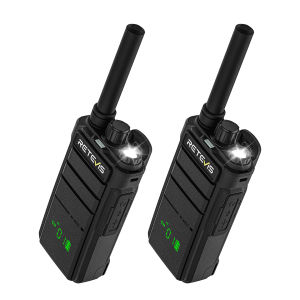
Retevis RB26H RB626H Handheld Radio Two Way Radio VOX One-key Cancel CTCSS/DCS with 1.3inch Hidden Display
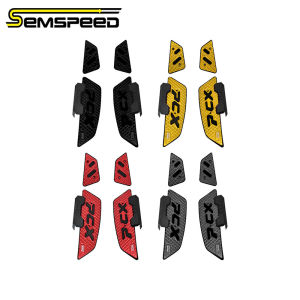
SEMSPEED Motorcycle CNC Footpegs Footrest Foot Pegs Matting For Honda PCX 160 125 PCX160 2025
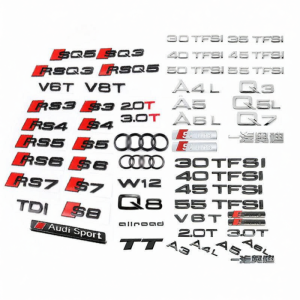
CANJING | Audi Vehicle Emblem Black
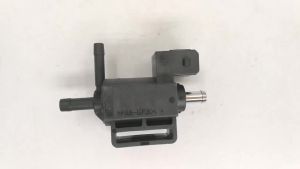
Turbocharger Boost Pressure Solenoid Valve 30670449 for Volvo S60 V50 C30 V60 Ford Focus Mondeo Kuga Car Auto Part 6M5G9K378AA
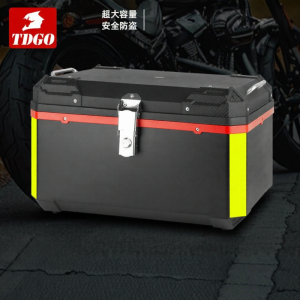
BONINGYU | Rainproof Waterproof Impact Resistant Top Box 80L
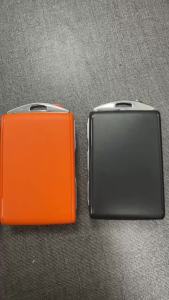
SUPERKEY YGOHUF8423 8A Chip 433Mhz For Volvo XC60 XC90 S90 S60 S40 2016-2020 Keyless Smart Car Key 4008C-HUF8423 HUF8423
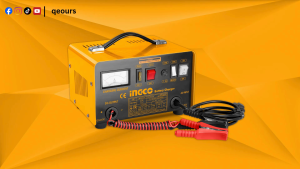
INGCO 12V/24V BATTERY CHARGER | RATED & BOOST CURRENT REFERENCE CAPACITY | ING-CB1601
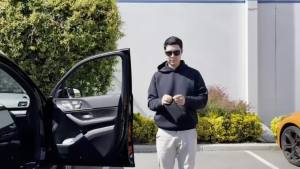
Magnetic Car Window Sunshade Cover Summer UV Protection Car Side Front Rear Window Mesh Curtain Protector Cover Auto Accessories
![[Ready Stock] Retractable Suction Cup Car Sun Shade Curtain Titanium Silver Coated / Breathable Mesh Car Home Office UV Protection Heat Insulation Window Sunshade](https://img.lazcdn.com/g/ff/kf/S073ac3761f0c4a2fb42ba731ece89f2aB.png_300x300q80.png)
[Ready Stock] Retractable Suction Cup Car Sun Shade Curtain Titanium Silver Coated / Breathable Mesh Car Home Office UV Protection Heat Insulation Window Sunshade
YONGRUN Seat Track Covers Compatible with Tesla Model 3/Y 4PCS ABS Rail End Caps Snug Fit Dust Protector Easy Install