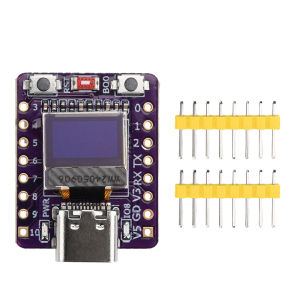
Aideepen | ESP32-C3 OLED Development Board with 0.42 inch OLED Module Ceramic Antenna WiFi Bluetooth ESP32 Supermini Development Board
Features:1. This development board integrates a 0.42-inch OLED display, ceramic antenna, Type-C USB port, reset button, and power button for convenient and efficient operation.2. Rich peripheral interfaces with diverse peripherals and functions, suitable for small-scale projects and scenarios such as IoT, wearables, and smart home applications.3. Low-power design with an optimized power management system supporting multiple low-power modes, ideal for battery-powered devices to extend runtime.4. Supports 2.4GHz Wi-Fi and Bluetooth Low Energy 5.0, meeting wireless connectivity needs for various IoT devices.5. High cost-effectiveness—the ESP32-C3 offers significant value relative to its performance and features, making it suitable for large-scale IoT deployments.Product Overview:The ESP32-C3 development board is a microcontroller supporting 2.4 GHz Wi-Fi and Bluetooth Low Energy. Based on the RISC-V architecture, it is compatible with development environments like Arduino and MicroPython. Featuring extensive peripherals and capabilities, it is suitable for small-scale projects and scenarios such as IoT, wearables, and smart home applications. Additionally, it integrates a 0.42-inch OLED display, ceramic antenna, Type-C USB port, reset button, and power button for convenient operation.Product Specifications:Voltage: 3.3~6VWiFi: 802.11b/g/n protocol, 2.4 GHzBluetooth: BT 5.0SPI Flash: Built-in 4MPin Interfaces: 1x I2C, 1x SPI, 2x UART, 11x GPIO (PWM), 4x ADCOn-board Blue LED: GPIO8 pinBO0: Download button. Press and hold BO0 while connecting the USB cable, then release to enter “Download Mode”.RST: Reset button. Restarts or resets the running program.USB Port: Can be used as the board's power supply or as a communication interface between the PC and ESP32C3.Dimensions: 24.8mm × 20.45mmNote:1. This document reflects the product knowledge and specifications at the time of editing. Changes may occur without prior notice.2. For external power supply, connect the positive terminal to the 5V pin and the negative terminal to GND. (Supports 3.3V to 6V power sources).3. Remember: External power supply cannot be used simultaneously with USB. Choose either USB or external power.4. During soldering, avoid shorting the positive and negative terminals to prevent damaging the battery and device.Product List:1X Development Board2X Pin Header

Prime Supply_Play Life
Review

You May Also Like
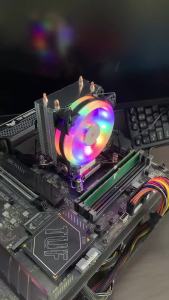
CPU Cooler Tower PC Radiator 4PIN PWM Silent RGB Fan For Intel 775 1700 1200 1150 1155 1156 1366 2011 AMD AM5 AM4 AM3 X99 X79
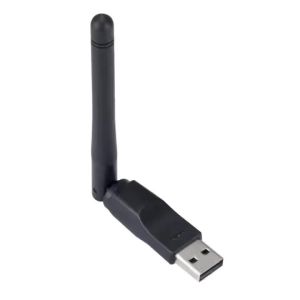
150Mbps WIFI Adapter Wireless Network Card MT7601 USB WiFi Adapter LAN Wi-Fi Receiver Dongle Antenna 802.11 B/g/n for PC Windows
AOC MONITOR 34" AGON PRO AG344UXM IPS MiniLED GAMING 170HZ HDMI2.1X2 DP1.4 USB-C 3.2 (DP Alt 90W) HAS VESA SPK

AMD | High Multi Thread Value Processor R7 7700X No Cooler Version Socket AM5 5nm Zen4 For Work And Entertainment PC
NVIDIA RTX PRO 6000 BLACKWELL MAX-Q WSEDTWorkstation Edition SERVER 96GB GDDR7 GRAPHICS CARD
ASUS Zenbook 14 Computer Notebook|UX3405 ASUS Lingyao 14 Laptop|ASUS Zenbook Laptop|Ultra 9 285H|Ultra9 185H|i9-13900H 32GB RAM 1TB SSD Notebook|14inches 2.8K 120Hz OLED Screen|灵耀14|ASUS Laptop
Comfast | COMFAST CF-731B AX600 WiFi 6 Bluetooth 5.4 USB Dongle 572Mbps Dual Band 2.4GHz 5.8GHz Wireless WiFi Adapter 2in1 Network Card AP
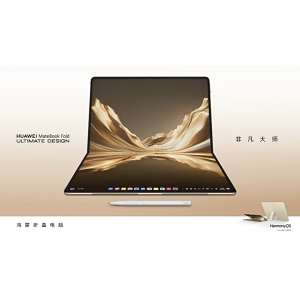
2026 HUAWEI MateBook Fold ULTIMATE DESIGN/Kirin X90 Plus/HarmonyOS 6.1/18inch 3.2K OLED Touch Screen HUAWEI M-Pen 3/HUAWEI Fold Laptop/Huawei Dual Screen Laptop
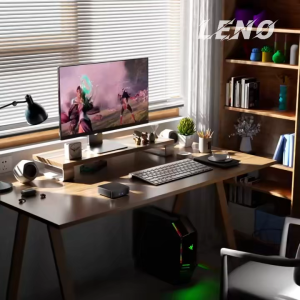
2026 Mini PC Windows 11 Pro Intel Core I9 10980HK 32GB+2TB Ultra Compact Silent Desktop Computer Dual HDMI Business Office
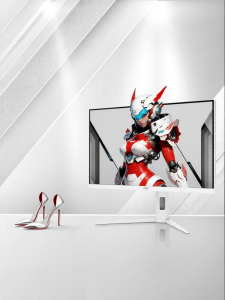
AOC | Q27G4SLM/WS 2K 320Hz eSport MiniLED Display 27 inch
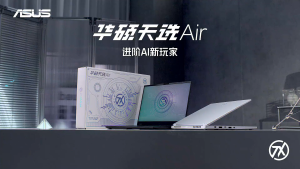
【ASUS Official Warranty】2025 ASUS Tianxuan Air Gaming Laptop /AMD Ryzen Ryzen AI7H 350/Ryzen7H 260/RTX5060/RTX5050/14inch 2.5K 165Hz OLED Screen /ASUS TUF A14/ASUS TUF Air Laptop