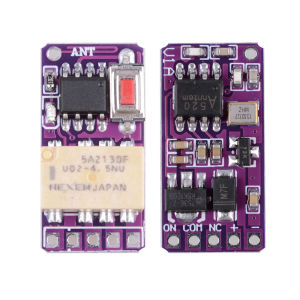
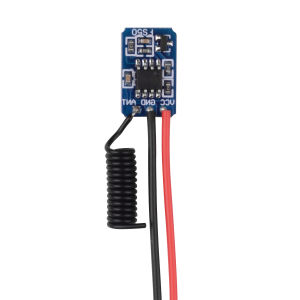
RF Remote PCB Board 1527 433.92MHz Power On Transmitting Signal for Alarm System Low Power Consumption Mini Relay Contact
Note:Our products are a combination package, which can be used together or separately, so the products received by the buyer are based on the option picture of the SKU. If you only purchase the receiver, you will only receive the receiver without the remote control. If you only purchase the remote control, you will only receive the remote control without the receiver.About Receiver:1. Working voltage: DC3.7V-12V2. Quiescent Current: 0.3mA3. Working temperature: -40 Degree +80 Degree4. Receiver sensitivity: more than -109dBm5. Working frequency: 433mhz6. Relay Working Current: 30-35ma7. Max load current: Max Load: 1A (have better Load less than 700ma)8. Size: 25118MM9. Encoding Type: Learn button Dot to add TransmitterAbout Working way:Working way changed by learn buttonLatched: Relay:Press -> On; Press other button -> Off.Momentary: Relay: Press and hold -> On; Release -> Off.Toggle: Relay: Press -> On; Press same button again -> Off·Delay time :Press remote control button, the corresponding relay actuates and keeps working until the time out.About Learning and clearing Method:Learning method :Input 3.7-12V for the Receiver , Press Learning Button, The receiver Led indicator ON. Press remote button 1 time, Led indicator flash for 1 times , Then Press remote other button 1 time , Led indicator flash for 1 times again , it mean learning successfullyMomentary : Press and hold on the Learning Button . Until the receiver Led indicator flash for 1 times, it mean Change Momentary successfully.Latched : Press and hold on the Learning Button . Until the receiver Led indicator flash for 2 times, it mean Change Latched successfully.Toggle : Press and hold on the Learning Button . Until the receiver Led indicator flash for 3 times, it mean Change Toggle successfully.Delay time 10s : Press and hold on the Learning Button . Until the receiver Led indicator flash for 4 times, it mean Change Delay time 10s successfully.Delay time 30s : Press and hold on the Learning Button . Until the receiver Led indicator flash for 5 times, it mean Change Delay time 30s successfully.Delay time 60s : Press and hold on the Learning Button . Until the receiver Led indicator flash for 6 times, it mean Change Delay time 60s successfully.Delay time 300s : Press and hold on the Learning Button . Until the receiver Led indicator flash for 7 times, it mean Change Delay time 300s successfully.Clearing Code:Press and hold on the Learning Button . Until the receiver Led indicator flash for 8 times, it mean Clearing Code successfullyPrompt : products output without power,Output port respectively are NO and Com switch on or disconnectionThe module of the output port, The equivalent of inching switch,Point switch,starting switch,press switch,Trigger switch.

GlobalTechMart
Review

You May Also Like
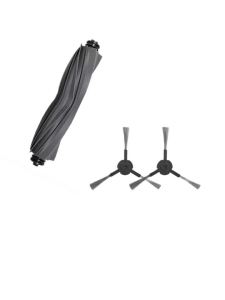
Replacement Roller Brush Compatible With Dreame D10 Plus Gen2 Robot Vacuum Cleaner Spare Parts
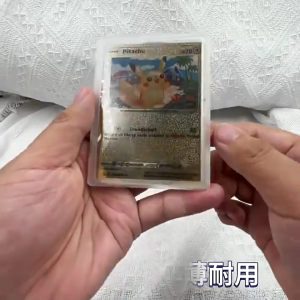
ZAVREN MagSafe TCG/PhotoCard Display Holder with Strong Magnetic Hold Crystal Clear Protection Fits Standard Cards Free Gift 2 Cards
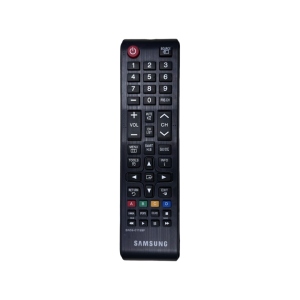
Samsung TV Remote Control | Support All Samsung TV | BN-59-01199F
Cabletimes | CABLETIME USB C Hub Magnetic hub 7 in 1 4K 60Hz 5Gbps Resolution Fast Data Transmission SD/TF 3.0 for Laptop iPhone 17 pro
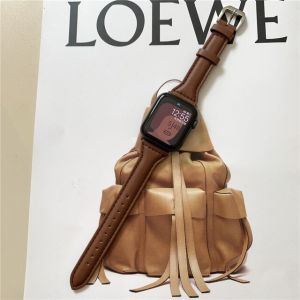
Leather Strap for Apple Watch Ultra 49mm 45mm 41mm 38mm 42mm 44mm 40mm Men Women Slim iWatch Genuine Leather Band for Apple Watch Serie 9 8 7 6 5 4 3 2 1 Series SE SE2
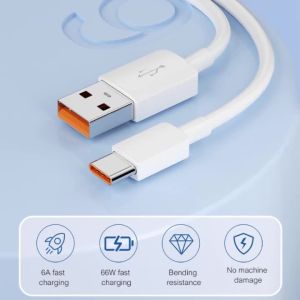
NNBILI Micro USB Cable 1M 2M 3M 5M 8M 10M 12M 14M USB Type C 6A Fast Charge Equipment Universal Cable for Samsung Camera PS5 VR

Pastel Furby For Samsung Galaxy S26 S25 S24 A56 A36 Dual Layer Luxury Fashion Full Lens Protective Case
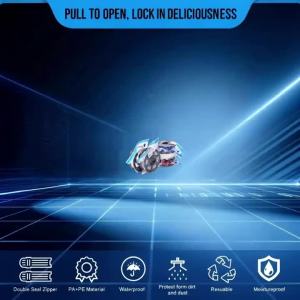
3D Printer Filament Vacuum Bag with USB Rechargeable Electric Air Pump Vacuum Sealing for PLA ABS PETG Filament Storage 3D Part

Peak Design Outdoor Camera Sling Bag 7L
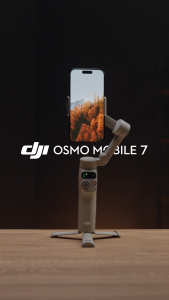
DJI Osmo Mobile 7 Series - Handheld Gimbal | 3 Axis Stabilization | 10H Battery Life | Gesture Control | Active Track 7.0 | Quick Launch & Built-In Tripod

NFY small mini washing and drying integrated fully automatic washing machine multi-purpose heating/drying/dehydration underwear washing machine sock disinfection special tool