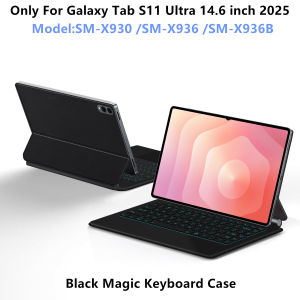
Magic Keyboard For Samsung Galaxy Tab S11 Ultra 14.6" 2025 Case For Tab S11 Ultra 14.6 Multi-touch Smart Keyboard Cover Folio
For Samsung Galaxy Tab S11 Ultra 14.6 inch Magic KeyboardMagnetic adsorption, backlight, touch panel, multi angle supportãWireless Bluetooth connectionNote 1:You need to upgrade the system to version 15 or higher to use the touchpad.Note 2:Please check in the size and detail model of your Tablet. it is very importtant ! ! !Note 3:After Open the Power, Please Click "Fn" and "C" ãFn+CãButton Together to Open the Keyboard's Bluetooth. It is Very Important.Product Details:1. Number of buttons: 842. Battery: Lithium battery 500mAh3. Stand-by time: 150 days4. Working Time: 5 hours (with backlit on),120 hours (with backlit off)5. Working Voltage: 3.0 - 4.2V6. Charging current:<250 mA7. Effective distance: 10 meters8. Backlit Light: 7 colors backlit9. Charge Port: Type-c10. Material: Anti fouling and durable PU material11. Key life:3 million12. Charging times: 3 hours13. Color: Black WhiteNote: Tablet and Pencil are not included in the packaging~How To Verify Your Tablet Model1.Turn iPad tablet to the back find your specific model,Par exemple: SM-****2.Find the "Settings"--Click the "About"--Find the "Model"3.Please select the correct model number for your tablet purchase after viewing it.Applicable Models:Only For Samsung Galaxy Tab S11 Ultra 14.6 inch 2025ï¼SM-X930ãSM-X936B /SM-X936)[Note: Only the corresponding machine model can be magnetically attracted. If your machine is not of the above model, please do not purchase!!!  ]Attention PleaseEnglish versionkeyboard : There are English letters on the keyboard only.Multi-language versionkeyboard : English letters and carved language letters together ..ãFor example, if you choose French, the keyboard will display English and French letters. Please note that the same letters will not be engraved repeatedlyãï¼Due to the difference in the number of keyboard keys compared to a normal office keyboard, some special character engraving positions are the same, which is a normal phenomenonï¼The keyboard Core defaults to English, and the characters engraved on the keyboard are only a Surface display.so in some countries, even if the input method is switched, the special symbols do not necessarily match the keyboard function layoutï¼You can hold down the Shift combinationï¼.If you mind, please do not purchaseï¼ï¼.Note ï¼Due to the material of the white keyboard, the engraved letters are dark gray .ã1ãMethod to connect Bluetooth: Turn on the keyboard switch, press theFn+Cbutton for about 2-3 seconds, the blue light on the keyboard indicator will flash, and then search for your tablet's Bluetooth connection keyboard.ã2ãAfter connecting Bluetooth,Take the samsung tablet as example,open Settings--ystem--Language & input--Add New Keyboard. (For other systems, please set them in the system settings according to the tips of the iPad example.)ã3ãInput method switching: Ctrl+spacebar.ï¼Choose the language you needï¼ã4ãType-C charging interface .ã5ãFor detailed instructions, please read the user manual. If you have any questions, you can contact "Online Services" for consultation .The resolution of the machine is different, and there may be color differences in the images, which is a normal phenomenon. The actual product received shall prevailNote:Due to the large size of the tablet, if the keyboard angle is adjusted too much during use, the keyboard may tilt. This is a normal situation, please do not panic, just adjust the keyboard amplitude, and it will not affect use.Product physical photos:Language layout images are for reference only

GlobalTechMart
Review

You May Also Like
BIAOTU | Beats Solo Replacement Ear Pads Protective Case
OBSBOT TINY 2 4K Webcam + Smart Remote Controller
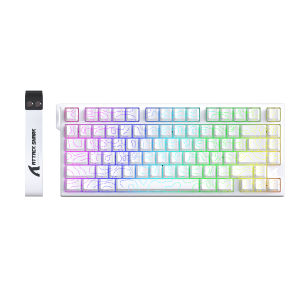
ATTACK SHARK | ATTACK SHARK R82 HE Wired Magnetic Keyboard with 0.005mm RT AccuracyRGB 8KHzSupport RT/Snap Tap/DKS/MT/TGL
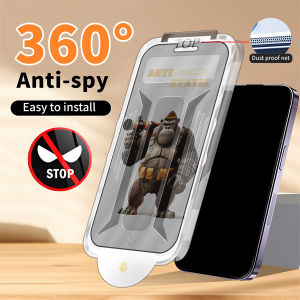
For iPhone 17 Pro Max 16 Pro Max 15 Pro Max 14 Pro Max 13 Pro Max 12 Pro Max 15 16 17 Plus 16e 17 Air Full Cover 360° One-Click King Kong Gorilla Dust Free Matte Anti Spy Privacy Easy Install Tempered Glass Screen Protector
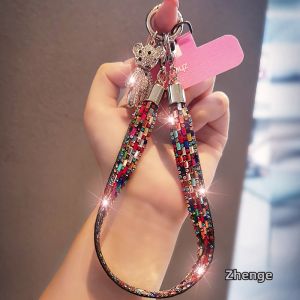
ZHENGEGE | Luxury Crystal Bear Charm Phone Wrist Strap
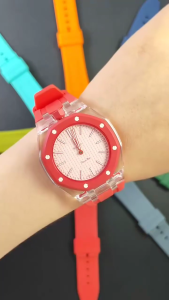
Silicone Strap + Transparent Case for Swatch x AP Royal Pop Watch Band
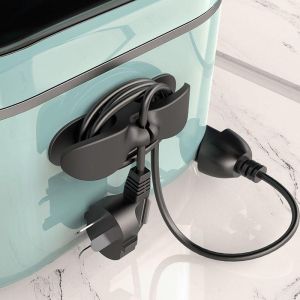
3pcs Cord Wrapper Organizer Clips Holder Wire Hider Cable Winder Management Wrap For Kitchen Appliance Stand Blender Mixers 厨房电器电线管理器
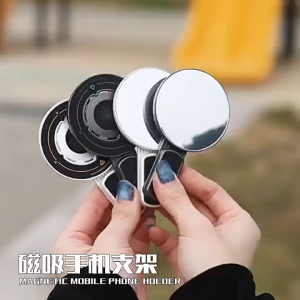
SG Ready Stock 360°Strong Magnetic Phone Ring Grip Dual-Sided MagSafe Rotatable Foldable Stand for iPhone
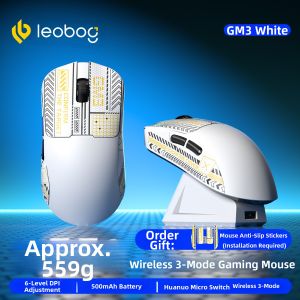
LEOBOG | Bluetooth & Wired Gaming Mouse
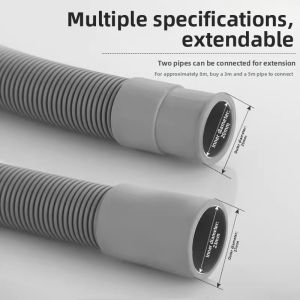
TEKANAI | Mini Washing Machine Drain Hose 20mm
![[SG] Honor Pad 10 / Huawei MatePad Mini / Huawei MatePad 11.5 | Huawei MatePad Air 11.5 Cover - Premium Leather Front + Soft Shockproof Opaque Back Magnetic Smart Tri-Fold Stand Case Casing](https://img.lazcdn.com/g/ff/kf/Sf025634ba48a4c738e0130a60eb9c907r.png_300x300q80.png)
[SG] Honor Pad 10 / Huawei MatePad Mini / Huawei MatePad 11.5 | Huawei MatePad Air 11.5 Cover - Premium Leather Front + Soft Shockproof Opaque Back Magnetic Smart Tri-Fold Stand Case Casing