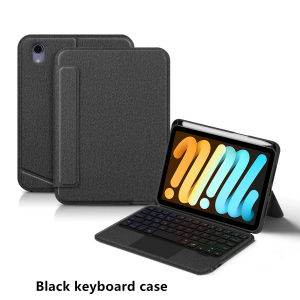
AJIUYU | Touchpad Keyboard for iPad Mini A17 Pro Case with Pencil Holder for iPad mini 7 mini6 8.3 Tablet Backlit Keyboard Cover Foli
This is an detachable keyboard case, TPU soft shell protective case, which can effectively protect your tablet. The keyboard and protective case can be separated .Keyboard with Backlight and TouchPad.Bluetooth connection, with touch pad, with backlight,Horizontal and vertical support.How To Verify Your Tablet Model1.Turn tablet to the back find your specific model,Par exemple: A ****2.Find the "Settings"--Click the "About"--Find the "Model"3.Please select the correct model number for your tablet purchase after viewing it.Compatible Model: For iPad mini 7 (A17 Pro) 8.3-inch 2024 (A2993、A2995、A2996)For iPad mini 6th generation 2021 8.3-inch (A2567、A2568、A2569)Note: The above two models of keyboard covers are universal。Please confirm your machine model before purchasing~Attention PleaseEnglish versionkeyboard : There are English letters on the keyboard only.Multi-language versionkeyboard : English letters and carved language letters together .【For example, if you choose Spanish, the keyboard will display English and Spanish letters. Please note that the same letters will not be engraved repeatedly】(Due to the difference in the number of keyboard keys compared to a normal office keyboard, some special character engraving positions are the same, which is a normal phenomenon)(The keyboard Core defaults to English, and the characters engraved on the keyboard are only a Surface display.so in some countries, even if the input method is switched, the special symbols do not necessarily match the keyboard function layout.If you mind, please do not purchase)【Carving layout for reference only】【1】Bluetooth connection method: Turn on the keyboard switch, then press and hold Fn+C for about 2-3 seconds to start Bluetooth. The indicator light flashes blue. Then turn on your machine's Bluetooth and click"Wireless Keyboard Connection" to connect【2】 Open the iOS system mode and press Fn+A to access the iPad system using the touchpad shortcut function.【3】 Please keep your For iPad up to date with the latest system upgrades, and the mouse function is turned on. Please open the following steps: Settings - Accessibility - Touch - Accessibility Touch【4】Switch language: Open Settings - Language and Input Method - Physical Keyboard - Add Language Layout..【5】Input method switching: control+spacebar.(Select the language input method you want to switch to)【6】Type-C charging interface,Wireless Bluetooth connection、Adjustable bracket Stand.【7】For detailed instructions, please read the user manual. If you have any questions, you can contact "Online Services" for consultation .The resolution of the machine is different, and there may be color differences in the images, which is a normal phenomenon. The actual product received shall prevailNote: Tablet and pencils are not included in the packaging.The back bracket needs to be manually opened~~

Prime Supply_Play Life
Review

You May Also Like
for iPhone 17 Pro Max Wallet Case with Card Holder + Cash Clip RFID-Blocking Closure Flip Leather Kickstand Shockproof Phone Case for iPhone 17 Air 16 Pro Max 16E 15 Plus 14 Pro 13 12
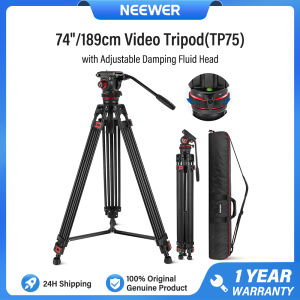
NEEWER 74"/189cm Video Tripod with Fluid Head QR Plate for DJI RS Gimbals Manfrotto TP75
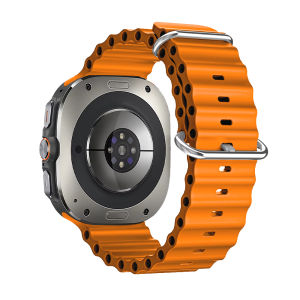
Ocean Band for Samsung Galaxy watch Ultra 2025 47mm Sport Silicone Wristband belt correa bracele Galaxy watch 7 8 Ultra Strap
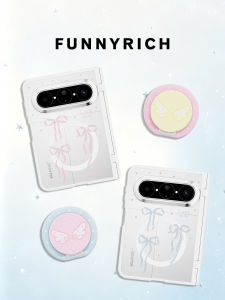
FUNNY RICH | Lace Bow Magnetically Attracting Drop Protection Phone Case
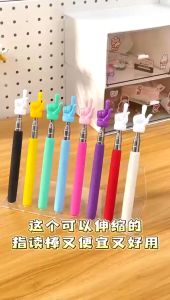
Ready stock Finger Design Retractable Telescopic Pointer

SmartDevil Tempered Glass Film for Xiaomi 14 Xiaomi 13 Xiaomi 15 Poco F6 Pro Xiaomi 14T Pro Redmi K70 Ultra K70 Pro K80 Pro Poco F6 Redmi Turbo3 Screen Protector Dust Proof Protect with Easy Installation Tool
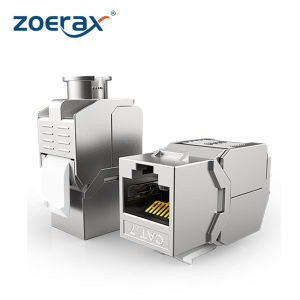
ZOERAX | ZOERAX 6PCS RJ45 Cat7 Cat6A Keystone Jack Toolless Type Zinc Alloy Module Jacks Adapter Coupler for 22 to 26 AWG

AMBITFUL | Quick-Install Portable Octagonal Softbox Mini Softbox for Light Modification
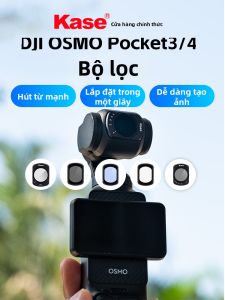
Kase | Magnetic UV Filter Black Mist CPL Polarizer ND Vignetting Lens

Momax | Global Compatible Travel Adapter with Cable 70W
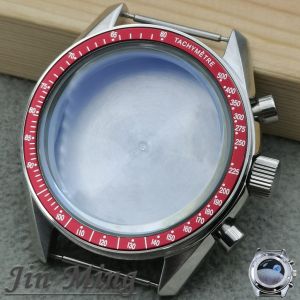
High Quality VK63 39.7mm MoonSwatch Chronograph Metal Case Bezel Fashion Business Watch Sealed Back Moon Watch