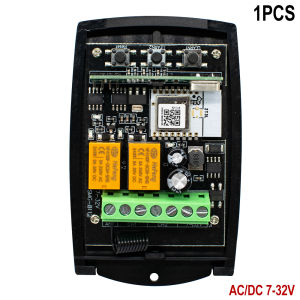
2CH Zigbee Tuya Smart Garage Door Receiver Switch Universal 433mhz 433.92 Remote Control Gate Opener Controller With Transmitter
Purchase TipsFor the device to connect to the mobile app, it must be paired with a supported Zigbee gateway, which needs to be purchased separately and can be linked with other compatible smart devices to realize automation scenarios.Function【APP Remote Control】Require Tuya Zigbee Hub. You can check the working state of the device in Tuya APP anywhere and anytime.【RF433mhz Control】The device can be controlled by the RF433mhz Remote Controller (most Fixed Code & Rolling Code Transmitter).【Mobile Phone Control】Require Tuya ZigBee Hub ,when you go outside or at home, your smart phone could control the device by 2.4Ghz WIFI or 2G/3G/4G Mobile Network.【Voice Control】Require Tuya Zigbee Hub, you could voice control the device by Alexa/Google Assistant.【Smart Linkage】 【Group Control】 Unified management of individual devices using gateways【Timing function】 Set a time to automatically close your door after 2 minutes【Three Working Modes】 elf-locking, Interlocking ,Inching【Share Control】Share control of your home appliances to your family or friends so that they can also control the devices remotelyThe product is a general smart receiver and it can be matched with the majority of the wireless receiver in the market, including fixed code (2262, 2260,2264,5326,M1E,M5E etc), learning code (1527, 2240, 6P20B, 6P20D etc). roling code (HCS301,HCS300,HCS200,HCS201,HSC100,HCS1O1 etc) and a part of customized remote controller.App Remote ControlControl your garage door opening and closing from any location with the Tuya/Smart Life AppReplace old, add newYou can use it to replace your old receiver, or add our remote control to useSimple connectionConnect to Zigbee Gateway Hub,Connect your motor, engine, receiver to use, very convenient simple answerlnching SettingSet up a countdown mode, click once to turn it on and then set 2-3600s to turn it off automaticallyRF ControlCompatible with fixed code, scrolling code, learning code 433MHz RF remote control, the remote control can still work normally after wifi is disconnected.Voice ControlOpen your door using Alexa or Google Home voice control. Free your hands.Family SharingOnce you're connected, you can share the device directly with your family members without having to pair it again!Parameters:Input voltage:DC AC 7V~32V / AC 85-250VRadio Frequency: 433Mhz Channel: 2Max.Current: 300W/3ACodes: Working with 433MHz fixed code and rolling codeNumber of stored code: 50pcsMode: Inching Self-locking InterlockingWorking temperature: -20℃~70℃App: Tuya & Smart lifeSize: 805528mmChecklist Before Using the DeviceYou need to have a Zigbee gateway.Try to be close to the Zigbee gateway when pairing.User GuideHere is an example of adding a device to tuya Zigbee gateway①After installation, power on the device and confirm that the device's network indicator isflashing Status, click the Zigbee gateway card.(lf the device network indicator is not flashingyou can press and hold any manual Switch for 8 seconds to reset the device)②Click “Add subdevice”③Wait for about 1 minute until the device is found,then click "Done"④Add successfully, return to the main interface of tuya, you can see the newly added device.⑤When the device's network indicator light is on,remote control can be performed.Remote Control PairingPress and hold the learning button 1/2 for about 3 seconds, the blue indicator light comes on, Press your remote control for 1-2 seconds. Programming is complete.Delete Remote Control CodePress and hold the learning button 1/2 for about 6 seconds.Reset DevicesPress and hold the reset button for about 6 seconds. Device resets.Three working modes:Inching, Toggle, LatchedInching: Set a time to automatically switch off after one click for 2-3600sToggle: press the button once to open, press the button again to closeLatched: press the button once to open, press another button to closeConnection Diagram for GarageIf you have frequent problems with power outages, you can adjust the status of the device relays after power is applied yourself.You can set the device to be off when power is applied.Product Recommendation

GlobalTechMart
Review

You May Also Like
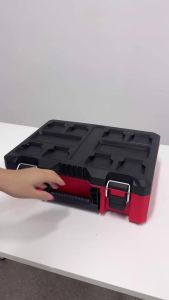
1pc Hardware Household Storage Box Stackable Box Combination Box Suitable for Tool Storage in Mechanical Workshops
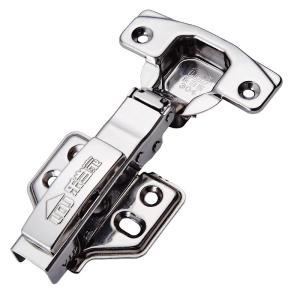
LEDANGJIA | 304 Stainless Steel Hydraulic Damping Spring Hinge
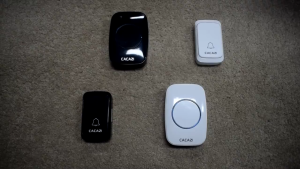
(SG WARRANTY) New Remote Digital Wireless Doorbell / 300M Remote Smart Door Bell / Battery or Plug operated

Air Conditioner Drain Pipe Clog Remover
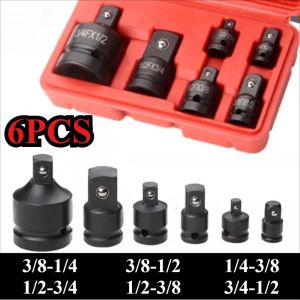
6/4/1 PCS Socket Convertor Adaptor 3/4 1/2 3/8 1/4 inch Air Wrench Joints Ratchet Drive Adapter Socket Adaptor Repair Tools

125mm Large Panel Shower Head Bathroom High Pressure Water Saving Rainfall Showerhead Multifunctional Nozzle Bathroom Accessorie
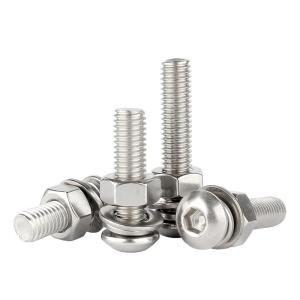
Creaby | Comprehensive Set Stainless Steel Hexagonal Screws
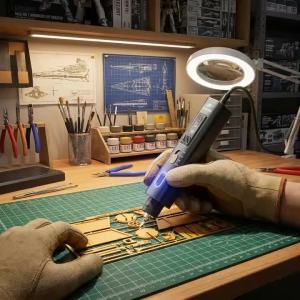
Jakemy | VM Ultrasonic Cutter&Polisher Model Trimming Knife DIY Crafts Ultrasonic Plastic Cutter Mans Gift Powerful Power Engraving Tool
Household Bath Water Purifier Washing Machine Rain Shower Front Water Heater Unibody Filter To Remove Scale And Rust
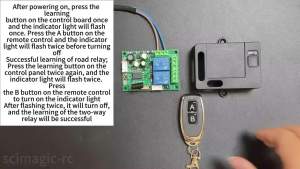
2 CH AC 85-256V 220V Wireless Switch 433Mhz Transmitter Work with Receiver Use for Electric Doors Cars LightsLED

TOTAL CR-V 6 in 1 Screwdriver Set with 1pcs Interchangeable Handle 2 Pcs Two-Way Bit THT2506076