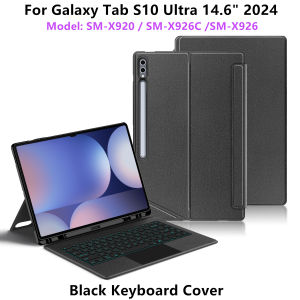
Backlight Keyboard Cover for Samsung Galaxy Tab S10 Ultra 14.6 S8 Ultra S9 Ultra Keyboard Case for Samsung Galaxy Tab 14.6 Case
This is an detachable keyboard case, TPU soft shell protective case, which can effectively protect your tablet. The keyboard and protective case can be separated .Keyboard with Backlight and TouchPad.Bluetooth connection, with touch pad, with backlight.,Horizontal and vertical supportNote 1:You need to upgrade your tablet to version 15.0 or higher to use the touchpad.Note 2:After Open the Power, Please Click "Fn" and "C" 【Fn+C】Button Together to Open the Keyboard's Bluetooth. It is Very Important.How To Verify Your Tablet Model1.Turn samsung tablet to the back find your specific model,Par exemple: SM -2.Find the "Settings"--Click the "About"--Find the "Model"3.Please select the correct model number for your tablet purchase after viewing it.Compatible Model:For Samsung Galaxy Tab S10 UItra 14.6 inch(SM-X920 SM-X926B SM-X926)2024 .For Samsung Galaxy Tab S9 UItra 14.6 inch(SM-X910 SM-X916B SM-X918U)2023 .For Samsung Galaxy Tab S8 UItra 14.6 inch(SM-X900、SM-X906)2022 .Please confirm your tablet model before purchase.If you don't understand your machine model, you can contact usPlease confirm your machine model before purchasing~Attention PleaseEnglish versionkeyboard : There are English letters on the keyboard only.Multi-language versionkeyboard : English letters and carved language letters together .(Due to the difference in the number of keyboard keys compared to a normal office keyboard, some special character engraving positions are the same, which is a normal phenomenon.)(The keyboard Core defaults to English, and the characters engraved on the keyboard are only a Surface display.so in some countries, even if the input method is switched, the special symbols do not necessarily match the keyboard function layout.(You can hold down the Shift or AI combination)If you mind, please do not purchase)【1】Switch language: Open Settings - Language and Input Method - Physical Keyboard - Add Language Layout.[1-1]Input method switching: control+spacebar.【2】 Method of connecting Bluetooth: Turn on the keyboard switch, press the Fn+Z button, and then search for your Tablet Bluetooth connection keyboard.【3】Type-C charging interface, with switch button, 3.0 Bluetooth version【4】For detailed instructions, please read the user manual. If you have any questions, you can contact "Online Services" for consultation .The resolution of the machine is different, and there may be color differences in the images, which is a normal phenomenon. The actual product received shall prevail.Note: Tablet and Pencil are not included in the package.The packaging specifications are uniform, so the pictures on the packaging box cannot represent the products inside. Please be aware.The back bracket needs to be manually opened !!

GlobalTechMart
Review

You May Also Like
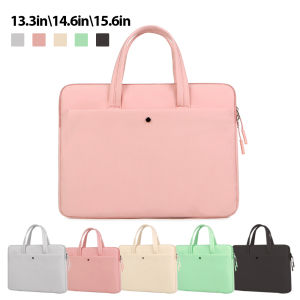
Laptop Case 13.3in 14.6in 15.6in Handbag For Macbook Air Pro Lenovo Xiaomi HP Tablet Moblie Phone Laptop Bag Tablet Android Bag
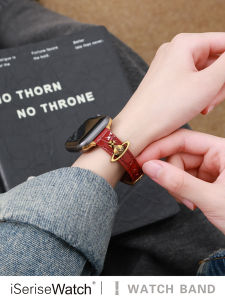
iSeriseWatch | Stylish Leather Strap for Apple Watch
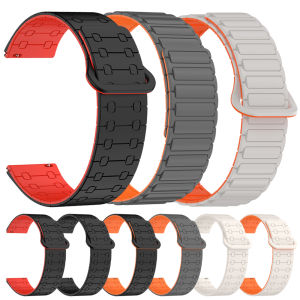
Silicone 22mm Watch Strap for HUAWEI WATCH 5 4 GT 5 Pro Band GT 4 3 SE 2 46mm HONOR Magic Watch4 GS 3 Pro Replacement Bracelet
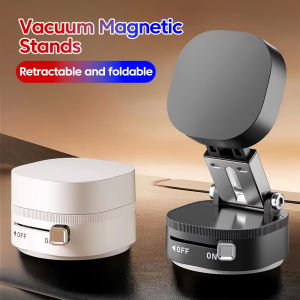
Foldable Mobile Phone Holder Vacuum Suction Cup Holder Magnetic Car Phone Holder For IPhone/ Android Phone Accessories
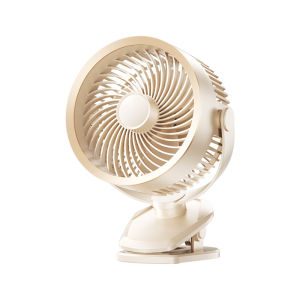
KUMENG | Silent USB-Powered Mini Fan Long-Lasting
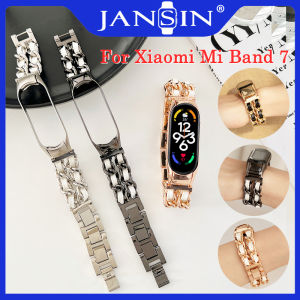
Strap For Xiaomi Mi Band 7 Wrist Metal Bracelet Stainless Steel MIband7 Smart Watch MiBand 7 Strap mi band 7 Wristbands
![[RFID Protection] CaseMe Retro Leather Case For iPhone 13 / 13 Mini / 13 Pro / 13 Pro Max Leather Card Slots Wallet Back Case For iPhone 13 mini pro max Stand Back Cover](https://img.lazcdn.com/g/p/1bc999e9ca26b946349c15ce73bf40e3.png_300x300q80.png)
[RFID Protection] CaseMe Retro Leather Case For iPhone 13 / 13 Mini / 13 Pro / 13 Pro Max Leather Card Slots Wallet Back Case For iPhone 13 mini pro max Stand Back Cover
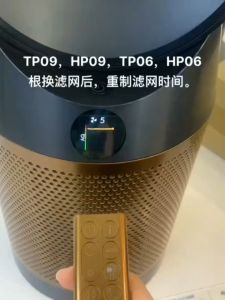
🔥Original and Authentic🔥 Replacement Compatible with for dyson tp07 tp09 tp10 tp06 hp06 hp07 hp09 ph01 ph02 Filter Air Purifier Accessories HEPA&Active Carbon Nano Protect filter
YINGYUE | Anti-Loss Anti-Shock Phone Lanyard
Solid Wood Monitor Stand Organizer
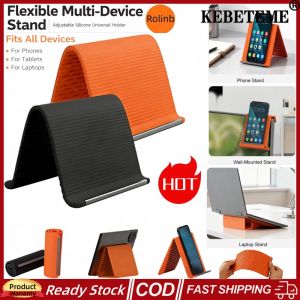
KEBETEME 2PCS 2026 New Portable Foldable Silicone Aluminum Phone Stand Flexible Bendable Silicone Desktop Tablet Laptop Stand Universal Multi-Angle Adjustable Phone Holder