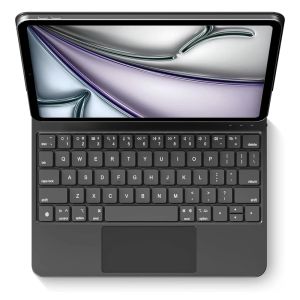
Magic Keyboard With Touch Panel For iPad Air 4 5 10.9in 10th iPad A16 2025 Pro 12.9in 2018-2022 Tablet Case Smart Cover
READY YEAH  For New iPad 2025 Magic Keyboard,Magnetic adsorption, backlight, touch panel, multi angle supportãWireless Bluetooth connection Note that the colors available are only black and white, and no other colors are provided.English versionkeyboard : There are English letters on the keyboard only.Multi-language versionkeyboard : English letters and carved language letters together ..ãFor example, if you choose French, the keyboard will display English and French letters. Please note that the same letters will not be engraved repeatedlyãï¼Due to the difference in the number of keyboard keys compared to a normal office keyboard, some special character engraving positions are the same, which is a normal phenomenonï¼Note: The rear camera holes of iPad Air 11 inch M2 M3 and iPad Air 13 inch M2 M3 are universal square holes. If you mind, please do not purchase~!Note 1:You need to upgrade iPad OS to version 15.0 or higher to use the touchpad.Note 2:Please check in the size and detail model of your iPad. it is very importtant ! ! !Note 3:After Open the Power, Please Click "Fn" and "C" ãFn+CãButton Together to Open the Keyboard's Bluetooth. It is Very Important!!!Note 4:Switch language: Open Settings - Language and Input Method - Physical Keyboard - Add Language Layout.How To Verify Your Tablet Model1.Turn iPad tablet to the back find your specific model,Par exemple: A**2.Find the "Settings"--Click the "About"--Find the "Model"3.Please select the correct model number for your tablet purchase after viewing it.ã1ã1. After connecting Bluetooth, open your iPad - Settings - Keyboard - Add New Keyboardã2ãInput method switching: control+spacebar.ï¼Choose the language you needï¼English versionkeyboard : There are English letters on the keyboard only.Multi-language versionkeyboard : English letters and carved language letters together.The keyboard Core defaults to English, and the characters engraved on the keyboard are only a Surface display.so in some countries, even if the input method is switched, the special symbols do not necessarily match the keyboard function layoutï¼You can hold down the Shift or option combinationï¼.If you mind, please do not purchaseï¼ï¼.Deliver a ultra-quiet, responsive and comfortable typing experience Scissor-switch Keys: Smooth rebound. Illuminated Keycaps: Worry-free typing in low-light.* 1.4mm Comfortable Key Travel: Responsive and quiet typingGesture 1: ClickGesture 2: Open program dockGesture 3: Open Control CentenGesture 4: ScalingGesture 5: Drag and moveGesture 6: Open the APP Switch7 colors of light adjustableAdjustable brightnessYou can adjust the screen to the angle you wantSmart Screen On/Off* Enhance work efficiency.* OPEN: Screen wakes up.* CLOSE: Screen sleepsStrong magnetic coreSuspended and not easy to fall. The back panel has strong magnetic attraction, which is stable and does not fall off.Stain and scratch resistant Just wipe to remove stainsCoping with different scenarios

GlobalTechMart
Review

You May Also Like
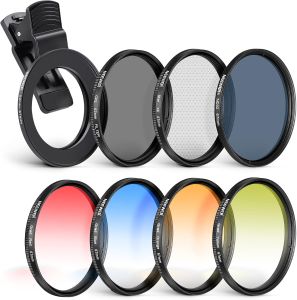
NEEWER 67mm ND+CPL Effect Filter Set with Phone Lens Clamp Holder for iPhone Samsung Xiaomi Android Phone Camera Vlog
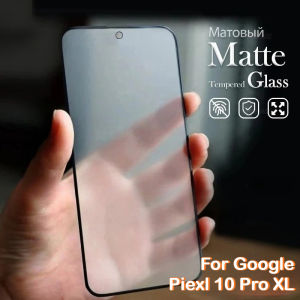
1-3Pcs Matte 9H Tempered Glass Film for Google Pixel 10 9 Pro XL 9A 8A 7 6 5 A 5G Screen Frosted Film Protector Anti Fingerprint
YONGDING | MPO to LC QSFP Telecommunication Optical Fiber Cable 1310nm
NEW Magnetic Strap For Samsung Galaxy Fit 3 Silicone Adjustable Watch Band For Samsung Galaxy Fit 3 Smart Bracelet Wristband

Portable Laptop Desk Stand Notebook Stand Ultra Slim Desk Converter Height Adjustable Paper-Thin Easy Storage & Travel
Smyideal | Magnetic Compatible iPhone Case
YUEHU | PD Fast Charging Desktop Charger Multi-Port USB with Type-C 30 Ports
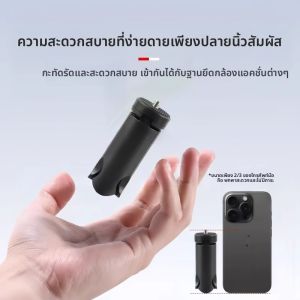
HAISENLE | Portable Stabilizer Tripod for DJI Pocket 4/3 and Osmo 4/3
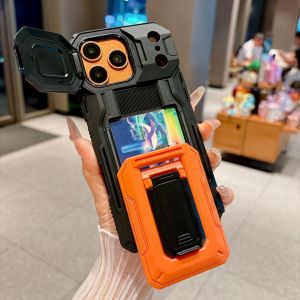
Standing Case iPhone 17 18 16 15 14 13 Pro Case 14 14 16 Plus Wallet Card Holder Blue | Slide Camera Lens Cover Military Grade Shockproof Heavy Duty Rugged Matte Women Men Cell Phone Case for iPhone 17 Pro
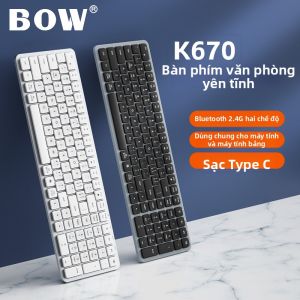
B.O.W | Wireless Bluetooth Dual-mode Silent Portable Keyboard and Mouse Set for Office
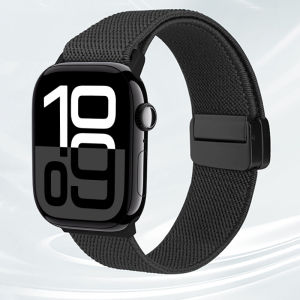
Nylon Strap for Apple Watch Ultra 3/ Ultra 2/ Ultra 49mm iWatch Series 11 10 9 8 SE3 SE2 SE 7 6 5 4 Women Men lWatch Nylon Band 46mm 45mm 41mm 44mm 40mm 42mm 38mm Elastic Straps