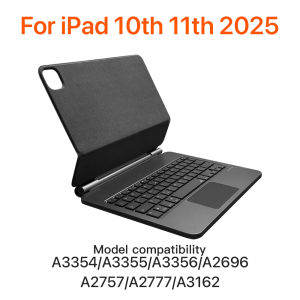
EMTRA Magic Keyboard for IPad 11th 2025 Air 11in 13in Bluetooth Keyboard Wireless for IPad Air 4 5 6 Pro 11 10.9inch Case Stand
EMTRA For New iPad 2025 Magic KeyboardNote that the colors available are only black and white, and no other colors are provided.English versionkeyboard : There are English letters on the keyboard only.Multi-language versionkeyboard : English letters and carved language letters together .. For example, if you choose French the keyboard will display English and French letters. Please note that the same letters will not be engraved repeatedly (Due to the difference in the number of keyboard keys compared to a normal office keyboard some special character engraving positions are the same, which is a normal phenomenon) The keyboard Core defaults to English, and the characters engraved on the keyboard are only a Surface display .so in some countries, even if the input method is switched, the special symbols do not necessarily match the keyboard function layout (You can hold down the Shift combination).If you mind, please do not purchase!! .Magnetic adsorption, backlight, touch panel, multi angle support, Wireless Bluetooth connectionNote 1:You need to upgrade iPad OS to version 17.0 or higher to use the touchpad.Note 2:Please check in the size and detail model of your iPad. it is very importtant ! ! !Note 3:After Open the Power, Please Click "Fn" and "C" [Fn+C] Button Together to Open the Keyboard's Bluetooth.It is Very Important!!Note 4:Switch language: Open Settings - Language and Input Method - Physical Keyboard - Add Language Layout.How To Verify Your Tablet Model1.Turn iPad tablet to the back find your specific model,Par exemple: A****2.Find the "Settings"--Click the "About"--Find the "Model"3.Please select the correct model number for your tablet purchase after viewing it.1. After connecting Bluetooth, open your ipads-settings-keyboard-add New Keyboardã2ãInput method switching: control+spacebar. (Choose the language you need)The keyboard Core defaults to English, and the characters engraved on the keyboard are only a Surface display.so in some countries, even if the input method is switched, the special symbols do not necessarily match the keyboard function layoutï¼You can hold down the Shift or option combinationï¼.If you mind, please do not purchaseï¼ï¼.Gesture 1: ClickGesture 2: Open program dockGesture 3: Open Control CentenGesture 4: ScalingGesture 5: Drag and moveGesture 6: Open the APP SwitchMulti-Touch BacklightMagic Keyboard caseFor iPad Pro 11"(2018-2025)For iPad Air 4th 5th 10.9"For iPad Pro 12.9"(2018-2025)For iPad 10th(2022)11th(A16)Stain and scratch resistantJust wipe to remove stains7-Color BacklightFloating Cantilever Stand DesignStrong Magnetic AttachmentAutomatic Sleep Wake Up FunctionConnection stepsCharging and maintenanceTouch pad gesture instructionsProduct characteristicsProduct language layoutWhite Magic Keyboard EnglishWhite Magic Keyboard English + ArabicWhite Magic Keyboard English + PolishWhite Magic Keyboard English + GermanWhite Magic Keyboard English + RussianWhite Magic Keyboard English + FrenchWhite Magic Keyboard English + KoreanWhite Magic Keyboard English + PortugueseWhite Magic Keyboard English + JapaneseWhite Magic Keyboard English + SwedishWhite Magic Keyboard English + UkrainianWhite Magic Keyboard English + SpanishWhite Magic Keyboard English + HebrewWhite Magic Keyboard English + ItalianBlack Magic Keyboard EnglishBlack Magic Keyboard English + ArabicBlack Magic Keyboard English + PolishBlack Magic keyboard English + GermanBlack Magic keyboard English + RussianBlack Magic keyboard English + FrenchBlack Magic Keyboard English + KoreanBlack Magic Keyboard English + PortugueseBlack Magic Keyboard English + JapaneseBlack Magic Keyboard English + SwedishBlack Magic Keyboard English + UkrainianBlack Magic Keyboard English + SpanishBlack Magic Keyboard English + HebrewBlack Magic Keyboard English + Italian

GlobalTechMart
Review

You May Also Like
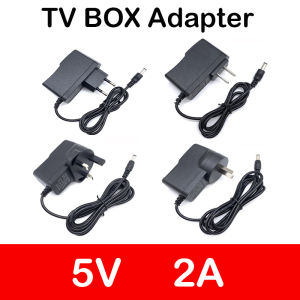
1PCS Power Adapter New DC 5V2A Converter Adapter AC 100V-240V 5V 2A 2000mA Power Supply EU US UK Plug For Android TV Box X96 H96
1M 3A Type C To Micro USB Cable Adapter For Samsung Xiaomi Huawei Macnook Laptop Data Cable Mobile Phone Charging Data Transfer
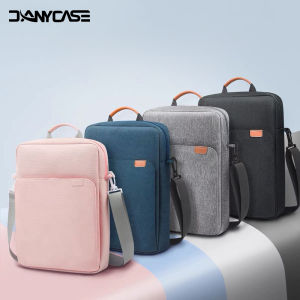
DANYCASE | Tablet Sleeve Bag For iPad Pro 12 9 11 iPad 10th Air 5 4 3 10.9 10.2 inch 9th 8th 7th Generation 2021 2022 Tablet Bag Pouch

Cwatcun | Waterproof Vintage Camera Bag
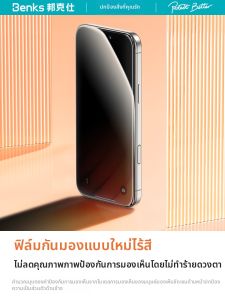
Benks | Anti-Spy Tempered Glass Full Covering Screen Protector
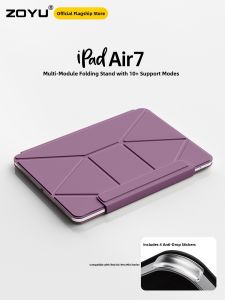
Zoyu | Thin Magnetic iPad Case with Stand and Rotatable Screen 13 inch
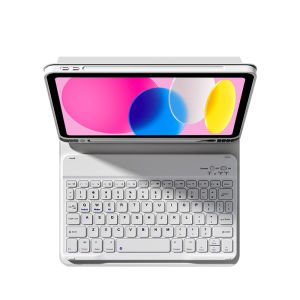
Zoyu | Protective Cover with Keyboard Tablet Stand Support
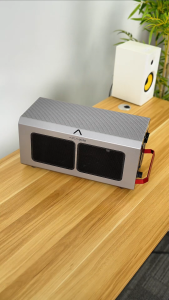
Acasis 40Gbps USB4 eGPU Dock External GPU Enclosure - Compatible with USB4v2 & USB4 32Gbps Data Transfer via PCIe 3.0 x4 Equipped with 10Gbps USB-A & 2×40Gbps USB-C Ports
YONGDING | Laser Array Ribbon Fiber Optic Patch Cable 50/125um
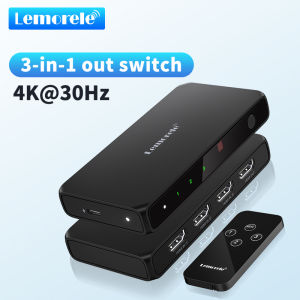
LEMORELE HDMI Switcher 4K 30Hz 5 In 1 Out Distributor Converter Bidirectional Switching for Laptop TV Projector Monitor Switch
Nikon NIKKOR Z 35MM F/1.8 S