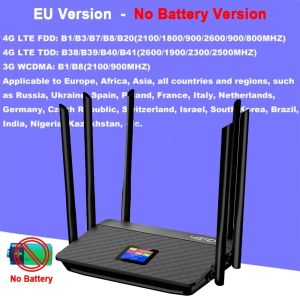
KuWfi 4G LTE Router 150Mbps 5200mAh Battery 6 High Gain Antennas SIM Card Slot RJ45 Port LCD Display Wired/Wireless
KuWfi 4G LTE Router 150Mbps, 5200mAh Large Battery, 6 High-Gain Antennas Key Features: High-Speed 4G LTE Connection: Enjoy stable internet with download speeds up to 150Mbps and upload speeds up to 50Mbps. Converts 4G signal into Wi-Fi for all your devices. Massive 5200mAh Built-in Battery: Stay connected for hours on a single charge. Perfect for travel, outdoor use, and power outages. Extended Coverage & Stability: Equipped with 6 powerful high-gain external antennas to enhance signal strength, reduce dead zones, and provide wider Wi-Fi coverage. Dual Connectivity Modes: Offers both wireless Wi-Fi and wired RJ45 LAN port connections. Share your 4G network with smart TVs, PCs, cameras, and more. User-Friendly LCD Display: Monitor real-time network status, signal strength, Wi-Fi details, and data usage at a glance. Easy Plug & Play Setup: Simply insert a compatible SIM card to get started. Supports most 4G LTE networks (APN settings may be required). Multi-Device Sharing: Connects up to 10 Wi-Fi users simultaneouslyâideal for family, small offices, or group trips.  Specifications:   Network: 4G LTE FDD/TDD Wi-Fi Standard: 2.4GHz, 150Mbps Battery: 5200mAh rechargeable lithium battery Antennas: 6 à 5dBi external high-gain antennas Ports: 1 à RJ45 LAN port, SIM card slot Display: LCD status screen Supported Devices: Smartphones, tablets, laptops, cameras, IoT devices, etc.  Package Includes:   1 à KuWfi 4G LTE Router 6 à External Antennas 1 à Power Adapter 1 à Ethernet Cable 1 à User Manual FAQ:Q1:Why can't the device recognize the SIM card?A1: Please insert SIM card into the router for one minute first,then turn on the power.  If still not recognized the SIM card,please install another SIM card from another SIM card operator.Q2:Why can't I use the internet when I insert a SIM card?A2:Even if your SIM card is compatible with the product, it is not necessarily plug and play, you need to disable the SIM card PIN and modify the APN.Q3:How do I modify the APNï¼A3: Enter the router IP address and search for APN Settings. Modify the APN. You can query the APN of the SIM card on the carrier's official website or mobile phone. Verify that the SIM card is activated.Q4:The router cannot search for wifi?A4: Please check the wifi light is on or off?If the light is on ,maybe wifi was hidden ,please log in web ui to enable the wifi name.Q5:The router's network speed is slowA5: The router needs to capture the signal and transmit the WiFi signal again, so it will be slower than the phone.If your speed is slow ,this is according your local case,or your can try other sim card .Speed is different.Q6:Signal is unstable?A6: You can also manage the settings page, lock 4G or 3G network, can effectively improve the stability of the network.Q7:All settings are correct, but the device still cannot connect to the network?A7: please consider whether it is caused by the following problems:Account got suspended for too much data usage.Is the SIM card an IoT card?the sim card have limited service ,not work with router or hotspot.some place did not cover the network Frequency band.

GlobalTechMart
Review

You May Also Like

NAIWU | Waterproof Charging Port Cover

30W PD Fast Charging USB Type C to Lightning Cable For iPhone 14 13 12 11 Charge Data Wire Cord Phone Accessories

1pair 20mm 22mm 24mm Watch Band Stainless Steel Connectors for Samsung Galaxy Watch 7 Ultra 47mm Metal Connectors Watch Adapters
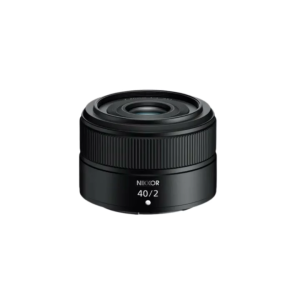
Nikon NIKKOR Z 40MM F/2
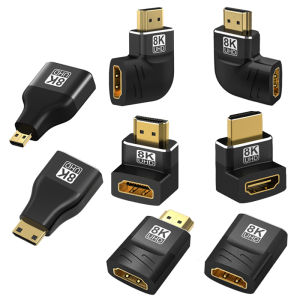
8K HDMI 2.1 Adapter 90 270 Degree Right Angle Male to Female Converter HDMI Cable Extension Connector For TV Laptop PC Monitor
Rocoren Power Bank 50000mAh Original Portable Powerbank 20000mAh/10000mAh PD 22.5W Fast Charging with Led Display
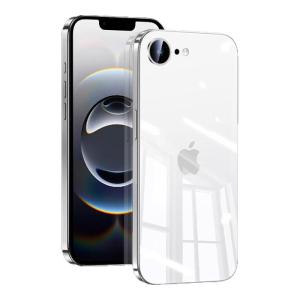
Newyu | Ultra-thin High-end Transparent Shockproof Silicone Full Coverage Case for iPhone
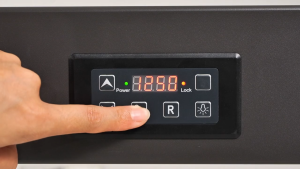
North Bayou NB P100 / P150 65" - 90" TV Mobile Cart with Lock Wheels

Main | Liquid Silicone Ultra-Thin Phone Case
![[SG] PC Flip Phone Xiaomi Mix Flip 2 Flip Phone Case Clear PC Polycarbonate Hard Transparent Shockproof Casing](https://img.lazcdn.com/g/ff/kf/S4283b70591304cf38d749982dbd58aa8I.png_300x300q80.png)
[SG] PC Flip Phone Xiaomi Mix Flip 2 Flip Phone Case Clear PC Polycarbonate Hard Transparent Shockproof Casing
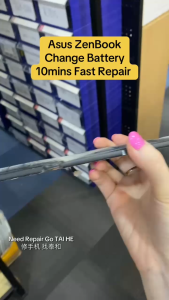
C41N2002 Laptop Battery for Asus ZenBook Pro 15 UX535 UX535L UX535LH UX535LI UX535LH-AP1871T UX535LH-BN128R UX535LI-BN141T UX535LI-E2211T UX535LI-H2171R UX535LI-WB723R 0B200-03770100 15.4V 64Wh