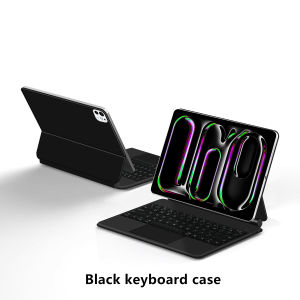
Magic Keyboard for iPad Pro 13 inch M5 M4 Smart Case for iPad Pro 13 A3361 A3362 A2925 A2926 Touchpad Backlit Keyboard Cover
For New iPad Pro 13 inch 2025 /2024 (M5/M4) Magic KeyboardMagnetic adsorption, backlight, touch panel, multi angle supportãWireless Bluetooth connectionNote 1:You need to upgrade iPad OS to version 17.0 or higher to use the touchpad.Note 2:Please check in the size and detail model of your iPad. it is very importtant ! ! ! Note 3: Turn on the keyboard switch, Please Click "Fn" and "C" ãFn+CãButton Together to Open the Keyboard's Bluetooth. It is Very Important.Product Details:1. Number of buttons: 642. Battery: Lithium battery 500mAh3. Stand-by time: 150 days4. Working Time: 5 hours (with backlit on),120 hours (with backlit off)5. Working Voltage: 3.0 - 4.2V6. Charging current:<250 mA7. Effective distance: 10 meters8. Backlit Light: 7 colors backlit9. Charge Port: Type-c10. Material: Anti fouling and durable PU material11. Key life:3 million12. Charging times: 3 hours13. Color: White BlackHow To Verify Your Tablet Model1.Turn iPad tablet to the back find your specific model,Par exemple: A ****2.Find the "Settings"--Click the "About"--Find the "Model"3.Please select the correct model number for your tablet purchase after viewing it.Applicable Models and codes:[Note: Only the corresponding machine model can be magnetically attracted.  ]For New iPad Pro 13 2024 (M4) 13 inch(Model:A2925 A2926 A3007)For New iPad Pro 13 2025 (M5) 13 inch(Model:A3360 A3361 A3362)Note: These two models of keyboard covers are universal !!! Other models cannot be used.Please confirm your machine model before purchaseï¼ï¼Attention PleaseEnglish versionkeyboard : There are English letters on the keyboard only.Multi-language versionkeyboard : English letters and carved language letters together ãFor example, if you choose French, the keyboard will display English and French letters. Please note that the same letters will not be engraved repeatedlyãï¼Due to the difference in the number of keyboard keys compared to a normal office keyboard, some special character engraving positions are the same, which is a normal phenomenonï¼The keyboard Core defaults to English, and the characters engraved on the keyboard are only a Surface display.so in some countries, even if the input method is switched, the special symbols do not necessarily match the keyboard function layoutï¼You can hold down the Shift combinationï¼.If you mind, please do not purchaseï¼ï¼Note ï¼Due to the material of the white keyboard, the engraved letters are dark gray .ã1ãBluetooth connection method: Turn on the keyboard switch, then hold down Fn+C for about 2-3 seconds to start Bluetooth, then turn on your tablet Bluetooth device, search for "BT Keyboard" ,and click connect to connect ãNote: If you do not use the keyboard for a long time, the keyboard will enter sleep mode and Bluetooth will automatically disconnect.ã2ã1. After connecting Bluetooth, open your iPad - Settings - Keyboard - Add New Keyboardã3ãInput method switching: control+spacebar.ï¼Choose the language you needï¼ã4ãFor detailed instructions, please read the user manual. If you have any questions, you can contact "Online Services" for consultation .The resolution of the machine is different, and there may be color differences in the images, which is a normal phenomenon. The actual product received shall prevail .Note:Due to the large size of the tablet, if the keyboard angle is adjusted too much during use, the keyboard may tilt. This is a normal situation, please do not panic, just adjust the keyboard amplitude, and it will not affect use.Note: Tablet and Pencil are not included in the packaging~

GlobalTechMart
Review

You May Also Like
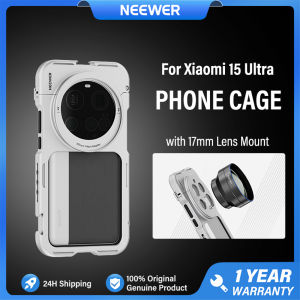
NEEWER Phone Cage Rig for Xiaomi 15 Ultra Phone Stabilizer Holder with 67mm Filter Adapter & 17mm Phone Lens Mount PA091
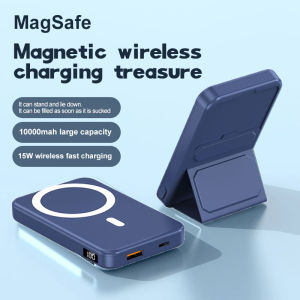
10000mAh Magnetic Power Bank With Foldable Stand Fast Wireless Charger 15W External Battery 22.5W PD USB C For iPhone 13 Xiaomi
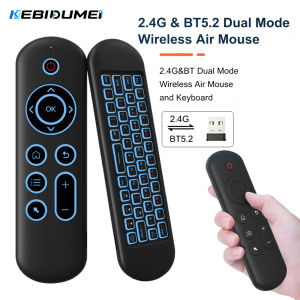
Kebidumei | KEBIDUMEI M5 Air Mouse Remote Control Wireless 2.4G&BT 5.2 Keyboard 7 Color Backlit Gyroscope For Android Smart TV Box PC
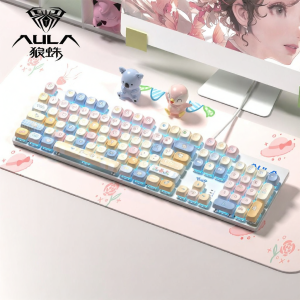
AULA | Office and Gaming Wired 104-Key Mechanical Keyboard
Bandai | Large Gaming Keyboard Rug Laptop Japan Cool Anime Mouse Pad XL Black DBZ Dragon Ball Z Desk Mat PC Gamer Carpet Mousepad for LOL
UGP | Cute Cartoon Liquid Silicone Phone Case Shockproof
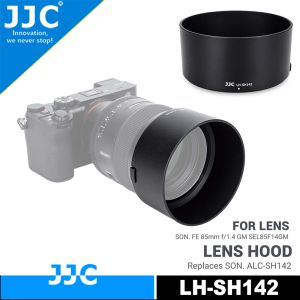
JJC Reversible Lens Hood Shade For Sony FE 85mm f/1.4 GM Lens Replaces SONY ALC-SH142Allows Putting Ф77mm Filter and Original Lens Cap
iPad 10th Gen Case 10.9 10th Generation Rotating Leather 360° Clear Cover with Pencil Holder Casing
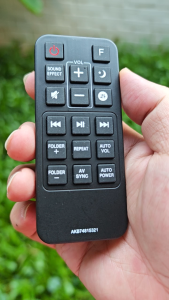
For LG Sound Bar Remote Control AKB74815321 AKB74815311 (New warranty)
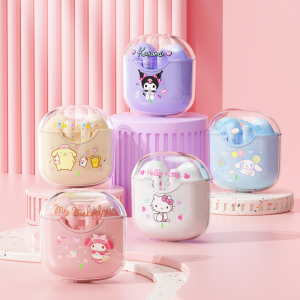
Sanrio | Sanrio EBL19 Tws Wireless Bluetooth Headset Transparent Case Cute Hello Kitty Design Stereo Sound Earphones for All Smartphones
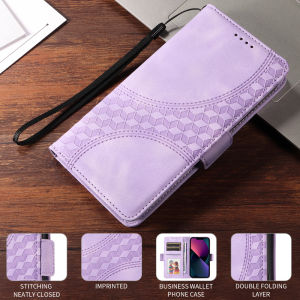
Case for Samsung Galaxy S26 S25 S24 S23 S22 Plus Ultra FE EDGE Flower Fashion Embossed Wallet Leather Flip Card Slots Folio Shatterproof Phone Case Sling Phone Cover