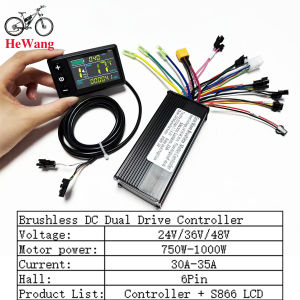
24V 36V 48V 750W-1000W 3-mode Brushless Motor 35A Sine Wave Controller 9mosfet With S866 No.2 UART LCD for E-Bicycle Scooter
Note: Error code E06 occurs, the product defaults to 36V, this is an undervoltage situation, you can manually adjust the meter to adapt to 24V, or check the battery and adjust it to 24V and wait for about 10 seconds. Do not touch anything during this period. It will convert automatically.Video link: https://video.aliexpress-media.com/seller/play/5000264806825.mp4Note: If error code E07 occurs, the power assist PAS cable (red, yellow, black) and the throttle cable (red, green, black) are connected incorrectly. Follow the wiring video link, or rewire the throttle cable and adjust the throttle cable (red, green, black) signal line. Reference videos: https://video.aliexpress-media.com/seller/play/5000298772350.mp4 and https://video.aliexpress-media.com/seller/play/5000298772350.mp4Note: If error code E10 occurs, it indicates a loose connection at the instrument panel connector. Try unplugging and replugging the cable. Refer to the video website: https://video.aliexpress-media.com/seller/play/5000376402889.mp424V/36V/48V sine wave Brushless motor controller 500W 750W 1000W 35A With S866 No. 2 protocol LCD instrument electric bicycle scooter24V, 36V, and 48V sine-wave brushless motor controller, 500W-1000W controller, suitable for 6-pin SM connector,protocol 2 instrumentation, e-bikes, lithium-ion scooters, mountain bikes, power-assisted scooters, etc.Specifications: 500W-1000W, 24V/36V/48VMaterial: Aluminum AlloyOperating Voltage: 24V/36V/48VRated Power: 500W-1000WCurrent: 35ACase Dimensions: 12.553cmMOSFET: HY3410Functions: Headlight Power Supply, Throttle, protocol 2 instrumentation (display), 6-pin Hall Effect sensor, dual low-pressure brake (E-brake), power assist (PAS), self-studyPacking list:1 x LCD display1 x controllerNote:Each cable is marked with different colors for different purposes.Red (VCC) instrument power lineBlue (K) controller power control lineBlack (GND) instrument ground lineGreen (RX) instrument data receiving lineYellow (TX) instrument data sending lineNote:1. The product power is set to 8 at the factory, which basically corresponds to most split superchargers on the market. If the customer uses an integrated supercharger, please set it to 12.2. P13 in the manual is the power setting of the product. If the supercharger is incompatible, the customer needs to adjust it to 8 or 12.3. Please note that the controller model is sent randomly. Please confirm whether you are satisfied before placing an order.How to use: After getting the product, please be sure to align the phase first: plug in the smart identification line and identify the motor. The identification line is two green lines. After plugging in, pay attention to suspend the car, and the motor will run automatically. At this time, if the direction of rotation of the motor is correct, run for 10 to 15 seconds, disconnect the identification line, if the direction is opposite, disconnect the identification line and plug it back, the motor direction will change to forward, run for another 10 to 15 seconds, disconnect the identification line, and the motor direction will change to forward. Run for another 10-15 seconds, disconnect the identification line, and the motor direction will change to forward. Run for another 10-15 seconds, disconnect the identification line, and it's done. After the identification is completed, the identification line remains disconnected, do not plug it backWorking voltage and wiring method1. Working voltage: DC24V, 36V, 48V compatible with other voltages can be customized,2. Wiring method:Note: The leads of some products use waterproof connectors, and users cannot see the lead color in the harness. Function description:Function:1. Display functionSpeed display, power indication, fault prompt, total mileage, single mileage2. Control and setting functionPower switch control, wheel diameter setting, idle automatic sleep time setting, backlight brightness setting, startup mode setting, drive mode setting, voltage level setting, controller current limit value setting, 3. Communication protocol: UART All contents of the display screen (full display within 1S after power on)Display content introduction3.1 Battery power and BMS remaining power display3.2 Multi-function display areaTotal mileage 0D0, single mileage TRIP (unit: mile, km), single power-on time TIME, battery voltage VOL, DST: endurance mileage3.3 Speed display areaAVG: average speed, MAX: maximum speed, SPEED: current speed; unit Mp/h, km/h speed signal is taken from the Hall signal in the motor and sent to the instrument through the controller, (time of a single Hall cycle, unit: 1MS) The instrument will calculate the actual speed based on the wheel diameter and signal data (the motor Hall also needs to set the number of magnetic steels),3.4 Vehicle power gear adjustment, 0-9 gear digital display and gear bar display;3.5 Vehicle status display areaMotor fault;: Fault;: Brake prompt;: Headlight on prompt:3.6 Vehicle status code table:Fault code (decimal) Fault status Remarks0 Normal state1 Reserved2 Brake3 Power sensor fault (riding sign) Not implemented here4 6KM/H cruiseSettingsP01: Backlight brightness, level 1 is the darkest, level 3 is the brightest;P02: Mileage unit, 0: KM; 1: MILE; P02:P03: Voltage level: 24V, 36V, 48V;P04: Sleep time: 0, no sleep; other numbers are sleep time, range: 1-60; unit: minutesP05: Power gear: 0, 3 gear mode:1, 5 gear mode:P06: Wheel diameter: unit, inch; accuracy: 0.1;This parameter is related to the speed displayed by the instrument and needs to be entered correctly;P07: Number of speed magnets: range: 1-100:This parameter is related to the speed displayed by the instrument and needs to be entered correctly;If it is an ordinary hub motor, enter the number of magnets directly;If it is a high-speed motor, you also need to calculate the reduction ratio, input data = number of magnets x reduction ratio;For example: the number of motor magnets is 20, the reduction ratio is 4.3: the input data is: 86=20x4.3P08: speed limit: range 0-100km/h, 100 means no speed limitThe input data here indicates the maximum operating speed of the vehicle: for example, input 25, which means that the maximum operating speed of the vehicle will not exceed 25km/h; the driving speed is maintained at the set value,Error: 1km/h; (both the power assist and the handlebar are limited)Note: The value here is based on kilometers. When the unit setting is converted from kilometers to miles, the speed value on the display interface will automatically be converted to the correct mile value, but the speed limit value set in this menu under the mile interface will not be converted, and it is inconsistent with the actual displayed mile speed limit value;0 Normal state1 Reserved2 Brake3 Power sensor fault (riding sign) Not implemented here4 6KM/H cruise5 Real-time cruise6 Battery undervoltage7 Motor fault8 Throttle fault9 Controller fault10 Communication receiving fault11 Communication sending fault12 BMS communication fault13 Headlight faultError code E06 occurs. The product defaults to 36V. This is an undervoltage situation. You can manually adjust the meter to adapt to 24V, or check the battery.

GlobalTechMart
Review

You May Also Like
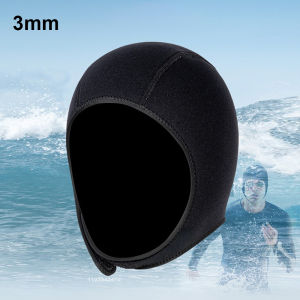
3mm Neoprene Diving Hood Thermal Wetsuit Hood Stretchable Diving Cap Swim Caps with Chin Straps Surfing Hood for Men Women
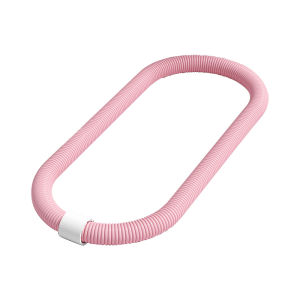
MIKING | Soft Spring Hula Hoop for Weight Loss and Waist Reduction

YUZHIYUAN | Water-resistant Fishing Overalls With Boots

High Definition Anti-fog Waterproof Myopia Swim Goggles
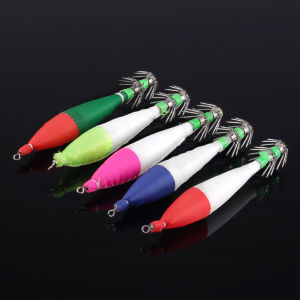
5pcs 6.5g/10.5cm 4#Hook Fishing Lure Luminous Tail Plastic Squid Jig Hook Saltwater Bait For Octopus Cuttlefish Catch
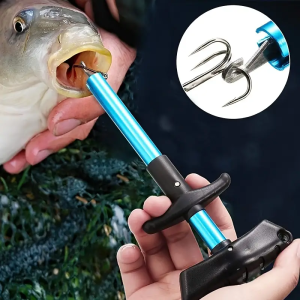
T-Shaped Fish Hook Remover - Aluminum Alloy Tool with Ergonomic Blue Handle Durable Metallic Finish Ideal Fishing Gift
Soft Bait Wacky Hook For Bass Pike
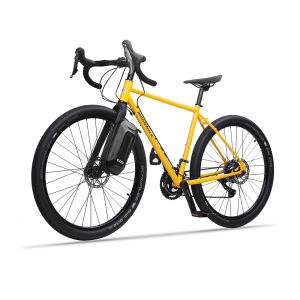
Rhinowalk Bicycle Fork Bag 4L Large Capacity Quick Release Hard Shell Multifunctional Bike Front Bag Storage Tool Bag Bicycle Backpack Travel Casual Commuter Shoulder Bag Handbag Bicycle Accessories
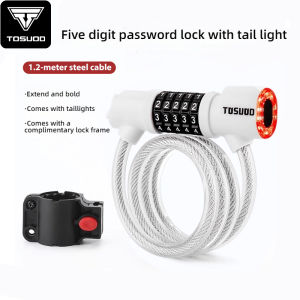
TOSUOD Bicycle Lock with Tail Light 5-Digit Security Password Bike Lock Steel Cable Chain Anti-theft Bicycle Bike Accessories
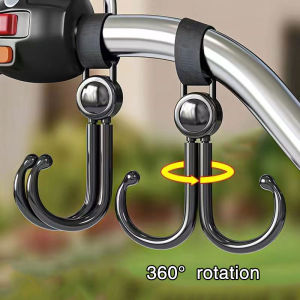
Electric bicycle hook multifunctional universal front hook for bicycles motorcycles baby strollers
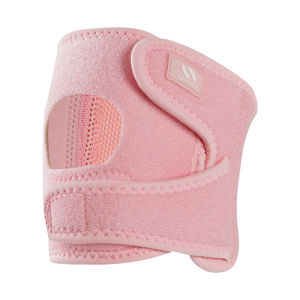
NAILEKESI | Patella Support Band for Running